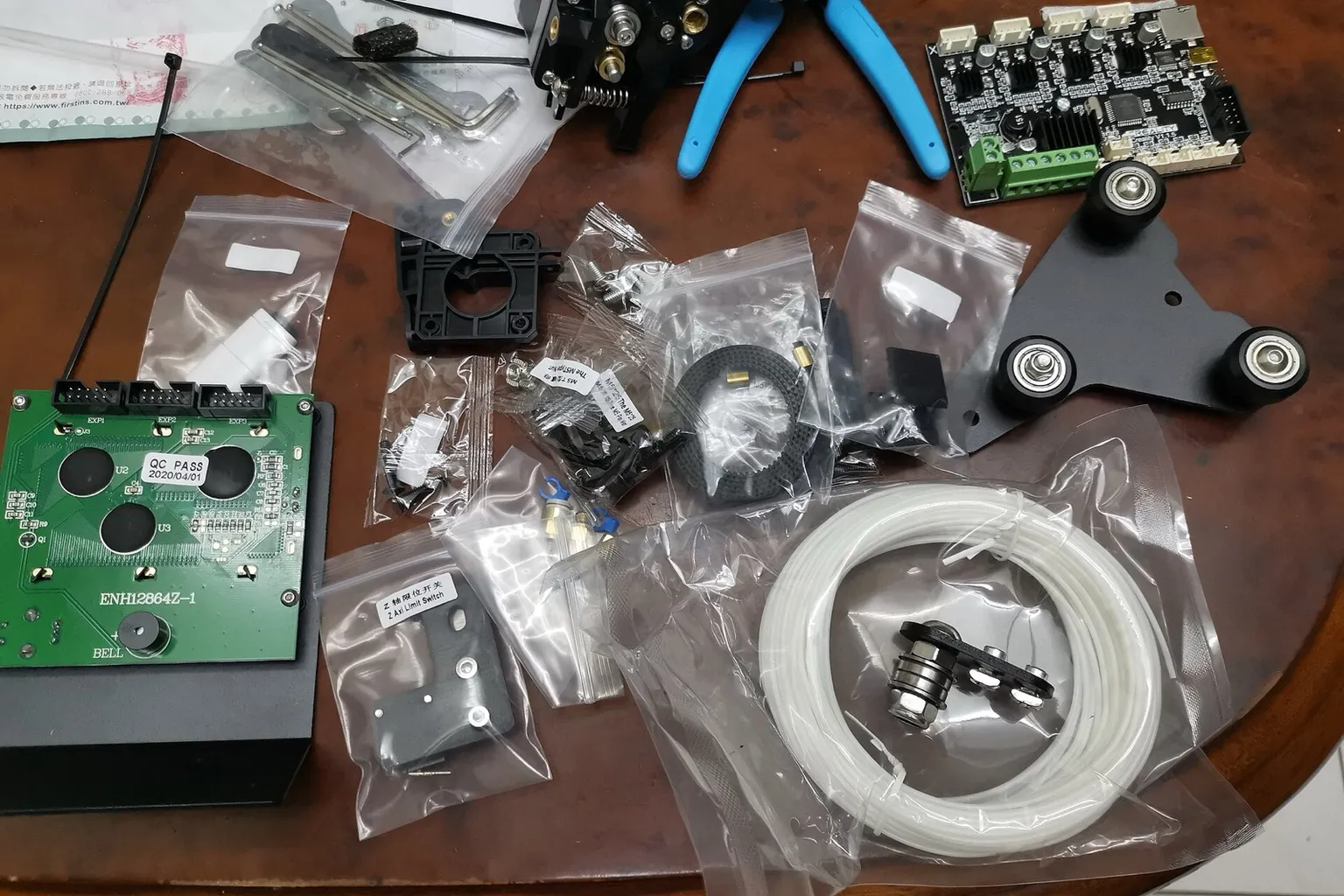
The Ender 3 upgrades list comes down to nine parts, from an $11.99 PTFE tube to a $79.99 enclosure at US prices on October 22, 2026. Three fix documented stock failures: the plastic extruder arm, the PTFE tube fittings and, on early units, firmware without thermal runaway protection. The rest change what or how you print.
The Ender 3 upgrades list comes down to nine parts, by US price on October 22, 2026: a Capricorn PTFE (polytetrafluoroethylene) tube ($11.99), a metal dual-gear extruder ($19.99 to $47.50), a direct drive kit ($20.00 to $119.95), a PEI (polyetherimide) spring steel sheet ($20.15), a bed leveling probe ($26.99 to $31.20), a 32-bit mainboard ($49.85), an all-metal hotend ($63.50), a Raspberry Pi for Klipper ($67.50) and an enclosure ($79.99). Some of them come fitted on the Ender 3 V2 and the Neo models.
What does each Ender 3 upgrade fix and cost?
Sorted by the lowest price in each row, cheapest first. Every row fits the original Ender 3, the Ender 3 Pro and the Ender 3 V2. The sections below say which rows the Pro, V2 and Neo models can skip.
| Upgrade |
Stock weakness it fixes |
Typical US price, October 22, 2026 |
Difficulty |
Firmware change needed |
| Capricorn XS PTFE tube and new couplers |
Stock fittings “tend to fail after a few months”, and a gap between nozzle and tube causes clogs (TH3D) |
$11.99 per meter at Printed Solid |
Parts swap |
No |
| Metal dual-gear Bowden extruder |
The plastic extruder arm “tends to crack” and causes failed prints (TH3D) |
$19.99 (TH3D Upgraded Dual Drive Gear Extruder, 1 left in stock) to $47.50 (Micro Swiss Bowden Dual Gear Extruder) |
Parts swap |
E-steps only: from the stock 93 to 140 (TH3D’s starting value) or 130 (Micro Swiss), set with M92 and saved with M500 |
| Direct drive kit (how to fit one) |
The Bowden tube lets soft TPU buckle and needs long retractions |
$20.00 (Creality Sprite Extruder SE) to $119.95 (Micro Swiss NG) |
Parts swap and wiring (motor cable extension) |
E-steps only: 93 becomes the kit’s value, 400 on the NG |
| PEI spring steel sheet with magnetic base, 235 × 235 mm |
The original Ender 3’s plate, which Creality calls “build task-like” and contrasts with the Pro’s flexible one: it cannot be bent to pop prints off |
$20.15 (BIQU, listed for the Ender 3, Pro and V2) |
Parts swap |
No; re-level the bed on the new surface |
| Auto bed leveling probe |
Leveling by hand with the bed knobs; Creality says “manual calibration is required” |
$26.99 (BIQU MicroProbe with Ender 3 bracket) to $31.20 (Creality CR Touch, list $39.00) |
Wiring and firmware flash |
Yes: firmware with probe support. Creality’s CR Touch firmware exists only for the 32-bit V4.2.2 and V4.2.7 boards |
| 32-bit silent mainboard |
The 8-bit V1.1.x board on older units (ATmega1284P, A4988 drivers), which usually has no bootloader |
$49.85 (BTT SKR Mini E3 V3.0 at BIQU, list $52.99) |
Wiring and firmware flash |
Yes: firmware built for the new board; Marlin publishes an Ender 3 example for the SKR Mini E3 3.0 |
| All-metal hotend |
The PTFE tube runs into the hot zone; TH3D gives 235 °C as the stock maximum, “over this stock PTFE will degrade” |
$63.50 (Micro Swiss All Metal Hotend Kit) |
Parts swap |
No to fit it, then a PID tune (M303). Yes to print above 260 °C, the cap in Marlin’s Ender 3 configuration |
| Klipper on a Raspberry Pi |
Ringing (ghosting) at speed; Klipper’s input shaping reduces it |
$67.50 (Raspberry Pi 4 Model B 2GB at PiShop.us, board only) |
Firmware flash |
Yes: Klipper replaces Marlin on the mainboard |
| Enclosure |
Open frame: ABS and ASA need warm, still air to stop warping |
$79.99 (Creality 3D Printer Multifunction Enclosure, Small, 48 × 60 × 72 cm) |
Parts swap |
No |
Notes on the rows:
- Prices. They exclude shipping. For Creality parts the table uses the price on the product listing. Selecting a variant on Creality’s store took a further 10% off, to $28.08 for the CR Touch, $18.00 for the Sprite Extruder SE and $71.99 for the Small enclosure.
- Capricorn tubing raises no temperature limit. Printed Solid’s listing says “generally it is not safe to bring any PTFE above 260.” What Capricorn changes is the fit: it holds the inner diameter to 1.9 ± 0.05 mm, where plain tubing “may vary, however, anywhere from 1.75 to 2.15”.
- All-metal hotends and the firmware cap. Marlin’s Ender 3 example sets
HEATER_0_MAXTEMP to 275 °C with a 15 °C margin, so the highest target is 260 °C. Raising that is covered in firmware temperature limits, and the parts that cap each zone are in temperature limits.
- Neo versions. Micro Swiss sells a separate all-metal kit for the Ender 3 Neo and V2 Neo at the same $63.50. Creality’s Sprite Extruder SE-Neo was sold out on October 22, 2026.
- Klipper host. Klipper runs on a Linux computer such as a Raspberry Pi, which sends moves to the printer’s board. The Pi price excludes its power supply and microSD card.
What are the essential Ender 3 upgrades?
The upgrades that fix documented stock failure points on an Ender 3 are a metal extruder arm, a fresh PTFE tube with new couplers, and firmware with thermal runaway protection on early units. TH3D, a US Ender 3 parts and firmware vendor, reports that the plastic arm cracks and the stock tube fittings fail after a few months.
What each one guards against, plus a fourth fix TH3D gives for the original Ender 3:
- Extruder arm. TH3D: “Over time the extruder arm tends to crack from holding the filament and this results in printing failures.” Creality’s own Ender 3 V2 notes say “the extrusion clamp is easy to be broken”, which is why the V2 got a rotary knob. The Neo models moved to a full-metal extruder.
- PTFE tube and couplers. TH3D says the stock fittings “tend to fail after a few months and stop holding the PTFE tubing”, and that clogs follow when “a gap forms between the nozzle and the PTFE tube”.
- Thermal runaway protection. Without it, TH3D says a hotend or bed fault “can cause the printer to heat uncontrollably”, in the worst case to a fire. Sources disagree on whether stock firmware has this safeguard. OctoPrint’s firmware check flags Creality’s stock Ender 3 firmware as “known to lack mandatory safety features (e.g. thermal runaway protection). This is a fire risk.” Creality’s 2020 comparison says the Ender 3 has thermal runaway protection, and its US store says it was “also added” on the Pro. TH3D tells owners to assume it is off until they have checked.
- Power supply ground (original Ender 3). TH3D says the generic supply “has been known for a while now to not have proper grounding on it”. Its fixes are tightening the grounding screw inside the supply’s chassis or fitting a Mean Well supply. Both mean mains-voltage work: unplug the printer first, or hand the job to someone qualified.
Everything else in the table changes what or how you print. A probe replaces leveling by hand, a PEI sheet flexes to release prints, direct drive opens up soft TPU (thermoplastic polyurethane), and an all-metal hotend and an enclosure open up hotter, warp-prone filaments. Which to buy next depends on what you print; the upgrade order guide works through that choice.
Which Ender 3 upgrades should you do first?
Do Ender 3 upgrades in the order parts fail. First confirm thermal runaway protection and the power supply ground, then replace the PTFE tube and couplers, then the plastic extruder arm. On an 8-bit board, fit a 32-bit mainboard before a CR Touch probe. A PEI sheet, direct drive, all-metal hotend and enclosure can wait until a print needs them.
The order, with the reason for each step:
- Safety checks. Free, and they come first because a fire risk outranks print quality. Check thermal runaway protection with the steps below. Then check the power supply ground; the screw sits inside the supply’s chassis, so unplug the printer first.
- PTFE tube and couplers ($11.99 and up). The one stock part TH3D puts a lifespan on: “a few months”. Fit new couplers and re-seat the tube against the nozzle so no gap forms.
- Metal extruder arm ($19.99 to $47.50). TH3D says the plastic arm cracks “over time” and gives no time frame. After the swap, set the E-steps (extruder motor steps per millimeter of filament) to the new arm’s value with
M92 and save with M500.
- Mainboard, then probe. Only if your printer has the V1.1.x board, which usually has no bootloader (the program that lets a board load new firmware). Creality’s CR Touch firmware is built for its 32-bit V4.2.2 and V4.2.7 boards only, and those boards come with a bootloader. On either of them, go straight to the probe.
What can wait, and until when:
- PEI sheet: until removing prints from the stock plate becomes the problem. The Pro’s C-Mag sheet already flexes.
- Direct drive: until you print soft TPU or want shorter retractions.
- All-metal hotend: until a filament needs more than the 235 °C TH3D gives for the stock PTFE.
- Enclosure: until you print ABS or ASA. Bambu Lab’s filament guide says those materials “require higher heatbed and chamber temperatures to suppress warping and layer separation”.
- Klipper: until you want to print faster. It replaces the firmware on the board.
How to check an Ender 3 for thermal runaway protection
- Connect over USB. Open a terminal such as OctoPrint’s and watch the startup messages. OctoPrint flags firmware that identifies itself with
Author: (Ender3).
- Send
M115. Marlin builds that report capabilities print Cap:THERMAL_PROTECTION:1 when protection is on. OctoPrint also flags firmware that reports Cap:THERMAL_PROTECTION:0.
- If you cannot confirm it, reflash. Current Marlin enables
THERMAL_PROTECTION_HOTENDS and THERMAL_PROTECTION_BED in its Ender 3 example configurations. V4.2.2 and V4.2.7 boards flash from the SD card. TH3D says V1.1.x boards ship without a bootloader (Klipper notes that some Melzi boards have one), so one usually has to be flashed first, or the board replaced.
Which upgrades does the Ender 3 Pro need?
The Ender 3 Pro needs the Ender 3’s upgrades minus two. Creality fitted the Pro with a Mean Well power supply, a 40 × 40 mm Y-axis extrusion and a flexible C-Mag magnetic bed, so a supply swap and a PEI sheet are optional. The extruder, PTFE tube, probe, hotend, direct drive and enclosure upgrades still apply.
TH3D’s note on the cracking extruder arm covers both printers. The Micro Swiss NG, the Sprite Extruder SE and the Micro Swiss all-metal hotend kit all list the Pro, and Klipper publishes a 2020 Ender 3 Pro configuration. Creality says the C-Mag surface is meant to “bend or flex” to release prints, the job a PEI sheet does on the original.
Two Pro details to check on your own unit:
- Which board. It decides two rows: the mainboard upgrade applies only to a V1.1.x board, and Creality’s CR Touch firmware needs a V4.2.2 or V4.2.7. Klipper’s example configuration describes the 2020 Ender 3 Pro as shipping with “the 32-bit Creality 4.2.2 board”, while TH3D lists older models with V1.1.x boards. The version is printed on the board under the electronics cover.
- Which power supply. TH3D reports that newer Pro units ship with “a Creality branded Meanwell knockoff” rather than a Mean Well. Read the label on the supply.
Which upgrades do the Ender 3 V2 and Neo already have?
The Ender 3 V2 ships with a 32-bit silent mainboard, so it skips the board row. The Ender 3 Neo and V2 Neo add a CR Touch probe and a full-metal extruder. What each model left the factory with, from Creality’s product pages and comparisons unless noted:
| Model |
Mainboard |
Bed surface |
Leveling |
Extruder |
Also changed |
| Ender 3 |
8-bit V1.1.x on early units; TH3D lists V4.2.2 on later ones |
“Build task-like” plate |
Manual knobs |
Plastic Bowden |
Generic power supply |
| Ender 3 Pro |
V1.1.x on older units, 32-bit V4.2.2 on 2020 units |
C-Mag flexible magnetic |
Manual, larger knobs |
Plastic Bowden |
Mean Well supply, 40 × 40 mm Y extrusion |
| Ender 3 V2 |
32-bit silent |
Tempered glass |
Manual |
Bowden with a rotary knob |
XY belt tensioners, power-loss resume |
| Ender 3 Neo |
Silent |
Carborundum |
CR Touch, 16 points |
Full-metal |
Alloy steel mold springs |
| Ender 3 V2 Neo |
Silent; 32-bit STM32F103 in Klipper’s configuration |
PC spring steel, magnetic |
CR Touch, 16 points |
Full-metal Bowden with a knob |
Model preview on the screen |
On both Neo models, skip the probe and metal extruder rows. The V2 Neo also skips the board row, and the PEI row is optional: Creality says its sheet releases prints “with just a slight bend”. For the Ender 3 Neo, Creality describes the board only as a “silent mainboard”, so read the version printed on it before buying a new one. The PTFE tube, all-metal hotend, direct drive, Klipper and enclosure rows apply to every model here.