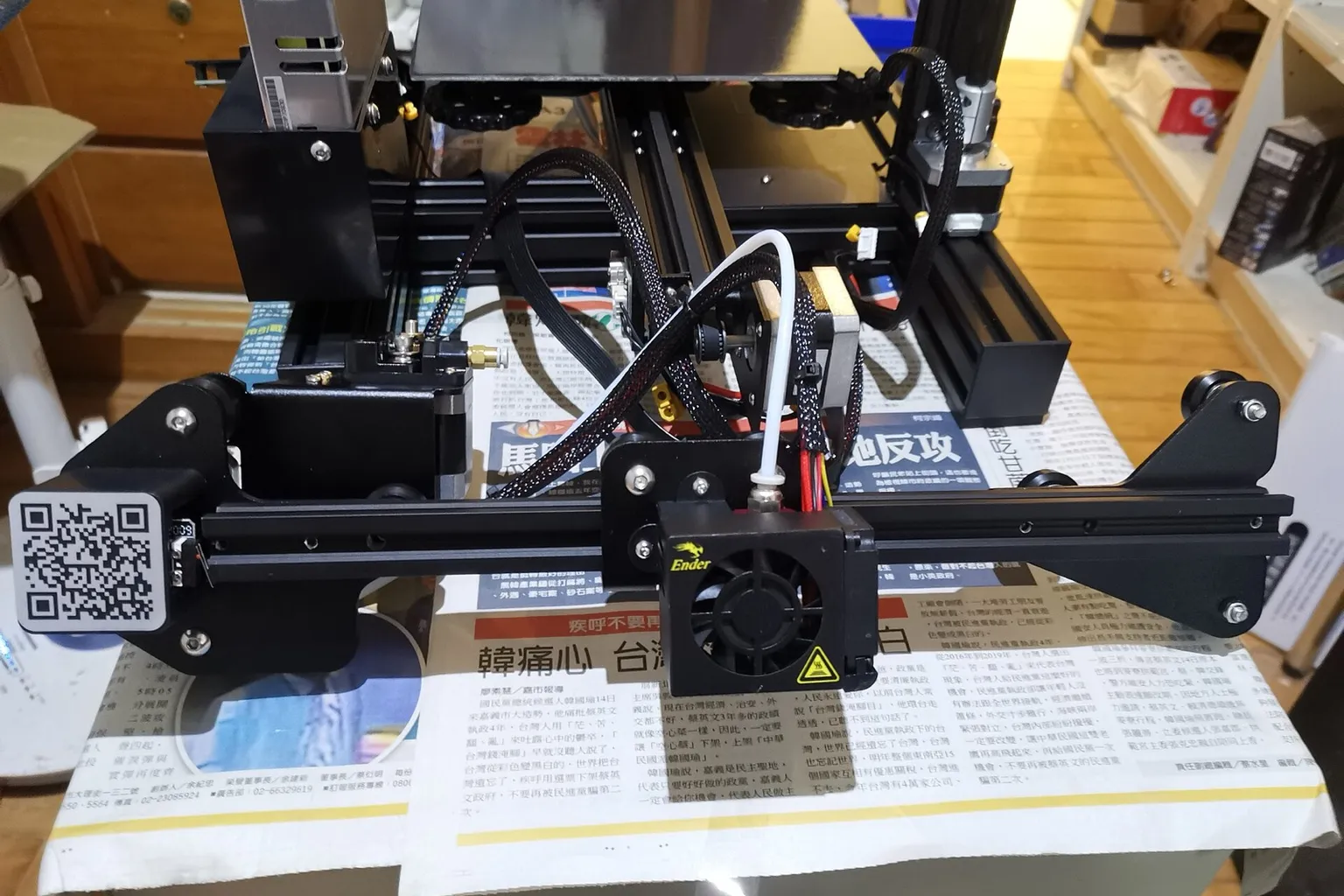
Move the extruder onto the X carriage above the hotend, extend its motor cable, set the new E-steps and cut retraction to about 1 mm. On an Ender 3, Ender 3 Pro or Ender 3 V2 that takes a printed mount for the stock extruder or a bolt-on kit; the Ender 3 S1 and V3 models already have direct drive.
Move the extruder from the frame onto the X carriage, directly above the hotend, then set the new extruder’s E-steps (motor steps per millimeter of filament) and cut retraction to about 1 mm. On an Ender 3, Ender 3 Pro or Ender 3 V2, use a printed mount for the stock extruder or a bolt-on kit ($18 to $119.95 in the US on October 21, 2026). The Ender 3 S1 and V3 models already ship with direct drive.
How do you add direct drive to an Ender 3?
Add direct drive to an Ender 3 by mounting an extruder on the X carriage above the hotend, extending the extruder motor cable and setting the new extruder’s E-steps. Then cut retraction to about 1 mm. Kits for the Ender 3, Ender 3 Pro and Ender 3 V2 cost $18 to $119.95; printed mounts reuse the stock extruder.
The kit decides which stock parts you keep, which E-steps value you start from and whether you print brackets. Sorted by US price on October 21, 2026, lowest first:
| Option |
Price |
Hotend |
Motor |
Notes |
| Printed mount for the stock extruder, such as DIRECTor |
Free files |
Stock |
Stock |
About 355 g with hotend, fans and stepper. Print it in PETG, ABS or ASA. The extruder turns the opposite way to stock. |
| Creality Sprite Extruder SE |
$18.00 at Creality’s US store with a variant selected (listed at $20.00) |
Stock (not included) |
Built into the unit |
210 g, 3.5:1 dual gear. Listed for the Ender-3, Ender-3 Pro and Ender-3 V2. |
| Micro Swiss Direct Drive Extruder, extruder only |
$57.75 |
Stock |
Stock, if its gear is not pressed on |
Replaces the carriage plate. The Pro and V2 need a printable fan shroud. Starts at 130 steps/mm. |
| BIQU H2 V2S complete kit |
$72.99 from BIQU’s US warehouse (out of stock); $79.58 from its Asia warehouse |
Included, 270 °C |
Included |
195 g with heater, thermistor and fan. Needs a printed bracket; BIQU posts Ender 3 and 3 V2 files. 932 steps/mm. |
| Micro Swiss Direct Drive Extruder with hotend |
$99.75 |
Micro Swiss all-metal |
Stock |
As the extruder-only version. |
| Micro Swiss NG Direct Drive Extruder |
$119.95 |
Micro Swiss all-metal |
LDO motor, included |
3:1 bevel gearing, filament path under 41 mm. 400 steps/mm. |
Creality’s 300 °C Sprite Extruder Pro kit for the Ender-3, Pro and V2 had no current US listing on October 21, 2026. The Sprite Extruder Pro on Creality’s US store ($35.99, sold out) is a replacement part for the Ender-3 S1 series.
An all-metal hotend raises the usable nozzle temperature only if the firmware allows it. Marlin’s Ender-3 example caps the nozzle at 260 °C (HEATER_0_MAXTEMP of 275 °C minus a 15 °C margin). See raising firmware temperature limits.
How to add direct drive to an Ender 3, step by step
These steps follow Micro Swiss’s NG guide. Kits that keep the stock carriage plate skip step 4.
- Prepare. Print any mount, bracket or fan shroud the kit needs while the printer still works. If it has a BLTouch, CR Touch or other probe, also print a probe bracket for the new toolhead. Then unload the filament, let the hotend cool to room temperature, and turn off and unplug the printer.
- Strip the carriage. Remove the fan shroud, fans and silicone sock. Take out the heater cartridge and thermistor, then the hotend with its Bowden tube, which you reuse in step 5.
- Remove the frame extruder. Unplug the extruder motor, take off the extruder arm and unbolt the motor from the frame. The Micro Swiss Direct Drive and printed mounts reuse that motor on the carriage.
- Swap the carriage plate. On the Micro Swiss kits, loosen the X belt and move the three V-rollers to the new plate, with the eccentric nut on the bottom roller. Turn the nut until the carriage has no wobble but the wheels still spin, then retension the belt.
- Fit the extruder and hotend. Seat the heat break as deep as it goes. Refit the heater cartridge and thermistor without overtightening the thermistor screw. If the thermistor’s glass bead shows, push the thermistor deeper. Add a short PTFE (Teflon) guide tube above the gears: Micro Swiss cuts about 2.5 inches from the old Bowden tube.
- Extend the motor cable. Leave slack for full X and Z travel. Use the kit’s extension cable; Micro Swiss says the NG’s cable has a special pinout for its LDO motor.
- Set the E-steps. In Marlin, send
M92 E<value> and save with M500, or run the kit’s G-code file from the SD card. In Klipper, set rotation_distance under [extruder]. The table below gives starting values.
- Check the direction. Heat the hotend and extrude a few millimeters. If the filament moves up, swap the two wires of one motor coil with the printer off, flip
INVERT_E0_DIR in Marlin and reflash, or add or remove the ! before the Klipper dir_pin.
- Calibrate the extrusion. Mark the filament about 70 mm above the extruder and extrude 50 mm slowly (
G91, then G1 E50 F60). The length that went in is 70 mm minus what is left between the extruder and the mark. New Marlin steps = old steps × 50 ÷ that length; new Klipper rotation_distance = old value × that length ÷ 50. Say 48 mm went in on an NG set to 400: 400 × 50 ÷ 48 = 416.7. Repeat if it was off by more than about 2 mm.
- Fix the offsets. Micro Swiss’s original Direct Drive makes X and Y home off the bed. Its fix is
G92 X-5.0 Y-10.0 after G28 in the start G-code, or X_MIN_POS -5 and Y_MIN_POS -10 in Marlin. Set the probe’s new X and Y offset with M851 (in Klipper, x_offset and y_offset), then reset the Z offset.
- Tune a new hotend. If the kit brought its own hotend, run a PID tune so the firmware learns how the new heater responds:
M303 in Marlin, PID_CALIBRATE HEATER=extruder in Klipper.
- Change the slicer profile. Drop retraction to about 1 mm. Then retune pressure advance in Klipper or linear advance in Marlin.
Starting E-steps and rotation distance by extruder
Rotation distances use Klipper’s formula, 200 full steps × 16 microsteps ÷ steps per mm, unless the source gives its own. Sorted by steps per mm:
| Extruder |
Marlin steps/mm |
Klipper rotation_distance |
| Stock Ender 3, Ender 3 Pro, Ender 3 V2 |
93 |
34.409 (Klipper’s Ender 3 V2 example uses 34.406) |
| Micro Swiss Direct Drive |
130 |
24.615 |
| Micro Swiss NG |
400 |
8.000 |
| Creality Sprite (SE and Pro) |
About 424.9; Marlin’s Ender-3 S1 example uses 430 |
7.531, or 26.359 with gear_ratio: 42:12 as in Klipper’s Ender-3 S1 example |
| BIQU H2 V2S |
932 at 16 microsteps |
3.433 |
Leaving the stock 93 in place makes a geared extruder under-extrude. On the NG, 93 feeds about 23% of what the slicer asks for (93 ÷ 400). A reply on Creality’s forum points out that the Sprite “uses a different esteps value to the standard extruder”.
Retraction and pressure advance after the conversion
Set retraction to 0.8 to 1.5 mm. Bowden profiles retract several millimeters because the filament is pulled back through the whole tube: Cura’s Creality Ender-3 profile sets no retraction of its own, so it uses Cura’s 6.5 mm default. For direct drive, Cura’s Ender-3 S1 and V3 SE profiles use 0.8 mm at 40 mm/s, and Micro Swiss says 1.0 mm for the NG and at most 1.5 mm at 35 mm/s for its original Direct Drive. Prusa’s figures show the same split: at most 2 mm on its direct-drive MK3 series, 3.2 mm by default on the Bowden MINI.
Then retune pressure advance (Klipper) or linear advance (Marlin), the firmware’s compensation for pressure in the nozzle. Direct drive needs a lower value:
- Klipper: run the pressure advance tuning tower with
FACTOR=.005, Klipper’s value for direct drive (.020 is for long Bowden setups). Its docs put typical results at 0.050 to 1.000, “the high end usually only with bowden extruders”.
- Marlin: recalibrate the linear advance K-factor (
M900 K). Marlin’s guide lists “Bowden vs. direct extruder” among the factors that set K.
Which Ender 3 models already have direct drive?
The Ender-3 S1 and V3 series ship with direct drive and have nothing to convert. The kits on this page are for the Bowden models.
| Model |
Stock extruder |
| Ender-3 S1, S1 Pro, S1 Plus |
Direct: Creality’s Sprite extruder |
| Ender-3 V3 SE, V3 KE, V3 |
Direct: “Extruder: Direct” on Creality’s spec sheets |
| Ender-3 V3 Plus |
Direct: a “direct drive extruder” on Creality’s product page |
| Ender-3, Ender-3 Pro, Ender-3 V2 |
Bowden |
| Ender-3 Neo, V2 Neo, Max Neo |
Bowden: Creality’s V2 Neo page lists a “Full-metal Bowden Extruder” |
For the Neo models, Creality sells a Sprite Extruder SE-Neo.
To weigh a kit against a new printer: Creality’s US store listed the Ender-3 V3 SE, which ships with the Sprite extruder, at $179.00 on October 21, 2026. It lists the Ender-3 V2 as out of stock and says it “will not be restocked”. Other upgrades and what they cost are in Ender 3 upgrades.
Which direct drive kits fit the Ender 3 V2?
The Micro Swiss NG, the Creality Sprite Extruder SE and the BIQU H2 V2S (with BIQU’s Ender 3 V2 bracket) are listed for the Ender 3 V2. The original Micro Swiss Direct Drive fits it only with its printable fan shroud. The V2 starts from the same 93 steps/mm as the Ender 3. On the V2’s color screen, Creality’s firmware lists that value under Motion as “Transmission ratio E”, and Micro Swiss’s NG guide shows it at 400.0 after the swap.
Does an Ender 3 need a direct drive upgrade?
No, not for PLA and PETG, which the Ender 3’s stock Bowden extruder prints. An Ender 3 needs a direct drive upgrade for flexible TPU (thermoplastic polyurethane), especially soft grades, and to cut retraction from several millimeters to about 1 mm. Other budget Bowden printers follow the same rule: upgrade for the filament you want to print.
Creality says “the softer the TPU, the more likely it is to slip or buckle during feeding,” and that gears closer to the hotend reduce bending, bunching and clogs. Its direct-drive printers list TPU by Shore hardness, where a lower number is softer: TPU95A on the Ender-3 V3 SE, TPU90A on the Ender-3 V3 and down to 85A on the Ender-3 V3 Mega. Adafruit’s guide to NinjaFlex, a soft TPU, calls direct-drive printers the reliable choice. It points Bowden owners to a blend “optimized to 3D print with bowden type extrusion setups”.
The cost is weight on the carriage: 195 g for the BIQU H2 V2S with heater and fan, about 355 g for the DIRECTor with the stock hotend, fans and stepper. Klipper’s documentation lists heavy moving mass as a cause of ringing (ripples that repeat beside sharp corners). It says to measure ringing again after fitting a heavier or lighter direct extruder motor.
What is the difference between direct drive and Bowden extruders?
A direct drive extruder sits on the print head and pushes filament straight into the hotend from a few centimeters away. A Bowden extruder sits on the frame and pushes filament through a PTFE tube to the hotend. Direct drive handles flexible filament and short retractions better; a Bowden setup keeps the moving print head lighter.
|
Bowden (stock Ender 3) |
Direct drive |
| Where the extruder sits |
Left end of the X gantry, away from the hotend |
On the X carriage, above the hotend |
| Gears to nozzle |
The length of the PTFE tube |
Under 41 mm (Micro Swiss NG), about 57 mm (DIRECTor) |
| Retraction |
6.5 mm (Cura’s default, used by its Ender-3 profile) |
0.8 to 1.5 mm (Cura’s S1 and V3 SE profiles, Micro Swiss) |
| Flexible filament |
Soft TPU can buckle in the tube |
Creality lists TPU from 95A down to 85A |
| Pressure advance |
Higher values |
Lower values |
| Print-head mass |
Lighter |
Heavier; 195 to about 355 g for the conversions above |
Why is my Ender 3 not extruding after a direct drive upgrade?
Check these in order:
- E-steps still at 93. Enter the new value from the table above and save it with
M500.
- Motor running backwards. The DIRECTor’s designer says the extruder on that mount turns the opposite way to stock. Reverse it as in step 8.
- Wrong cable. The NG needs Micro Swiss’s extension cable for its motor’s pinout.
- Gear tension. Micro Swiss starts the NG at 1.75 mm of exposed thread on the brass knob for PLA, PETG and ABS, and about 2.75 mm (two full turns looser) for TPU.
- Motor current. BIQU recommends 800 mA for the H2 V2S.
- Pressed-on motor gear. If the stock motor’s gear is pressed on, Micro Swiss says its original Direct Drive needs a new stepper motor.