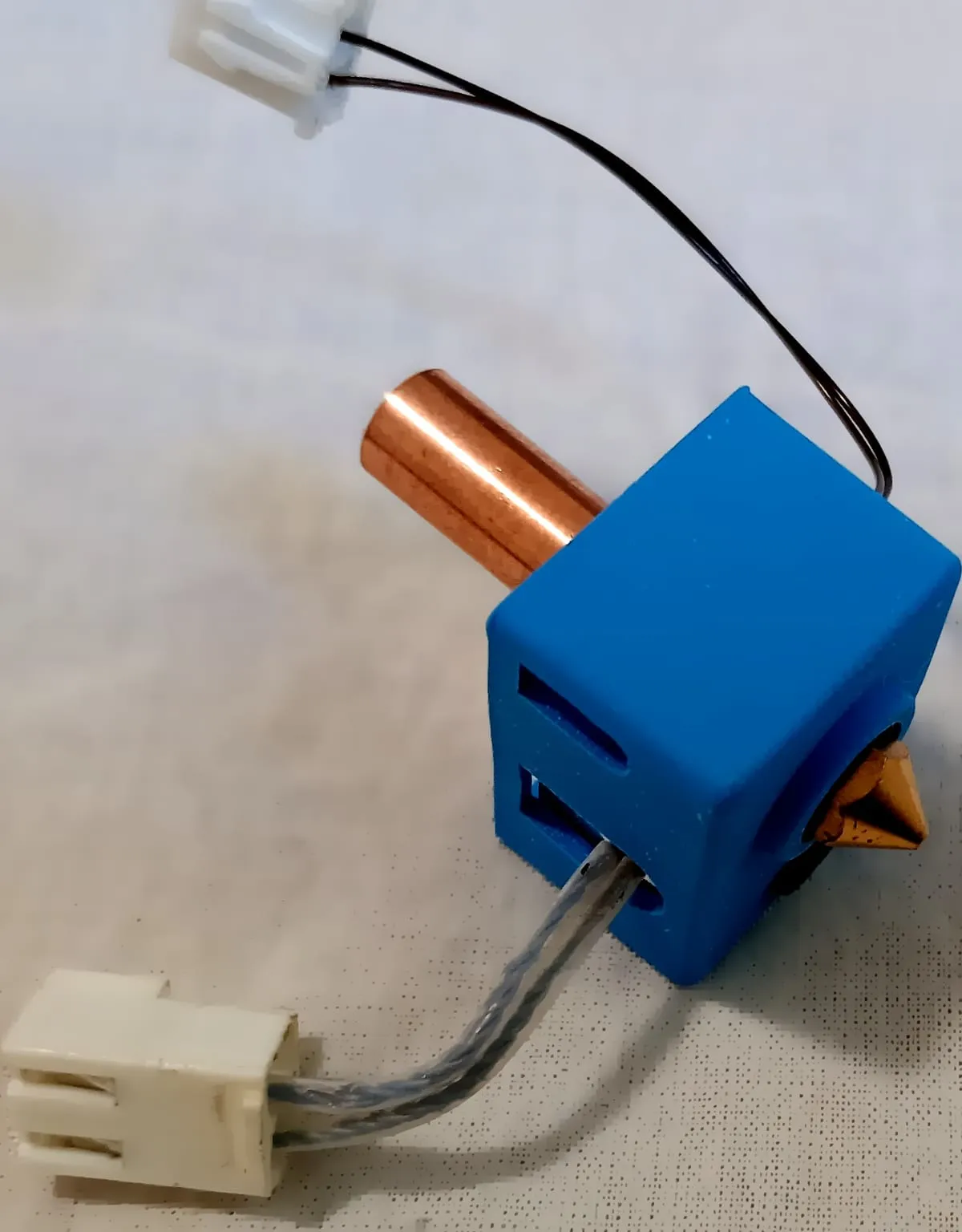
Choosing a hotend for engineering filaments comes down to four things: how hot it can run with the right sensor and heater, whether its heat break keeps PTFE out of the hot zone, whether it fits your printer, and which nozzles it takes. This page explains each, then compares the high-temperature hotends on sale.
To choose a hotend for engineering filaments, start from the hottest material you will print and pick a hotend rated above it with the sensor and heater it needs. It should be all-metal, with no PTFE in the hot zone, and it must fit your printer’s mount. For PC and filled nylons, a 300 °C all-metal hotend is enough. PEEK, PEI and PEKK need one rated to 400 to 500 °C.
An all-metal hotend has no plastic liner in its hot zone, so the metal parts set its temperature limit. Dyze Design describes it as a design where “the heated zone is made entirely from metals which can withstand very high temperature before losing mechanical properties.” A PTFE-lined hotend runs a plastic tube into that zone, which caps it far lower.
The PTFE liner limits temperature. E3D says the liner in its Lite6 “means that there is a temperature limit of 240C”, and Chemours rates PTFE resin for service up to 260 °C. Micro Swiss puts the trade simply: an all-metal hotend “will let you print at much higher temperature than possible with original PTFE lined one.”
The liner has one benefit: PLA slides through it easily. Slice Engineering notes that “all-metal hotends can be more prone to clogging with PLA”. It suggests retraction equal to the nozzle diameter on a direct-drive printer, or about half the previous setting on a Bowden printer, as a starting point.
A bimetallic heat break joins a metal that conducts heat poorly to one that conducts it well. The thin section stops heat climbing up the filament, and the conductive ends shed what gets through. Micro Swiss explains the choice: stainless steel “offers low thermal conductivity”, while aluminum “has a lot better thermal conductivity, to carry away any heat from the filament.”
Makers claim large gains. Slice Engineering says its copper-alloy and steel heat break “conducts 85% less heat up the filament path when compared to standard threaded heat breaks”, and Trianglelab claims 60% less for its V6 bi-metal heat break. Both figures compare against each maker’s chosen baseline.
Hotend temperature limits explained
A hotend’s maximum is set by its weakest part: the liner, the sensor, the heater cartridge or the firmware. A common 100k glass thermistor, such as ATC Semitec’s 104NT-4, has an operating range up to 300 °C, which is why many stock hotends stop there. The temperature limits explainer covers each part in detail.
What temperature can stock hotends reach?
Many consumer printers ship with hotends rated 290 to 300 °C: Bambu Lab lists 300 °C for the X1 Carbon and P1S, and Prusa Research 290 °C for the MK4S. Some go higher stock: the Bambu Lab H2 series reaches 350 °C. A PTFE-lined hotend stops near 240 °C.
Can a stock hotend print nylon or polycarbonate?
A stock all-metal hotend rated to 300 °C can. Bambu Lab’s filament guide lists PC at 260 to 290 °C and carbon- or glass-filled nylons at 260 to 300 °C, so both fit within 300 °C. A PTFE-lined hotend limited to about 240 °C cannot reach either range.
What is a 500 °C hotend for?
A 500 °C hotend is for the high-performance polymers that print above 350 °C. 3DXTECH lists 345 to 375 °C for its PEKK-A, 350 to 380 °C for its PEI 9085, and up to 480 °C in its PEEK print recommendations. Below about 350 °C, a 500 °C rating adds nothing, and these hotends need matching sensors and heaters to reach it.
Thermistor vs PT1000: which sensor for high temperatures?
Use a PT1000 or PT100 above 300 °C. A common 100k thermistor reads to 300 °C, while Slice Engineering and E3D rate their PT1000 sensors to 500 °C. A PT1000 is usually simpler to fit. E3D says PT1000 sensors “do not require an additional amplifier board”, and connect “using a 4.7k pullup resistance”, while a PT100 needs an amplifier board.
| Sensor |
Rated to |
Extra hardware |
Firmware |
| 100k NTC glass thermistor (ATC Semitec 104NT-4) |
300 °C |
None |
Marlin type 5 |
| PT1000 (Slice Engineering, E3D) |
500 °C |
None, with a 4.7 kΩ pullup |
Marlin type 1047; Klipper PT1000 |
| PT100 (Slice Engineering, E3D) |
500 °C |
MAX31865 amplifier |
Marlin type -5; Klipper MAX31865 |
Slice Engineering advises that “if your stock printer is configured for a Pt100, we recommend sticking with that option to avoid firmware adjustments.”
How to upgrade a hotend for high-temperature printing
Upgrade the parts in order of the limit each removes, then change the firmware last. Each step below must be rated for your target before the next one helps.
- All-metal heat break. Removes the PTFE limit near 240 °C.
- Sensor. A PT1000 or PT100 for anything above 300 °C.
- Heater cartridge. Rated for the target. E3D sells a standard cartridge “up to 400°C” and a high-temperature one “up to 500°C”. Slice rates its 50 W cartridges to 500 °C. Dyze Design lists 420 °C with 40 W and 500 °C with 60 W.
- Heater block and nozzle. E3D’s V6 needs its plated copper heater block, with a PT100 or PT1000, to reach “up to 500°C”.
- Firmware. Set the sensor type and raise the maximum, as the firmware limits guide explains.
- PID tune. Slice Engineering recommends “performing a PID tune after making any changes to the hotend setup”, including sensors, heaters and hotends.
How to reach 350 °C nozzle temperature safely
To reach 350 °C safely, every part in the hot zone must be rated above it. That means an all-metal heat break, a PT1000 or PT100 sensor, and a heater cartridge, block and nozzle rated past 350 °C. Raise the firmware maximum only after that, keep thermal runaway protection on, and PID tune at 350 °C. A printer with closed firmware stays at its maker’s limit whatever hotend you fit.
How to upgrade a thermistor to a PT1000
Fit the PT1000 in place of the thermistor, plug it into the same thermistor input if your board uses a 4.7 kΩ pullup, then set the sensor type in firmware. Slice Engineering’s guide for Marlin says to “choose temperature sensor #1047 if you are not using a MAX31865 amplifier”. It adds: “If you want to print above 300°C, you will need to raise the maximum temperature value.” In Klipper, set sensor_type: PT1000.
How to pick nozzle size and material with a new hotend
Choose the nozzle material by filament and temperature, then the size by the detail and speed you need. Abrasive filaments need a hardened or harder nozzle, and above 350 °C the choice narrows further. The wear-resistant nozzle comparison matches nozzle materials to filaments and temperatures. Check that the hotend accepts the nozzle standard you plan to use.
High-temperature hotends compared
The table lists hotends whose makers state a maximum temperature of 360 °C or more, sorted by that rating, highest first. It is not a ranking. Each rating applies only with the sensor and heater the maker specifies. Prices are as listed on October 1, 2026, in each seller’s currency.
| Hotend |
Maker |
Stated maximum |
Sensor needed for it |
Heat break |
Fit |
Price |
| Chube Hotend |
Luke’s Laboratory (sold by West3D) |
“Rated for a 500c block” |
PT1000 in the preassembled kit |
Unibody |
6 x 18 mm bolt pattern |
$260.00 to $320.00 |
| DyzEnd-X 1.75 mm |
Dyze Design |
500 °C with a 60 W heater; 420 °C with 40 W |
Dyze 500 °C thermistor |
Titanium transition tube |
Groove mount |
CA$144.00 |
| Dragon Hotend ST |
Phaetus |
Up to 500 °C |
Not stated |
Thin heat break, material not stated |
Not stated |
$53.55 |
| Mosquito, Mosquito Magnum, Magnum+ |
Slice Engineering |
500 °C |
Pt100 or Pt1000, sold separately |
Bimetallic |
Slice mount |
$119.99 to $354.99 |
| Revo High-Temperature Hotside |
E3D |
500 °C |
PT100 or PT1000 |
Not stated |
Revo printheads |
£104.40 |
| V6 All-Metal with Plated Copper HeaterBlock |
E3D |
500 °C with plated copper block and PT100 or PT1000 |
PT100 or PT1000 |
All-metal |
Groove mount |
£49.65 plus £23.60 block and £16.15 PT1000 |
| Copperhead |
Slice Engineering |
450 °C |
Not stated |
Bimetallic |
Groove mount, screw mount and others |
$69.99 to $124.99 |
| Dragon Hotend V2.0 |
Trianglelab |
450 °C |
Not stated |
Titanium alloy or ceramic |
V6 interfaces with adapter |
$63.68 (sale) |
| HT Hotend Upgrade |
Prusa Research |
400 °C |
Supplied |
Not stated |
Prusa CORE One family only |
€259 |
| Revo HT Hotside |
E3D |
400 °C |
PT100 or PT1000 |
Not stated |
Revo printheads |
£69.60 |
| Mako 65W for Bambu Lab |
Slice Engineering |
360 °C, but Bambu Lab firmware limits printers to 300 to 320 °C |
Pre-installed |
Bimetallic |
Bambu Lab X1, X1C, P1P, P1S, X1E |
$124.99 |
E3D’s ObXiDian 500 hotends for Bambu Lab printers are also sold with a 500 °C description, but E3D states the printer’s own maximum still applies. Prusa says its HT hotend is not supported on the MK4S. Micro Swiss’s FlowTech is rated to 300 °C, and the Phaetus Rapido and Micro Swiss all-metal kit pages state no maximum.
Hotends for PEEK and ULTEM
PEEK and PEI (ULTEM) need a hotend that reaches the top of their range with margin. 3DXTECH lists up to 380 °C for its PEI 9085 and up to 480 °C for PEEK. The 500 °C hotends above cover both, with a PT1000 or PT100 and a heater rated to 500 °C. The 450 °C designs cover PEI and part of the PEEK range.
It is if your current hotend is PTFE-lined. Bambu Lab lists filled nylons at 260 to 300 °C, above the roughly 240 °C a PTFE-lined hotend allows. If your printer already has a 300 °C all-metal hotend, a further upgrade does not help nylon. A hardened nozzle matters more for the filled grades.