Overview
What Klipper macros can do
A Klipper macro is your own G-code command, written in the printer config. This page explains how macros work, what Klipper does and does not ship, and the macros most printers end up running, with a link to the page that covers each one.
Edited by 3D Printeray EditorsPublished Last verified 6 min read
In this section: Klipper macros(19)
On this page (6)
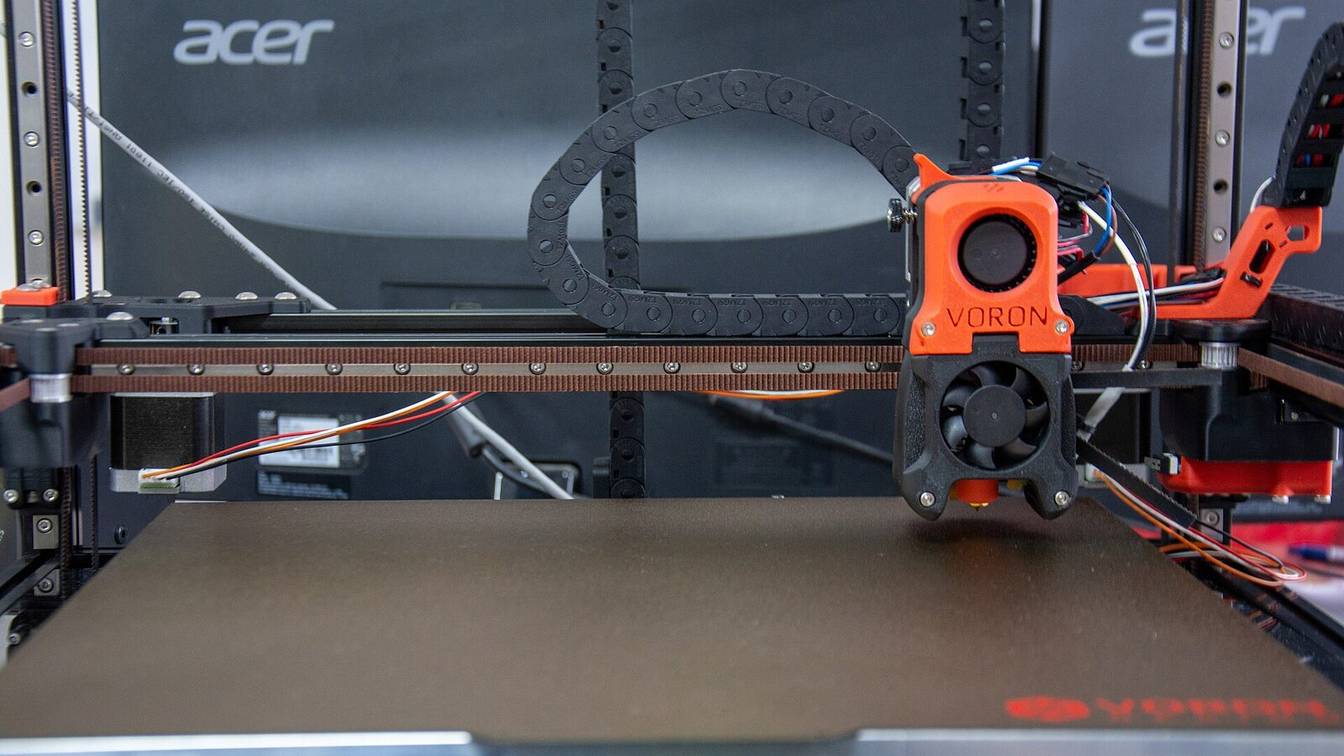

Klipper macros can automate anything you could type into the console. They heat, home, mesh and purge before a print, then park and shut down after it. They also pause for a filament change, wipe the nozzle, skip a failed part and ask you a question on screen. Each macro is a named command in your config that the slicer, the console or another macro calls.
What are Klipper macros?
A Klipper macro is a named G-code command you define yourself in a [gcode_macro] section of printer.cfg. Calling its name runs the commands listed under gcode:. Those commands are a Jinja2 template, so a macro can take parameters, read the printer’s live state, branch with if and loop with for.
[gcode_macro PARK]
description: Lift the nozzle and move to the back corner
gcode:
    {% set z = params.Z|default(10)|float %}
    SAVE_GCODE_STATE NAME=park_state
    G91
    G1 Z{z} F600
    G90
    G1 X200 Y200 F6000          ; placeholder: a safe spot inside your bed
    RESTORE_GCODE_STATE NAME=park_state
Type PARK or PARK Z=30 in the console and it runs. A [gcode_macro] section takes four options, per Klipper’s configuration reference:
gcode:holds the commands. It is the only required option.description:is the text shown byHELPand autocomplete. It defaults to “G-Code macro”.variable_<name>:stores a value the macro can read and change at run time. See macro variables.rename_existing:lets a macro replace a built-in command and keep the original under a new name. See rename_existing.
Names are case-insensitive, and any digits must come at the end of the name: Klipper accepts TEST_MACRO25 but rejects MACRO25_TEST3. To add the section to your config and reload it, follow adding macros to Klipper.
How Klipper runs a macro
Klipper’s command templates page states that “macros are first evaluated in entirety and only then are the resulting commands executed.” A value the macro reads from printer is the value from before any of its own commands ran. A macro that heats the bed and then checks printer.heater_bed.temperature sees the old temperature. To act after something finishes, use a wait command or a second macro. Making a macro wait covers both.
What a Klipper macro can use
Klipper’s command templates page lists what a macro template can work with:
- Parameters.
params.NAMEreads values passed on the call line. Klipper passes them “always in upper-case” and “always passed as strings”, so convert with|intor|float. See macro parameters. - Printer state.
printer.<section>reads live status, such asprinter.extruder.temperatureorprinter.toolhead.homed_axes. - Logic. Jinja2
{% if %}and{% for %}blocks choose and repeat commands. See if, else and loops. - Actions.
action_respond_info()prints a message to the console.action_raise_error()stops the macro and any macro that called it. - Saved values. With
[save_variables]enabled,SAVE_VARIABLEwrites a value to disk that survives a restart. - Timers. A
[delayed_gcode]section runs G-code after a delay or at startup. See running a macro on startup.
Which macros does Klipper include by default?
None. Klipper loads no macros of its own, so there is no default PRINT_START, END_PRINT or M600. Enabling [pause_resume] adds built-in PAUSE, RESUME, CLEAR_PAUSE and CANCEL_PRINT commands, but they do not park, retract or turn off heaters. The macros in Mainsail’s or Fluidd’s config file add that.
What Klipper’s own commands do
Klipper’s G-Codes reference lists the four [pause_resume] commands, and its source (pause_resume.py) shows what each does. PAUSE stops the print and saves the G-code state. RESUME moves back to the saved position at recover_velocity (default 50 mm/s) and continues. CANCEL_PRINT closes the file and clears the pause.
The rest of Klipper’s built-in commands, such as TURN_OFF_HEATERS, SAVE_GCODE_STATE and TEMPERATURE_WAIT, are the building blocks for macros.
Klipper does ship example macros in config/sample-macros.cfg: START_PRINT, END_PRINT, M600, M300 (beeper), M486 (cancel object) and M117, plus sensor queries and a few others. Nothing in that file loads by itself. You copy what you want into printer.cfg.
What Mainsail and Fluidd add
Both interfaces publish a read-only config file, mainsail.cfg or fluidd.cfg, that you load with one line such as [include mainsail.cfg]. Their READMEs give the install steps for mainsail-config and fluidd-config. The two files carry the same macros:
| Macro | What it does |
|---|---|
PAUSE |
Runs Klipper’s PAUSE, then retracts 1 mm, lifts 2 mm and parks 5 mm inside the X and Y maximums |
RESUME |
Reheats the nozzle if the printer went idle, refuses to start on a cold nozzle or an empty runout sensor, then returns and continues |
CANCEL_PRINT |
Retracts 5 mm, turns off heaters and the part fan, then cancels |
SET_PAUSE_NEXT_LAYER, SET_PAUSE_AT_LAYER |
Pause automatically at the next layer or a chosen layer |
The file also enables [virtual_sdcard], [pause_resume], [display_status] and [respond]. To change park positions or retract lengths, copy its _CLIENT_VARIABLE macro into printer.cfg below the include and edit the values there. PAUSE, RESUME and CANCEL_PRINT covers that setup.
Useful Klipper macros list
Most Klipper printers end up with some version of these. The command names are conventions, not requirements. A macro can have any name, as long as your slicer and other macros call that exact name.
| Macro | What it automates | Common command |
|---|---|---|
| Start print | Heats, homes, meshes and purges, so the slicer’s start G-code is one line (PRINT_START macro) | PRINT_START or START_PRINT |
| End print | Retracts, lifts and parks the head, then turns off heaters, fan and motors (END_PRINT macro) | PRINT_END or END_PRINT |
| Pause, resume, cancel | Parks safely on pause, reheats on resume, shuts down on cancel (setup) | PAUSE, RESUME, CANCEL_PRINT |
| Filament change | Pauses, parks and unloads when the slicer inserts M600 at a layer (M600 macro) | M600 |
| Runout response | Pauses when a filament sensor reports empty and runs your G-code (runout sensor) | runout_gcode in [filament_switch_sensor] |
| Purge line | Primes the nozzle with a line beside the print before the first layer (purge line) | your own, or LINE_PURGE from KAMP (Klipper Adaptive Meshing and Purging) |
| Nozzle wipe | Drags the nozzle across a brush to clear ooze before probing or printing (nozzle wipe) | CLEAN_NOZZLE |
| Adaptive mesh | Probes only the area this file’s objects cover (adaptive meshing) | BED_MESH_CALIBRATE ADAPTIVE=1 |
| Z offset per plate | Applies the saved Z offset for the build plate in use (per-plate offset) | SET_GCODE_OFFSET with [save_variables] |
| Chamber heat soak | Heats the chamber and waits before homing, and adds M141 and M191 (chamber heater control) | M141, M191 |
| Cancel one object | Skips a failed part and keeps printing the rest (exclude object) | EXCLUDE_OBJECT, M486 |
| Startup tasks | Runs G-code once Klipper is ready, after a delay, or on repeat (startup macros) | [delayed_gcode] |
| On-screen prompts | Shows a dialog with buttons in Mainsail or Fluidd and runs G-code from the choice (user input) | RESPOND TYPE=command MSG="action:prompt_begin ..." |
Two rows depend on other config. Adaptive meshing reads the object outlines a sliced file defines, so it needs [exclude_object] and a file with object labels, which the slicer or an upload preprocessor adds. Prompts need the [respond] module and a current Mainsail or Fluidd (version details).
Klipper macro examples
Three short macros show the patterns most others are built from.
An alias that hands a slicer’s M600 to Mainsail’s PAUSE, as the comments in mainsail.cfg suggest, with a park position and a minimum height:
[gcode_macro M600]
description: Filament change
gcode:
    PAUSE X=10 Y=10 Z_MIN=50    ; park front left, at least 50 mm above the bed
A start macro that takes temperatures from the slicer and falls back to defaults, trimmed from Klipper’s sample:
[gcode_macro START_PRINT]
gcode:
    {% set BED_TEMP = params.BED_TEMP|default(60)|float %}
    {% set EXTRUDER_TEMP = params.EXTRUDER_TEMP|default(190)|float %}
    M140 S{BED_TEMP}            ; start heating the bed
    G90
    G28                         ; home while the bed heats
    M190 S{BED_TEMP}            ; wait for the bed
    M109 S{EXTRUDER_TEMP}       ; heat the nozzle and wait
The slicer then calls it with one line, for example START_PRINT BED_TEMP=60 EXTRUDER_TEMP=210. Klipper’s Slicers page notes the benefit: start and end changes “do not require re-slicing.”
A guard that refuses to run unless the printer is homed:
[gcode_macro CHECK_HOMED]
gcode:
    {% if "xyz" not in printer.toolhead.homed_axes %}
      { action_raise_error("Home the printer first (G28)") }
    {% endif %}
Call CHECK_HOMED at the top of any macro that moves the head. Klipper evaluates a called macro only when it is invoked, so the check sees the homed state at that moment. If it fails, action_raise_error stops the calling macro too.
Every page in Klipper macros
Guides (6)

How to make a Klipper macro wait
Make a Klipper macro wait for a temperature with M109, M190 or TEMPERATURE_WAIT, pause it for a set time with G4, or delay a command with delayed_gcode.

If, else and loops in Klipper macros
How to write if, elif and else, for loops, math and console messages in Klipper macros, plus what to use instead of a while loop.

Klipper adaptive bed meshing explained
What Klipper's adaptive bed mesh does, how to set up BED_MESH_CALIBRATE ADAPTIVE=1, OrcaSlicer and KAMP, and why it can still probe the whole bed.

Klipper macro parameters: passing values and defaults
Pass values to a Klipper macro as NAME=VALUE, read them with params, convert them to numbers, set defaults and handle 0/1 boolean parameters.

Klipper macro variables: storing and reading state
Declare Klipper macro variables with variable_ options, change them with SET_GCODE_VARIABLE, share them between macros and read printer state.

Klipper rename_existing: overriding built-in commands
How rename_existing lets a Klipper macro replace G28, M117, PAUSE or any built-in command, the naming rules, homing_override, and the errors.
How-tos (12)

How to add a purge line macro in Klipper
A Klipper purge line macro you can paste, where it goes in PRINT_START, how much to extrude, and what each purge error in the console means.

How to add M600 filament change to Klipper
A working Klipper M600 macro with LOAD_FILAMENT and UNLOAD_FILAMENT, what each line does, and how to fix "Macro LOAD_FILAMENT not found".

Add a gcode_macro to Klipper in printer.cfg or an included macros.cfg, fix the missing-file error, and get macros to show as buttons in Mainsail and Fluidd.

How to ask for user input in a Klipper macro
Show a clickable prompt from a Klipper macro with RESPOND and action:prompt commands in Mainsail or Fluidd, and make a print wait for the answer.

How to enable exclude object in Klipper
Enable Klipper's exclude object with one config section and slicer labels or Moonraker processing, then cancel single parts with EXCLUDE_OBJECT or a macro.

How to run a Klipper macro on startup
Run a Klipper macro at startup with a delayed_gcode section, load a bed mesh profile at boot, and build timers that run later, repeat or cancel.

How to set a Z offset per build plate in Klipper
Store one Z offset per build plate with save_variables, apply it with a SET_PLATE macro and PRINT_START, and measure each plate's offset.

How to set up a filament runout sensor in Klipper
Add a filament runout sensor in Klipper with filament_switch_sensor, pause and park on runout, check filament before a print, and fix false triggers.

How to set up PAUSE, RESUME and CANCEL_PRINT in Klipper
Enable pause_resume, then paste PAUSE, RESUME and CANCEL_PRINT macros that park and retract. Covers the not-defined warning and pausing at a layer.

How to write a Klipper END_PRINT macro
A working Klipper END_PRINT macro that retracts, lifts, parks and shuts down, what each line does, how to run it on cancel, and how to fix its errors.

How to write a Klipper nozzle wipe macro
A working Klipper CLEAN_NOZZLE macro that scrubs the nozzle across a brush, how to find the brush coordinates, and where to call it in PRINT_START.

How to write a Klipper PRINT_START macro
Write a Klipper PRINT_START macro that takes temperatures from the slicer, heats, homes, meshes and purges, and fix the Unknown command error.
Sources
- Klipper documentation, Command templates (accessed October 10, 2026)
- Klipper documentation, Configuration reference (accessed October 10, 2026)
- Klipper documentation, G-Codes (accessed October 10, 2026)
- Klipper documentation, Slicers (accessed October 10, 2026)
- Klipper documentation, Bed mesh (accessed October 10, 2026)
- Klipper documentation, Exclude objects (accessed October 10, 2026)
- Klipper on GitHub, config/sample-macros.cfg (accessed October 10, 2026)
- Klipper on GitHub, klippy/extras/pause_resume.py (accessed October 10, 2026)
- Mainsail Crew on GitHub, mainsail-config (README and mainsail.cfg) (accessed October 10, 2026)
- Fluidd on GitHub, fluidd-config (README and fluidd.cfg) (accessed October 10, 2026)
- Mainsail documentation, Macro prompts (accessed October 10, 2026)
- Voron Design on GitHub, Voron 2.4 Octopus sample config (accessed October 10, 2026)
- Klipper Adaptive Meshing and Purging (KAMP) on GitHub (accessed October 10, 2026)