Overview
What a dual nozzle 3D printer is and what it is for
A dual nozzle 3D printer prints with two hotends on one toolhead and switches between them mid-print. This page explains how the switch works, what two nozzles are for, when they beat a single-nozzle filament changer, and which printers have them.
Edited by 3D Printeray EditorsPublished Last verified 8 min read
In this section: Dual nozzle(16)
On this page (7)
.jpg)
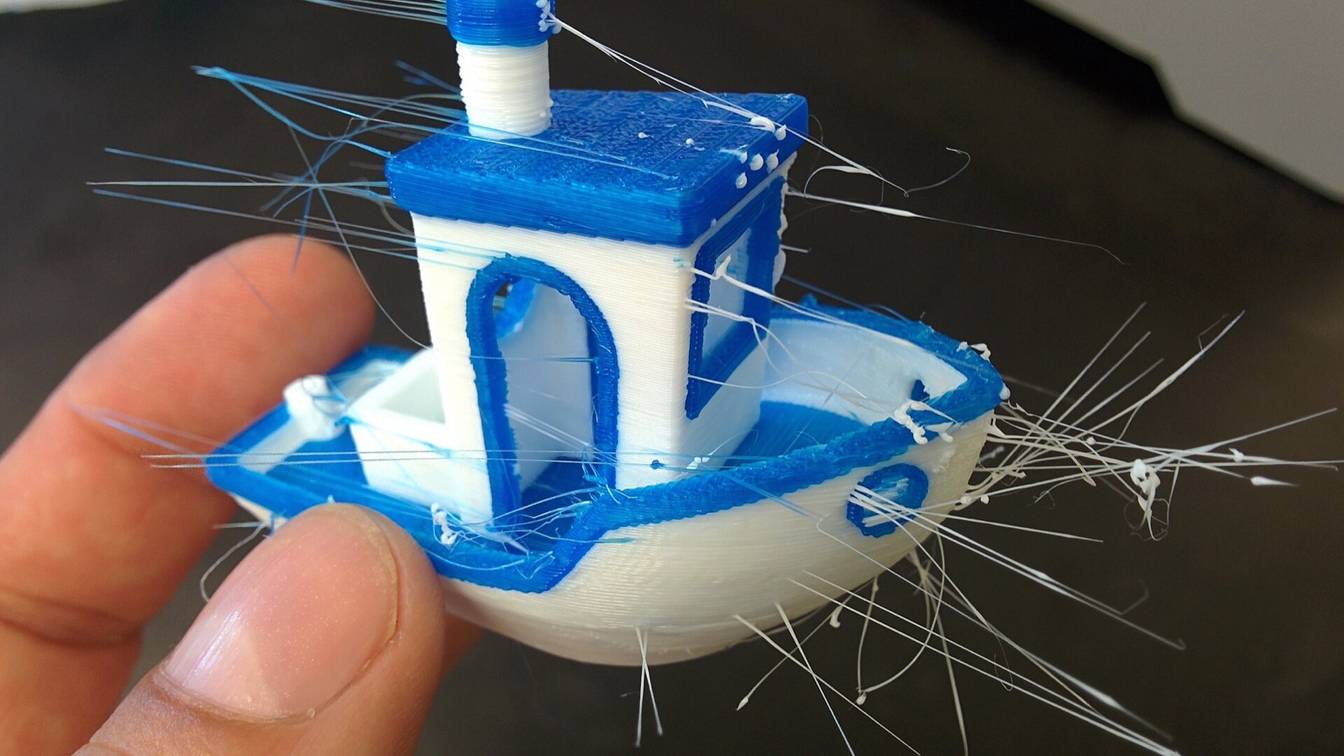
A dual nozzle 3D printer carries two hotends on one print head and switches between them during a print, and each hotend keeps its own filament loaded. That lets one print pair a part with its own support material or a rigid plastic with a flexible one. Two-color prints also waste less filament on purging than they do on a single nozzle.
What is a dual nozzle 3D printer?
A dual nozzle 3D printer has two hotends side by side on one toolhead, each loaded with its own filament. The printer prints with one nozzle, then switches to the other, so it can combine two colors or two materials in one part without flushing the old filament out of a shared nozzle.
“Dual extrusion” is the general term for printing with two extruders, and a dual-nozzle toolhead is one way to do it. The other two-nozzle layout is IDEX (independent dual extruder), where two complete extruders move on separate carriages. Toolchangers park one whole toolhead and pick up another. The multi-color printing guide compares all of these layouts.
How do dual nozzle 3D printers work?
Both nozzles ride on the same carriage, so the idle nozzle has to move out of the way of the print. On the Bambu Lab H2D the left nozzle moves up and down at each change, which is why Bambu Lab warns that the motion twists TPU loaded on that side. Raise3D’s Pro3 lifts one nozzle 1.5 mm, and Raise3D says the switch takes under a second. The X2D changes nozzles with a gear train driven by a lever that taps a trigger arm, rather than with a motor in the toolhead.
The slicer decides which filament goes to which nozzle. Bambu Studio calls this filament grouping and offers three modes:
- Filament-saving (the default) puts the filaments that would need the most flushing on different nozzles.
- Convenience groups filaments by what is already loaded in each AMS (Bambu Lab’s Automatic Material System filament changer).
- Custom lets you assign each filament yourself.
The X2D adds a Quality mode: when you assign a support filament, the right nozzle prints only the supports and the left nozzle prints the part. Assigning filament to the left or right nozzle covers the settings.
Three more mechanics sit behind common dual-nozzle print faults:
- Idle nozzle temperature. The H2D estimates how long a nozzle will sit idle. It cools that nozzle, then reheats it just before its next turn. If the next use is under 30 seconds away, it does not cool at all. An idle hot nozzle can still leak, which is what dual nozzle ooze deals with.
- Prime tower. Bambu Lab says a prime tower is needed for two-hotend printing because the nozzle can carry residual filament after a switch, and the tower cleans it off and steadies the pressure inside the nozzle.
- Nozzle offset. The printer has to know exactly where the second nozzle sits relative to the first. Colors that print shifted against each other point to an offset error; see dual nozzle offset calibration.
The two nozzles also cannot reach the same area of the bed. On the H2D the left nozzle reaches X 0 to 325 mm and the right nozzle reaches 25 to 350 mm. The area both can print is 300 × 320 mm and 320 mm tall. H2D dual nozzle print volume has the full map.
What is the difference between a single and a dual nozzle 3D printer?
A single-nozzle printer runs every filament through one hotend. To change color or material it has to flush the old filament out first. Bambu Lab’s wiki says a single-nozzle printer must “use a certain amount of new material to flush the residual material in the hotend”. A dual-nozzle printer keeps two filaments loaded, and Bambu Lab says switching between them “only requires switching the nozzles rather than flushing the old filament with the new one.”
| Single nozzle | Dual nozzle | |
|---|---|---|
| Filaments loaded at once | One | Two, one per nozzle |
| Change between the two loaded filaments | Flush the old one through the nozzle | Switch nozzles, no flush |
| More than two filaments | Flush on every change | Flush only when one nozzle changes filament |
| Material temperatures | Every filament goes through the same hotend | Each nozzle runs its own temperature |
| Print area | Full bed | The area both nozzles reach is narrower than the full bed |
A dual-nozzle printer can also run a whole job on one nozzle. You can slice a plain one-material job to either nozzle and use the full area that nozzle can reach. Bambu Lab’s H2S looks like the H2D but has one nozzle; the H2S and dual nozzles explains the difference.
What can you print with two nozzles?
Two nozzles let one print combine two materials or colors: a part with dedicated support material such as soluble PVA (polyvinyl alcohol) or a breakaway support filament, a rigid body with flexible TPU sections, or two colors that alternate on many layers. Each nozzle keeps its own filament loaded, so switching between those two needs no flush.
These are the uses the printer makers list:
- Dedicated support material. Bambu Lab says one H2D nozzle “can be reserved for dedicated support material”, and the X2D sends supports to its second nozzle. Bambu Lab lists PVA and its own support filaments for both X2D hotends. PVA supports on a dual nozzle printer covers settings and dissolving.
- Rigid plus flexible. Bambu Lab markets the X2D to “fuse PLA and TPU in a single model” for grips and bumpers, and the H2D for “flexible and rigid” materials in one print. TPU limits which nozzle you use: see printing TPU and PETG in one print.
- Two colors with less purging. Two colors that each appear on many layers switch nozzles instead of flushing. Dual nozzle purge waste explains where waste remains, and dual nozzle print speed shows what the switches cost in time.
- Cheap and expensive filament in one part. Bambu Lab suggests printing a premium material only where it is needed and a standard one elsewhere.
- Two nozzle sizes. This is not possible on Bambu Lab’s dual-nozzle printers today. Both the H2D and X2D FAQs say printing with two different nozzle sizes at once is not supported yet. Two nozzle sizes on the H2D tracks the current state.
For engineering filaments, the H2D, H2C and X2D heat their chambers to 65 °C; dual nozzle printing with a heated chamber covers which materials that suits.
When should you use a dual nozzle instead of a multi-material unit?
Use a dual nozzle when a print pairs two materials or colors that alternate on many layers, such as a part with its own support material, PLA with TPU, or two-color lettering. A single-nozzle multi-material unit flushes on every filament change, so it suits prints with few changes and bolts on to many printers people already own.
The trade-off depends on how many filaments the print uses:
- Two filaments. A dual nozzle switches with no flush. A single-nozzle unit such as an AMS or Prusa’s MMU3 flushes at every change, so its waste grows with the number of layers where both filaments appear.
- Three or more filaments. A dual nozzle still flushes whenever one nozzle changes filament, so the saving shrinks. Bambu Lab’s own Bambu Studio estimate for a multi-color model shown on its H2C page put purge and prime-tower waste at 3,917 g on the single-nozzle H2S and 3,032 g on the dual-nozzle H2D. The H2D’s print time was 88% of the H2S’s. The H2C, which swaps among stored hotends, came to 532 g.
- Supports that must dissolve or break away cleanly. A dual nozzle can keep the support material loaded for the whole print. A single nozzle has to flush between part and support on every layer that has both.
You can also combine the two. A dual-nozzle printer can feed each nozzle from an AMS, and the X2D supports up to 25 colors with its maximum AMS setup. Each AMS is tied to one nozzle, so a filament in the left nozzle’s AMS cannot print from the right. Bambu Lab’s Filament Track Switch lets AMS filament reach either nozzle.
If you already own a single-nozzle printer, the MMU3 is a bolt-on unit for up to five filaments on Prusa’s MK3.9/S and MK4/S. Adding a second extruder covers the options for a true second nozzle on other machines.
Which 3D printers have dual nozzles?
These printers put two nozzles on one toolhead, sorted by the price each maker listed on 2026-10-12. Prices are from each maker’s US store, in US dollars.
| Printer | Maker’s listed price (2026-10-12) | Max nozzle temp | Chamber | Area both nozzles can print | How the second nozzle works |
|---|---|---|---|---|---|
| Bambu Lab X2D | $649 | 300 °C | Active heating to 65 °C | 235.5 × 256 × 256 mm | Right “auxiliary” hotend fed by a separate extruder on the rear panel |
| Bambu Lab H2D | $1,549 (listed as reduced from $1,749) | 350 °C | Active heating to 65 °C | 300 × 320 × 320 mm | Two identical hotends; the left one moves up and down to switch |
| Bambu Lab H2C | $2,199 (AMS Combo, the cheapest listing) | 350 °C | Active heating to 65 °C | Not listed; total build volume 330 × 320 × 325 mm | Standard left hotend; the right side swaps among up to six stored induction hotends (Vortek) |
| Raise3D Pro3 | $2,999 (listed as reduced from $4,599) | 300 °C | Enclosed; no active heating listed | 255 × 300 × 300 mm | One nozzle lifts 1.5 mm electronically |
| Bambu Lab H2D Pro | No list price; sold only through authorized resellers | 350 °C | Active heating to 65 °C | Not listed on the store page | Dual nozzle with a tungsten carbide nozzle and Ethernet |
The X2D’s two hotends are not equal. Bambu Lab says print quality from the auxiliary nozzle “is slightly lower than that of the main nozzle”. Its compatibility guide steers that nozzle toward supports. It rates Bambu Lab’s PETG, ABS and ASA as “not recommended” on the auxiliary nozzle. The H2D’s left and right hotends, by contrast, are identical and interchangeable. H2D vs X2D compares the two machines line by line. The H2D’s dual nozzle covers that printer alone.
Every page in Dual nozzle
Guides (8)

Adding a second extruder to a single-nozzle printer
You can add a second extruder to an open Marlin or Klipper printer, but not to a closed one. Parts, mainboard, firmware and slicer setup, and the mod routes.

Do dual nozzle printers waste less filament?
How much less filament a dual-nozzle printer wastes than a single nozzle with an AMS, when it saves nothing, and slicer settings that cut purge waste further.

Does a second nozzle slow down printing?
Bambu Studio counts 5.6 s for an H2D nozzle switch and about a minute for an AMS filament change. Here is what a second nozzle does to print time.

Does the Bambu Lab H2S have a dual nozzle?
No. The Bambu Lab H2S has one hotend. The only official route to two nozzles is the $899 Vortek kit, which converts the printer into an H2C.

H2D print volume with one nozzle and with both
Bambu Lab H2D build volume per nozzle: 325 × 320 mm for either alone, 300 × 320 mm shared by both, 350 mm combined, and the 320 mm left-nozzle height cap.

How the Bambu Lab H2D dual nozzle works
How the Bambu Lab H2D's two nozzles work: the lifting left hotend, flow blocker, which AMS feeds which nozzle, filament grouping and what the H2D Pro changes.

Running two different nozzle sizes on the H2D
Whether the Bambu Lab H2D can print with a different nozzle size on each side, which sizes and types it takes, and what to do instead for fast infill.

What the Bambu Lab Filament Track Switch does
What Bambu Lab's Filament Track Switch is: how it lets any AMS slot feed either nozzle on the X2D, H2D and H2C, plus price, firmware, setup and limits.
Comparisons (2)

Bambu Lab H2D vs X2D: the dual nozzle differences
Bambu Lab H2D vs X2D side by side: nozzle design, 350 vs 300 °C, build volume per nozzle, filament limits per nozzle, AMS, laser and US list price.

Dual nozzle printers with a heated chamber, compared
Dual nozzle and IDEX 3D printers with an actively heated chamber, sorted by chamber temperature, with nozzle limits, dual print area and maker prices.
How-tos (5)

How to assign filaments to the left and right nozzle
Assign filaments to the left or right nozzle in Bambu Studio (H2D, H2C, X2D) with filament grouping, or pick extruders in PrusaSlicer, OrcaSlicer and Cura.

How to calibrate nozzle offset on a dual nozzle printer
Run nozzle offset calibration on a Bambu Lab H2D or X2D, or set the second nozzle's XY and Z offset in Klipper or Marlin from a printed test.

How to combine TPU and PETG in one print
Print TPU and PETG in one part: TPU in its own nozzle, both bodies in one object, beam interlocking on, the bed set for the first layer and dry filament.

How to print PLA with PVA supports on a dual nozzle printer
Set up soluble PVA supports for PLA on a Bambu Lab H2D or X2D: which nozzle gets PVA, Bambu Studio settings, drying, dissolving and a support material table.

How to stop the idle nozzle oozing on a dual nozzle printer
Stop the idle nozzle oozing on a dual nozzle printer with standby temperature, toolchange retraction, a prime tower and an ooze shield, slicer by slicer.
Sources
- Bambu Lab Wiki, Introduction to filament grouping strategy for dual nozzle printers (accessed October 12, 2026)
- Bambu Lab Wiki, Introduction to the printable range of H2D dual nozzles (accessed October 12, 2026)
- Bambu Lab Wiki, H2D printer FAQ (accessed October 12, 2026)
- Bambu Lab Wiki, X2D FAQ (accessed October 12, 2026)
- Bambu Lab Wiki, Introduction to X2D auxiliary extrusion (accessed October 12, 2026)
- Bambu Lab Wiki, X2D filament compatibility guide (accessed October 12, 2026)
- Bambu Lab store (US), H2D (accessed October 12, 2026)
- Bambu Lab store (US), X2D (accessed October 12, 2026)
- Bambu Lab store (US), H2C (accessed October 12, 2026)
- Bambu Lab EU store, H2D Pro (accessed October 12, 2026)
- Raise3D store, Raise3D Pro3 3D Printer (accessed October 12, 2026)
- Raise3D, Pro3 Series technical specifications (accessed October 12, 2026)
- Prusa Research, Original Prusa MMU3 (for MK4S/MK3.9S) full kit (accessed October 12, 2026)