How-to
How to set up PAUSE, RESUME and CANCEL_PRINT in Klipper
Klipper's PAUSE, RESUME and CANCEL_PRINT come from one config section. Macros on top of them add parking, retraction and a safe resume. Below is a working set with each line explained, the errors you may hit, and how to pause at a layer.
Edited by 3D Printeray EditorsPublished Last verified 5 min read
In this section: Klipper macros(19)
On this page (9)
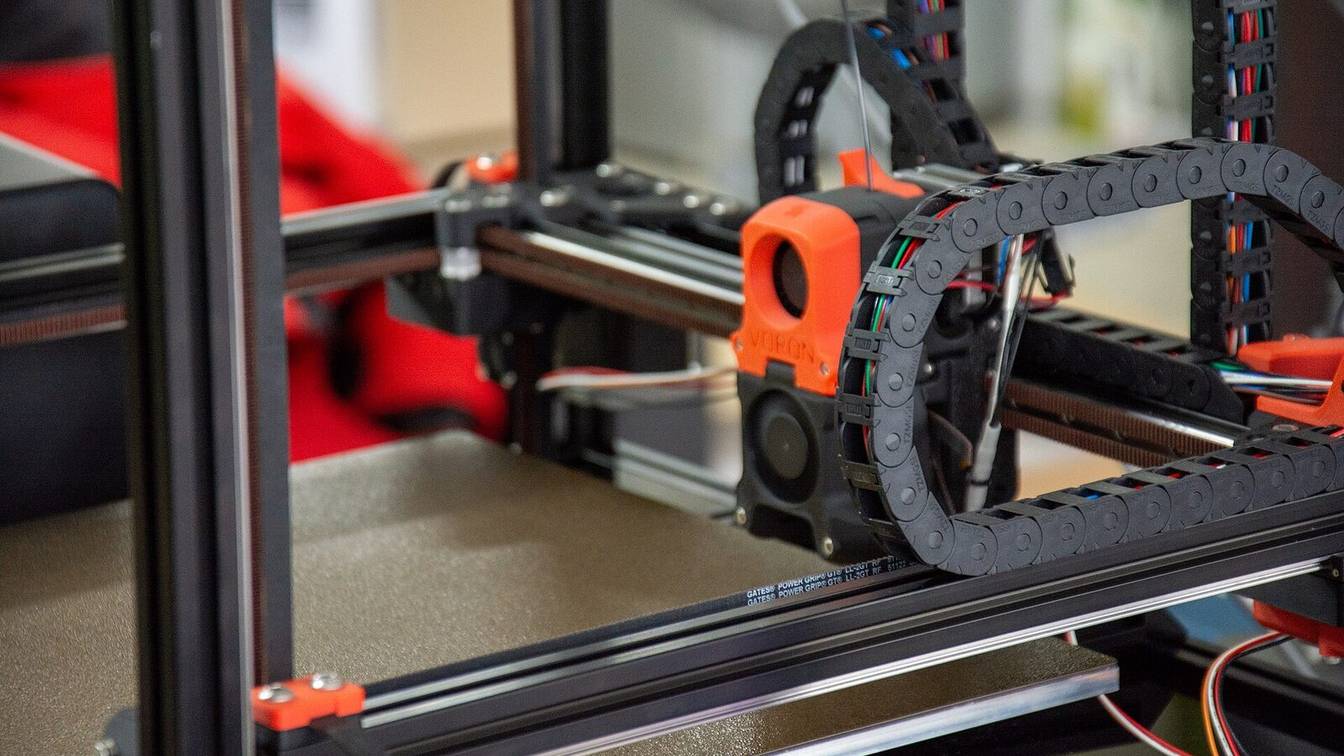

Add [pause_resume] to printer.cfg and Klipper gets working PAUSE, RESUME and CANCEL_PRINT commands. The built-ins only stop and restart the print. To retract, lift and park on pause, define macros with the same names and rename_existing: PAUSE_BASE, RESUME_BASE and CANCEL_PRINT_BASE, then call the originals inside them.
If you use Mainsail or Fluidd, [include mainsail.cfg] or [include fluidd.cfg] adds a ready-made set instead. Use one approach, not both.
How to add PAUSE, RESUME and CANCEL_PRINT macros in Klipper
- Enable pause_resume. Add a
[pause_resume]section toprinter.cfg. - Paste the three macros. Copy the PAUSE, RESUME and CANCEL_PRINT blocks below into
printer.cfg. - Set your park position. Change
park_xandpark_yin the PAUSE macro if the back-right corner does not suit your printer. - Clear stale pauses. Add
CLEAR_PAUSEnear the top of your start macro. - Restart and test. Save, run
FIRMWARE_RESTART, start a print, press Pause, check that the toolhead parks, then press Resume.
[pause_resume]
recover_velocity: 50        # mm/s for the move back on RESUME (Klipper's default)
Klipper’s G-code reference says PAUSE “pauses the current print. The current position is captured for restoration upon resume.” RESUME returns to that position at recover_velocity, or at the speed given as RESUME VELOCITY=<mm/s>. The Pause, Resume and Cancel buttons in Mainsail and Fluidd run these same commands, so your macros apply to the buttons too.
The PAUSE macro
[gcode_macro PAUSE]
description: Pause, retract and park the toolhead
rename_existing: PAUSE_BASE
gcode:
    {% set park_x = printer.toolhead.axis_maximum.x - 5 %}   # park position: change to suit
    {% set park_y = printer.toolhead.axis_maximum.y - 5 %}
    {% set max_z = printer.toolhead.axis_maximum.z %}
    {% set act_z = printer.toolhead.position.z %}
    {% set lift = [10, max_z - act_z]|min %}                  # lift 10 mm, never past max Z
    PAUSE_BASE
    SET_IDLE_TIMEOUT TIMEOUT=3600                             ; keep heaters on for an hour
    {% if printer.extruder.can_extrude %}
      M83
      G1 E-1 F2100                                            ; retract 1 mm
    {% endif %}
    {% if "xyz" in printer.toolhead.homed_axes %}
      G91
      G1 Z{lift} F900
      G90
      G1 X{park_x} Y{park_y} F6000
    {% endif %}
PAUSE_BASE runs first because it saves the position and G-code state (internally it runs SAVE_GCODE_STATE NAME=PAUSE_STATE). The saved state includes G90/G91, M82/M83 and the extruder’s E position. Everything after PAUSE_BASE can change modes and move freely, and RESUME puts it all back, so the 1 mm retract does not shift the print.
can_extrude is false below the extruder’s min_extrude_temp, which defaults to 170 C, so a cold nozzle skips the retract. The park move only runs when all three axes are homed. The macro assumes a single extruder named extruder.
The idle timeout line matters on long pauses. By default Klipper’s [idle_timeout] runs TURN_OFF_HEATERS and M84 after 600 seconds without motion, and a paused printer does not move. M84 also clears the homed state, so RESUME can no longer return to the print. A 3600-second timeout gives you an hour.
The RESUME macro
[gcode_macro RESUME]
description: Unretract and resume the print
rename_existing: RESUME_BASE
gcode:
    {% if not printer.extruder.can_extrude %}
      {action_raise_error("Nozzle below min_extrude_temp. Heat it with M109, then RESUME.")}
    {% endif %}
    SET_IDLE_TIMEOUT TIMEOUT=600                              ; back to your normal timeout
    M83
    G1 E1 F2100                                               ; undo the 1 mm retract
    RESUME_BASE {rawparams}
action_raise_error stops the macro before anything moves, so the print stays paused until the nozzle is hot again. {rawparams} forwards a VELOCITY= value if you pass one (more on this in macro parameters). If your [idle_timeout] uses a value other than 600, put your number in the SET_IDLE_TIMEOUT line.
The CANCEL_PRINT macro
[gcode_macro CANCEL_PRINT]
description: Cancel the print, retract, lift and turn off heaters
rename_existing: CANCEL_PRINT_BASE
gcode:
    {% set max_z = printer.toolhead.axis_maximum.z %}
    {% set act_z = printer.toolhead.position.z %}
    {% set lift = [10, max_z - act_z]|min %}
    SET_IDLE_TIMEOUT TIMEOUT=600
    {% if printer.extruder.can_extrude %}
      M83
      G1 E-5 F2100                                            ; retract 5 mm against oozing
    {% endif %}
    {% if "xyz" in printer.toolhead.homed_axes %}
      G91
      G1 Z{lift} F900
      G90
    {% endif %}
    TURN_OFF_HEATERS
    M106 S0                                                   ; part cooling fan off
    CANCEL_PRINT_BASE
The built-in CANCEL_PRINT closes the file and clears the paused state. It does not touch the heaters or the fan, so the macro turns them off first. Run your shutdown steps before CANCEL_PRINT_BASE. If you already have an end-print macro, you can call it here instead of repeating its lines.
Why does Klipper say PAUSE is not defined in config?
The message comes from Mainsail, not Klipper. Mainsail checks for [virtual_sdcard], [pause_resume], [display_status] and the PAUSE, RESUME and CANCEL_PRINT macros. It lists each missing one on the dashboard, for example “gcode_macro pause is not defined in config.” Add [include mainsail.cfg] or define the macros above.
Each related message has its own cause:
| Message | Cause | Fix |
|---|---|---|
gcode_macro pause is not defined in config. (Mainsail dashboard) |
No [gcode_macro PAUSE] in the config |
Include mainsail.cfg or add the PAUSE macro |
Unknown command:"PAUSE" |
No [pause_resume] section and no PAUSE macro |
Add [pause_resume] |
Existing command 'PAUSE' not found in gcode_macro rename |
The macro has rename_existing but [pause_resume] is missing |
Add [pause_resume] |
gcode command PAUSE already registered |
A PAUSE macro without rename_existing, alongside [pause_resume] |
Add rename_existing: PAUSE_BASE |
If mainsail.cfg or fluidd.cfg is included, do not add your own PAUSE, RESUME or CANCEL_PRINT on top. Change their behavior through the _CLIENT_VARIABLE macro instead. Mainsail’s docs list its options, such as variable_custom_park_x, variable_retract (default 1.0 mm) and variable_cancel_retract (default 5.0 mm).
Why the Klipper pause macro is not working
- The print never pauses at the planned layer. The slicer is not sending
PAUSE. PrusaSlicer’s Pause Print G-code defaults toM601, which Klipper does not have. Klipper repliesUnknown command:"M601"and keeps printing. OrcaSlicer’s Pause G-code is empty by default. Set either one toPAUSE. - The print pauses but the toolhead stays over the part. The built-in PAUSE never parks, so you need the macro. With the macro in place, the park block is skipped when an axis is not homed.
- After RESUME, a line of plastic runs from the park spot into the print. The macro calls
PAUSE_BASEafter the park moves, so it saved the park position instead of the print position. CallPAUSE_BASEfirst. - The print keeps going when you print through OctoPrint or another host. When the file is not on Klipper’s virtual SD card,
PAUSEonly sendsaction:pausedto the host. The host has to stop sending G-code. - Resume fails after a long pause. The idle timeout turned off the heaters and motors. Raise it in PAUSE as shown above.
- The console says “Print already paused” or “Print is not paused, resume aborted”. The paused state is out of step with the printer. Run
CLEAR_PAUSE, and keep it in your start macro, as Klipper’s docs recommend.
How do you pause a Klipper print at a specific layer?
Either let the slicer insert PAUSE at that layer, or set the layer on the printer. In the slicer, add a pause at the layer and set the slicer’s pause G-code to PAUSE. On the printer, mainsail.cfg and fluidd.cfg add SET_PAUSE_AT_LAYER LAYER=<n>, which needs the slicer to report each layer change.
How to pause at a layer from the slicer or the printer
- Choose a method. Use the slicer for a pause planned before slicing. Use
SET_PAUSE_AT_LAYERto decide during the print. - Slicer method: set the pause code. In PrusaSlicer, set Printer Settings > Custom G-code > Pause Print G-code to
PAUSE(an Expert-mode setting). In OrcaSlicer, set the printer’s Machine G-code > Pause G-code toPAUSE. - Slicer method: insert the pause. In PrusaSlicer’s preview, move the layer slider to the layer, right-click the plus icon and choose Insert pause print. Prusa notes the pause runs “before the selected layer is printed.”
- Printer method: report layers. Add the two
SET_PRINT_STATS_INFOlines below to the slicer’s custom G-code. - Printer method: arm the pause. Send
SET_PAUSE_AT_LAYER LAYER=25, or use the Pause at Layer control in Mainsail or Fluidd.
; Start G-code, before your start macro
SET_PRINT_STATS_INFO TOTAL_LAYER=[total_layer_count]
; After layer change G-code
SET_PRINT_STATS_INFO CURRENT_LAYER={layer_num + 1}
PrusaSlicer’s layer_num counts from 0, so the + 1 makes the first layer number 1. Klipper stores these values as print_stats.info.current_layer and info.total_layer. The client macros check each reported layer against your target and pause once. SET_PAUSE_NEXT_LAYER pauses at the next layer change. Both accept MACRO=M600 to run a filament change instead of a plain pause. CANCEL_PRINT in those files clears any armed layer pause.
Sources
- Klipper documentation, G-Codes (accessed October 10, 2026)
- Klipper documentation, Configuration reference (accessed October 10, 2026)
- Klipper documentation, Command templates (accessed October 10, 2026)
- Klipper documentation, Status reference (accessed October 10, 2026)
- Klipper source, pause_resume.py (accessed October 10, 2026)
- Klipper source, gcode_macro.py (accessed October 10, 2026)
- Klipper source, gcode.py (accessed October 10, 2026)
- Klipper source, virtual_sdcard.py (accessed October 10, 2026)
- Klipper source, stepper_enable.py (accessed October 10, 2026)
- Mainsail documentation, mainsail.cfg (accessed October 10, 2026)
- Mainsail documentation, PrusaSlicer (accessed October 10, 2026)
- Mainsail source, required config modules (variables.ts) (accessed October 10, 2026)
- mainsail-config, client.cfg (accessed October 10, 2026)
- Fluidd documentation, Configuration (accessed October 10, 2026)
- Prusa Knowledge Base, Insert pause or custom G-code at layer (accessed October 10, 2026)
- PrusaSlicer source, PrintConfig.cpp (accessed October 10, 2026)
- OrcaSlicer source, PrintConfig.cpp (accessed October 10, 2026)