How-to
How to write a Klipper nozzle wipe macro
Mount a brush at the edge of the bed, give the macro its coordinates, and call CLEAN_NOZZLE from your start macro. The nozzle is scrubbed before every print without you touching it.
Edited by 3D Printeray EditorsPublished Last verified 4 min read
In this section: Klipper macros(19)
On this page (6)
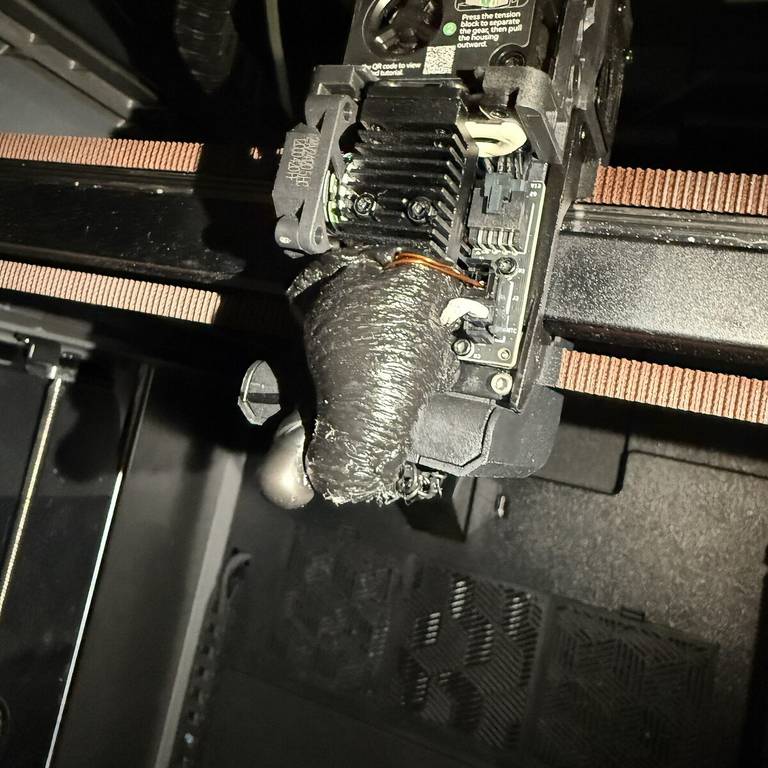

To automate nozzle cleaning in Klipper, fix a brass brush at the edge of the bed and add a [gcode_macro CLEAN_NOZZLE] that moves the hot nozzle down into the bristles and drags it back and forth a few times. Then call CLEAN_NOZZLE in your PRINT_START macro, after the nozzle is hot and before probing or printing.
[gcode_macro CLEAN_NOZZLE]
description: Scrub the nozzle across a brush at the bed edge
variable_brush_x_min: 50        ; placeholder: left end of your brush
variable_brush_x_max: 100       ; placeholder: right end of your brush
variable_brush_y: 305           ; placeholder: brush center line in Y
variable_brush_z: 2             ; placeholder: nozzle height inside the bristles
variable_clearance_z: 5         ; extra height for travel above the brush
variable_wipe_speed: 5000       ; mm/min while scrubbing
variable_travel_speed: 3000     ; mm/min getting to the brush
gcode:
    {% set wipes = params.WIPES|default(3)|int %}
    {% if "xyz" not in printer.toolhead.homed_axes %}
      { action_raise_error("CLEAN_NOZZLE: home all axes first") }
    {% endif %}
    SAVE_GCODE_STATE NAME=clean_nozzle
    G90                                           ; absolute moves
    G1 Z{brush_z + clearance_z} F1500             ; lift to travel height
    G1 X{brush_x_min} Y{brush_y} F{travel_speed}  ; go above the brush
    G1 Z{brush_z} F1500                           ; drop into the bristles
    {% for i in range(wipes) %}
      G1 X{brush_x_max} F{wipe_speed}             ; scrub right
      G1 X{brush_x_min} F{wipe_speed}             ; scrub left
    {% endfor %}
    G1 Z{brush_z + clearance_z} F1500             ; lift clear of the brush
    RESTORE_GCODE_STATE NAME=clean_nozzle
How do you write a Klipper nozzle wipe macro?
Write a [gcode_macro] section that saves the G-code state, switches to absolute moves, lowers the hot nozzle into a brush, and runs a Jinja for loop of G1 moves across it. Store the brush position as variable_ options. Lift clear afterwards, then restore the saved state so the rest of the print is unaffected.
Klipper’s command templates page uses a clean_nozzle macro with fixed coordinates as its example of a complex macro. The version above keeps the coordinates in variables, which you edit in one place or change at run time with SET_GCODE_VARIABLE.
How to set up a nozzle wipe macro in Klipper
- Mount the brush. Fix a brass brush just outside the print area, within the nozzle’s reach and clear of the plate and any bed clips.
- Find X and Y. Home, jog the nozzle over each end of the brush, and read the position from your web interface or
GET_POSITION. Enter them asbrush_x_min,brush_x_maxandbrush_y. - Find the brush height. Start well above the brush and lower Z in small steps until the bristle tips touch the nozzle. Set
brush_za little below that. - Paste the macro. Add it to printer.cfg or a file it includes, then send
RESTART. - Test it cold. Send
CLEAN_NOZZLEwith the hotend off and watch the first pass, ready to hit emergency stop. - Call it from PRINT_START. Add
CLEAN_NOZZLEafter the nozzle heats, as shown below.
The VoronUsers Decontaminator scrubber macro ships with its brush height set “a lot higher for safety” and warns: “Be careful not to go too low!” Start high and lower from there.
What each part of the macro does
variable_options. Each is parsed as a Python literal and read by its bare name, such asbrush_z. Names must be lower case.WIPES. Optional, default 3.CLEAN_NOZZLE WIPES=6scrubs longer for one call. Parameters arrive as strings, hence|int(see macro parameters).- The
homed_axescheck.action_raise_erroraborts this macro and any macro that called it, so an unhomed printer never moves. SAVE_GCODE_STATEandRESTORE_GCODE_STATE. They save and restore the coordinate mode, G-code offsets, speed and flow overrides, feed rate and position. Klipper advises setting the parsing state before anyG1in a macro, with an explicitFon the first one.- The
forloop. Klipper expands the whole template before running it, so the loop writes out2 × WIPESmoves.
The nozzle stays above the brush when the macro ends. RESTORE_GCODE_STATE NAME=clean_nozzle MOVE=1 sends it back to the saved position in one straight move, so use it only if that path clears the bed edge.
Where to call the clean nozzle macro in PRINT_START
Call it once the nozzle is at temperature and the ooze is soft:
    M190 S{BED_TEMP}           ; heat the bed and wait
    G28                        ; home
    M109 S{EXTRUDER_TEMP}      ; heat the nozzle and wait
    CLEAN_NOZZLE               ; scrub before the mesh and the print
    BED_MESH_CALIBRATE ADAPTIVE=1
A macro called from another macro is expanded only when it runs. By then G28 has finished, so the homed_axes check passes.
If the nozzle is your probe (Voron Tap and similar), wipe before the probing so the probe touches a clean tip: home, heat, CLEAN_NOZZLE, then G28 Z and the mesh. Tap’s recommended activate_gcode lowers any nozzle target above 150 C to 150 C before each probe and waits.
Run the wipe before any SET_GCODE_OFFSET Z= in your start macro. Klipper adds a G-code offset to every later move, the brush moves included, so a per-plate offset would shift the scrub height (see Z offset per plate).
Klipper brush macro with a purge bucket
A purge bucket beside the brush catches a short extrusion before the wipe. The Decontaminator macro purges 10 mm of filament at 150 mm/min, retracts 2 mm and dwells 2 seconds, then wipes 3 times at 5000 mm/min. It skips the purge below 240 C and picks the left or right bin at random to spread the waste.
To purge first, travel to the bucket and add these lines before the drop into the brush:
    {% if printer[printer.toolhead.extruder].can_extrude %}
      M83                       ; relative extrusion
      G1 E10 F150               ; purge into the bucket
      G1 E-2 F750               ; retract against ooze
      G4 P2000                  ; let the last ooze drop
    {% endif %}
can_extrude is true once the hotend reaches min_extrude_temp (170 C by default), so a cold call skips the purge instead of raising an error. For a purge line on the bed, see the purge line macro.
The Decontaminator uses a brass brush. Its author names a silicone brush, “gentler on plated nozzles”, as a possible future revision.
Fixing nozzle wipe macro errors
- “Move out of range”. A brush coordinate lies outside that axis’s
position_mintoposition_max. Correct the variable or move the brush inward. - “CLEAN_NOZZLE: home all axes first”. The macro ran before
G28. Call it after homing. - The nozzle misses the bristles.
brush_zis too high, orbrush_yis off the brush’s center line. - The nozzle hits the brush holder or the bed. Raise
clearance_z, and check that the drop lands over the bristles. - The scrub height changes between prints. A Z offset was applied before the wipe. Call
CLEAN_NOZZLEbeforeSET_GCODE_OFFSET.
Sources
- Klipper documentation, Command templates (accessed October 10, 2026)
- Klipper documentation, G-Codes (accessed October 10, 2026)
- Klipper documentation, Configuration reference (accessed October 10, 2026)
- Klipper documentation, Status reference (accessed October 10, 2026)
- Klipper source, klippy/toolhead.py (accessed October 10, 2026)
- VoronUsers, Decontaminator Purge Bucket & Nozzle Scrubber (accessed October 10, 2026)
- VoronUsers, Decontaminator nozzle_scrub.cfg (accessed October 10, 2026)
- Voron Design, Tap Klipper instructions (accessed October 10, 2026)