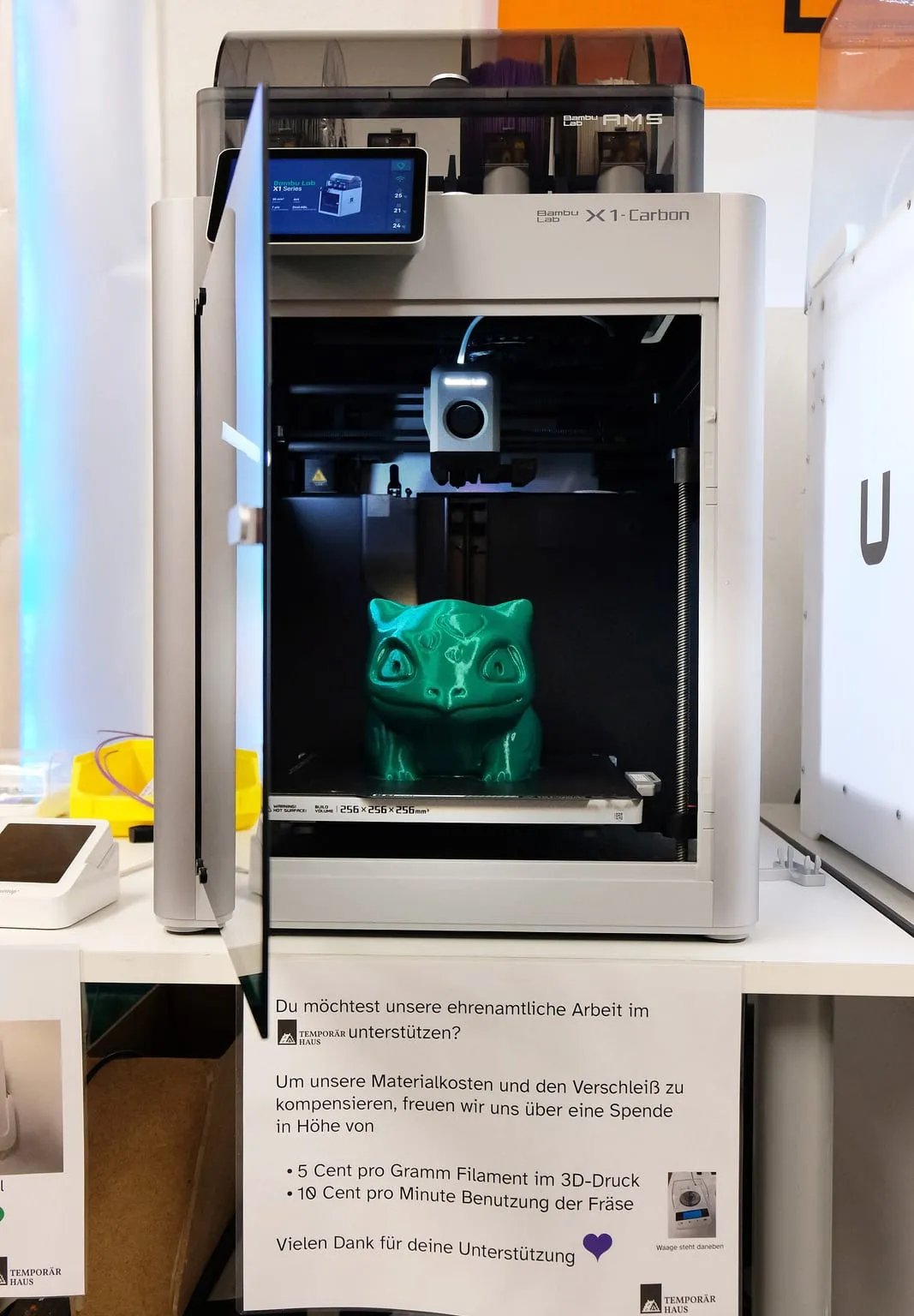
Bambu Lab does not sell a chamber heater for the X1C, and says the X1C does not support its heating module. Third-party heaters fill the gap, each rated to about 60 °C. This page lists them, what they need, and what to watch for.
The chamber heaters sold for the Bambu Lab X1C are third-party kits rated to about 60 °C. Two list the X1C by name: BIQU’s Panda Breath and MartilloTech’s X1C heater. A DIY heater is the third route. None is supported by Bambu Lab, which states that the X1C does not support its chamber heating module, so any of them is an unsupported addition under Bambu Lab’s warranty.
Chamber heaters for the Bambu Lab X1C compared
The table lists the heaters whose sellers name the X1C, plus the DIY route, sorted by price. Both commercial kits target the same 60 °C that Bambu Lab sets on its own heated X1E. Prices are as listed on October 1, 2026.
| Heater |
Heater type |
Power |
Stated chamber maximum |
Control |
Price |
Availability |
| BIQU Panda Breath |
PTC |
300 W |
60 °C |
Wi-Fi web interface; automatic mode by binding to the printer |
$87.12 (US warehouse) to $145.00 (China) |
In stock |
| MartilloTech X1C Chamber Heater |
Not stated |
300 W |
40 to 60 °C |
Toolhead sensing, automatic on and off; powered by the printer’s power supply |
$129.99 (110 V), $139.99 (220 V) |
Sold out |
| DIY heater with thermostat |
Varies |
Varies |
No rating |
External thermostat |
Parts only |
Self-built |
BIGTREETECH’s wiki lists the Panda Breath’s element limit as 105 °C and its maximum chamber temperature as 60 °C. MartilloTech states its X1C heater is “For Bambu Lab X1 / X1C only”. Neither is an official Bambu Lab part.
How to add chamber heating to a Bambu Lab X1C
Choose a kit that names the X1C, mount it inside the enclosure as its maker instructs, and set it no higher than the chamber temperature your material needs. Bambu Lab’s guidance for its heated X1E is a useful ceiling: 60 °C for warp-prone prints. Before buying, check two things: the warranty, and the filament you load while the chamber is hot.
- Check the warranty. Bambu Lab excludes damage caused by third-party accessories, and states that “the X1 and X1C printers do not support the installation of the chamber heating module”.
- Pick a kit that lists the X1C. Fit and mounting differ between the X1, P1 and A1 series.
- Set the target by material. Use about 60 °C for PC and filled nylons, matching Bambu Lab’s X1E guidance, and leave the heater off for PLA, PETG and TPU.
- Watch the extruder. Heat buildup in the enclosure is the most common cause of X1C clogs, according to Bambu Lab.
What Bambu Lab says about chamber heating on the X1C
Bambu Lab does not offer a chamber heater for the X1C. Its X1E FAQ states that “the X1C can not be upgraded to X1E using accessories”, and that “the X1 and X1C printers do not support the installation of the chamber heating module and the wired network module.” The X1E, Bambu Lab’s heated model, reaches 60 °C from a 380 W module.
The X1C has its own warning about heat. Bambu Lab’s heat creep article says “the most common reason for hotend or extruder clogs when printing with X1 Carbon or P1S is heat buildup inside the enclosure and heat creep”. It recommends keeping the enclosure “at least 10 degrees lower than the glass transition temperature of the filament”.
Avoiding clogs with a heated chamber
Turn the heater off for low-temperature filaments. On the X1E, Bambu Lab “strongly” recommends “not to enable high chamber temperature when printing PLA, PETG, TPU, PVA and other low-temperature filaments”, because high chamber temperature “may cause these filaments to soften and become lodged in the extruder, resulting in clogging issues.” The same applies to a third-party heater on an X1C.
For warp-prone materials, Bambu Lab’s chamber setting guide says to enable the chamber at 60 °C. It leaves the chamber off by default for ABS and ASA.
Which materials gain from a heated chamber on the X1C?
PC and the filled engineering filaments gain most. Bambu Lab’s X1E FAQ recommends a 60 °C chamber for “PC, PA-CF, PAHT-CF, PET-CF, PPA-CF, PPS, and PPS-CF”. On an X1C, PC and the filled nylons fit within its 300 °C nozzle limit, so a heater is the one upgrade left for them. PPS-CF needs a hotter nozzle than the X1C has.
ABS and ASA print on the X1C stock. Voron’s documentation, written for its own enclosed printers, states that a chamber heater is “not necessary” for ABS. A heater mainly helps large ABS parts that still warp.
Is a chamber heater worth it on an X1C?
It is worth it if you print large PC or filled nylon parts that warp, and accept the warranty trade-off. Factor in the X1 series’ end of life: Bambu Lab ended production on March 31, 2026, and promises firmware updates until May 31, 2027. If you need a heated chamber with a warranty, Bambu Lab’s current heated models are the covered route.