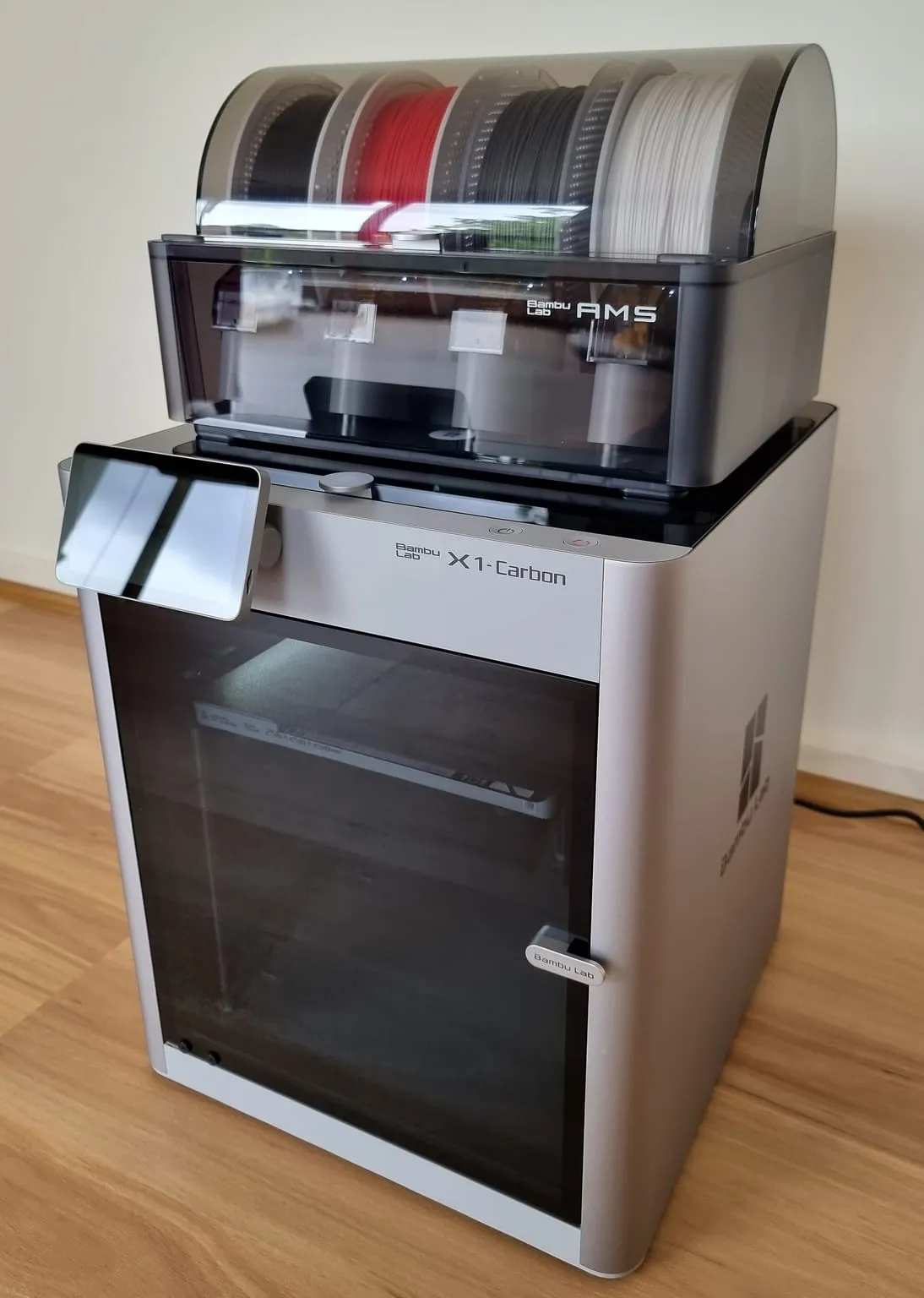
The Bambu Lab X1 Carbon already ships with the parts most printers need upgrading first: an enclosure, an all-metal hotend and a hardened steel nozzle and extruder. Its upgrade path is short, and it ends at a firmware nozzle limit of 300 °C. This page covers each step, what it unlocks, and where the X1C stops.
The best upgrade path for a Bambu Lab X1C is short, because it ships ready for most engineering materials. It prints ABS and ASA stock, and its hardened steel nozzle handles carbon-filled nylons. For PC, the limit is the bed. Beyond that, the only gain left is chamber heat, and the 300 °C nozzle limit cannot be raised. Materials that need more call for a different printer.
Bambu Lab X1C temperature limits explained
The X1C’s spec sheet lists an all-metal hotend with a maximum of 300 °C, and a bed maximum that depends on your mains voltage: 110 °C at 220 V and 120 °C at 110 V. The chamber is enclosed but has no heater. Bambu Lab’s X1E page lists the X1C as “Active Chamber Heating: No”.
| Zone |
X1C stock |
What it limits |
| Nozzle |
300 °C, all-metal, hardened steel nozzle |
PPA-CF above 300 °C, PPS-CF, PEKK, PEI, PEEK |
| Bed |
110 °C at 220 V, 120 °C at 110 V |
The top of the PC range on 220 V |
| Chamber |
Enclosed, no active heating |
Warp-prone prints that Bambu Lab heats to 60 °C on the X1E |
| Extruder gears |
Hardened steel |
Nothing for common filaments |
Bambu Lab publishes no setting to raise the nozzle limit. Its X1E FAQ says the X1 and X1C “do not support installing the hotend assembly of the X1E (including the heater, NTC, and thermal grease).” Third-party hotend makers say the same: E3D writes that its DiamondBack hotend’s 320 °C rating “only applies to the X1E printer”, and “the X1C, P1P, and P1S remain temperature limited to 300°C.”
X1C support after end of life
Bambu Lab ended production of the X1 series on March 31, 2026. Its end-of-life post commits to firmware bug fixes and feature updates until May 31, 2027, security patches until May 31, 2029, and spare parts and support until March 31, 2031. Bambu Lab’s store now sells the X1C refurbished only. Factor these dates into how much you spend on upgrades.
Do you need a hardened steel extruder upgrade on the X1C?
No. The X1C ships with hardened steel extruder gears and a hardened steel nozzle, according to its spec sheet. That is the combination Bambu Lab’s filament guide requires for carbon- and glass-filled filaments. A replacement only makes sense when the stock parts wear. Bambu Lab sells X1C hotends in 0.4, 0.6 and 0.8 mm hardened steel, from $14.99.
X1C upgrade path for high-temp materials, step by step
Work through the steps in order, and stop at the material you need. Each step lists what it unlocks on an X1C, using the ranges in Bambu Lab’s filament guide.
- ABS and ASA: no upgrade. The X1C is enclosed, and Bambu Lab’s guide lists a 90 to 100 °C bed for both, within the X1C’s range. Keep the top glass on. The guide answers “NO” to removing it for ABS and ASA.
- PC: check the bed and the plate. Bambu Lab lists PC at 260 to 290 °C at the nozzle and 100 to 120 °C on the bed, with glue. On 220 V the X1C bed stops at 110 °C, the lower part of that range. Use a plate rated above your bed temperature.
- Carbon- and glass-filled nylon, PET-CF: no hardware upgrade. The 260 to 300 °C range sits within the X1C’s 300 °C limit, and the hardened nozzle is stock. Bambu Lab’s X1E FAQ recommends a 60 °C chamber for PA-CF and PAHT-CF, which the X1C cannot hold without added heat.
- Chamber heat (optional, unsupported). A third-party heater raises the chamber temperature. Bambu Lab does not support chamber heating on the X1C, so check the warranty first.
- PPA-CF and hotter: a different printer. Bambu Lab lists PPA-CF at 285 to 320 °C and PPS-CF at 310 to 340 °C, and lists PPS-CF for the H2 series and X1E only. On an X1C, PPA-CF runs only at the bottom of its range, and PPS-CF is out of reach.
Bambu X1C upgrade kit for ABS and PC
An X1C needs no kit for ABS. For PC, the parts that matter are the build plate and glue, because the nozzle and enclosure already meet Bambu Lab’s requirements. The table lists Bambu Lab’s own plates that fit the X1 series, with the surface rating and price Bambu Lab’s store gives.
| Plate |
Surface temperature rating |
Price |
Note |
| Bambu Textured PEI Plate |
Up to 180 °C |
From $19.99 |
Ships pre-installed on the X1C |
| Bambu Engineering Plate |
Up to 120 °C |
From $29.99 |
Glue required |
| Bambu Cool Plate SuperTack |
Up to 120 °C |
From $34.99 |
Lists the X1 series |
All three are rated at or above the X1C’s maximum bed temperature. Bambu Lab’s store marks the Smooth PEI plate as no longer available for the X1 series. Third-party plates for the X1C exist, such as G10 (garolite) and PEO/PET sheets, but none of the listings checked for this page published a temperature rating. Ask the seller for one before you trust a plate near 110 °C.
Bambu X1C hotend upgrade options
A different hotend on the X1C changes flow rate or nozzle material, not the temperature ceiling. E3D’s ObXiDian 500 hotend listing says “you will always be restricted by the maximum printing temperature of your machine”, which it gives as 300 °C for the X1C. The Bambu Lab hub lists hotends sold for the X1 and P1 series, with prices and ratings.
Choose a hotend for what it does at 300 °C or below. A high-flow design helps print speed, and a wear-resistant nozzle helps with abrasive filaments, although the X1C’s stock hardened nozzle already covers those. Any third-party hotend is a third-party accessory under Bambu Lab’s warranty, which excludes damage it causes.
Adding chamber heat to an X1C
Bambu Lab does not support it. Its X1E FAQ states that “the X1C can not be upgraded to X1E using accessories”, and that “the X1 and X1C printers do not support the installation of the chamber heating module”. A third-party heater is the only route, and it counts as an unsupported addition. The X1C chamber heater comparison lists the kits sold for it.
At least one is sold for the X1C. BIQU lists its Panda Breath as “designed for Bambu Lab X1C, P1S, P1P, A1, and A1 Mini printers”. It offers “smart chamber heating up to 60°C” from a 300 W PTC heater, at $87.12 from BIQU’s US warehouse. That target matches the 60 °C Bambu Lab sets on the X1E for warp-prone prints.
Best upgrades for the Bambu X1C for engineering materials
For engineering materials, few upgrades change what an X1C can print. One is a build plate rated above your bed temperature for PC. The other is chamber heat for the 60 °C materials, with the warranty trade-off that brings. Nozzle and extruder upgrades change speed and wear, not reach. Past 300 °C, the X1C has no upgrade path, and the step is a printer with a higher limit.
.jpg)