Guide
H2D print volume with one nozzle and with both
One nozzle on the H2D reaches 325 × 320 mm of the plate. Both nozzles together share 300 × 320 mm. Here are the exact figures per nozzle, why each nozzle has an edge strip the other cannot reach, and how Bambu Studio marks those strips on the plate.
Edited by 3D Printeray EditorsPublished Last verified 5 min read
In this section: Dual nozzle(16)
On this page (6)
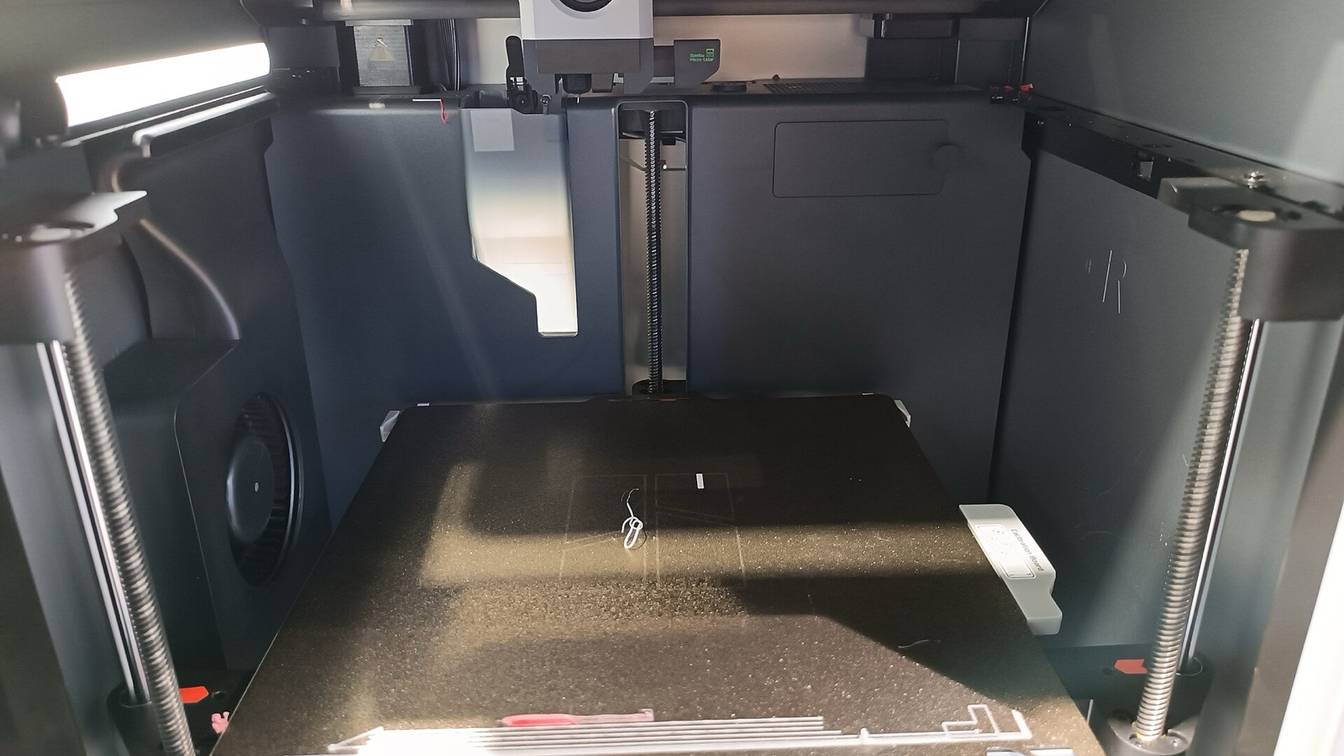

The Bambu Lab H2D prints 325 × 320 × 325 mm (W × D × H) with one nozzle and 300 × 320 mm across with both. Bambu Lab’s wiki caps any part printed with the left nozzle at 320 mm tall, so the space both nozzles share is 300 × 320 × 320 mm.
| Nozzle | Area reached (X range) | Max width × depth | Max height | Volume (W × D × H) |
|---|---|---|---|---|
| Left nozzle only | 0 to 325 mm | 325 × 320 mm | 320 mm | 325 × 320 × 320 mm |
| Right nozzle only | 25 to 350 mm | 325 × 320 mm | 325 mm | 325 × 320 × 325 mm |
| Both nozzles (shared area) | 25 to 325 mm | 300 × 320 mm | 320 mm | 300 × 320 × 320 mm |
| Both nozzles combined | 0 to 350 mm | 350 × 320 mm | 325 mm | 350 × 320 × 325 mm |
Figures are from Bambu Lab’s wiki, checked October 12, 2026. The last row is the “Total Volume for Two Nozzles” on Bambu Lab’s store spec sheet.
What is the H2D print volume when using both nozzles?
The H2D’s shared print area for both nozzles is 300 × 320 mm, and Bambu Lab’s wiki puts the shared volume at 300 × 320 × 320 mm. That is 25 mm narrower than the 325 mm one nozzle reaches. Bambu Lab’s store spec sheet lists “Dual Nozzle Printing: 300320325 mm³”, but the left nozzle stops at 320 mm.
Use 320 mm as the height limit for any part that uses both nozzles. Bambu Studio throws an error when a model is taller than 320 mm and one of its filaments is grouped to the left nozzle. A part between 320 and 325 mm tall prints only if every filament it uses runs through the right nozzle.
Why is the H2D build volume smaller with two nozzles?
The two nozzles sit side by side on one toolhead, so neither one reaches the whole plate. Bambu Lab’s wiki says “Only the left nozzle can reach the leftmost side of the heatbed” and “Only the right nozzle can reach the rightmost side of the heatbed.” In plate coordinates the left nozzle covers X 0 to 325 mm and the right nozzle covers X 25 to 350 mm.
That leaves a 25 mm strip at each side that only one nozzle reaches. A part that needs both nozzles has to sit in the 300 mm middle, where both coverage ranges overlap. Depth is 320 mm for both nozzles, so only the width shrinks.
How large a part can the H2D print?
Plate a part by the filaments it uses:
- One filament: up to 325 × 320 × 320 mm on the left nozzle, or 325 × 320 × 325 mm on the right. A part placed in an edge strip must use that strip’s nozzle.
- Two or more filaments, split across both nozzles: up to 300 × 320 × 320 mm, inside the shared middle area.
- Taller than 320 mm: right nozzle only, placed within X 25 to 350 mm. Bambu Lab’s grouping guide says such a part “should be placed in the printable area of the right nozzle.”
- PPA-CF or PPS-CF (carbon-fiber-filled polyphthalamide and polyphenylene sulfide): these print only on the left nozzle, per Bambu Lab, so the limit is 325 × 320 × 320 mm.
A single part 350 mm wide does not fit with one filament. Bambu Studio errors when the same filament appears in both the left-only and the right-only strip. The 350 mm combined figure only helps when the plate’s work is split by nozzle. Say you plate one object in each edge strip: each prints with a filament grouped to the nozzle that reaches it. Choosing which filament goes to which nozzle is covered in assigning filament to the left or right nozzle.
How does Bambu Studio show the H2D print area on the plate?
Bambu Studio marks the two edge strips on the build plate preview as “left nozzle only area” and “right nozzle only area.” The middle of the plate is the shared area. A model placed in an edge strip can only use filaments grouped to that strip’s nozzle.
The slicer checks placement twice:
- Before slicing. It compares where each model sits with its filament grouping. A warning lets you slice and send the job anyway. An error blocks slicing that plate until you move the model or change the grouping.
- After slicing. It checks the G-code paths themselves. These can cross into an edge strip even when the model looks fine, for example:
- supports or support interfaces use a filament from the other nozzle
- “Flush into objects’ infill” puts another nozzle’s filament into an object near the edge
- the inner part of a painted color region crosses into the other nozzle’s strip
If an error appears after slicing, move the object toward the middle of the plate. You can also regroup the filament named in the error to the nozzle that reaches that area, or turn off flushing into infill for that object.
Do the H2D Pro, H2S and H2C have the same print volume?
Bambu Lab lists no different build volume for the H2D Pro. Its FAQ names the Pro’s differences from the H2D: Ethernet and enterprise Wi-Fi, a toolhead cooling fan, a tungsten carbide nozzle and a vision encoder as standard. The machine measures the same 492 × 514 × 626 mm as the H2D.
Bambu Lab’s H2 series area page gives these figures:
| Printer | Nozzles | Max print area | Shared dual-nozzle area | Max height |
|---|---|---|---|---|
| H2D | 2 | 325 × 320 mm per nozzle | 300 × 320 mm | 325 mm (right), 320 mm (left) |
| H2C | 2 | 325 × 320 mm (left), 305 × 320 mm (right) | 300 × 320 mm | 325 mm (right), 320 mm (left) |
| H2S | 1 | 340 × 320 mm | none | 340 mm |
The H2S trades the second nozzle for a larger single-nozzle volume. The H2S dual-nozzle question covers what that means for multi-material work, and the H2D dual-nozzle overview covers the rest of the machine.
Sources
- Bambu Lab Wiki, Introduction to the printable range of H2D dual nozzles (accessed October 12, 2026)
- Bambu Lab Wiki, Maximum Printable/Processing Area of H2 Series Printers (accessed October 12, 2026)
- Bambu Lab Wiki, Introduction to Filament Grouping Strategy for Dual Nozzle Printers (accessed October 12, 2026)
- Bambu Lab store, H2D (specifications) (accessed October 12, 2026)
- Bambu Lab Wiki, H2D Pro FAQs (accessed October 12, 2026)