Guide
Running two different nozzle sizes on the H2D
Both H2D hotends take any of Bambu Lab's four nozzle sizes, but a dual-nozzle job still needs the same size on both sides. This page covers what the slicer and printer accept, how to set each side up, and how to get thin walls with fast infill anyway.
Edited by 3D Printeray EditorsPublished Last verified 4 min read
In this section: Dual nozzle(16)
On this page (7)
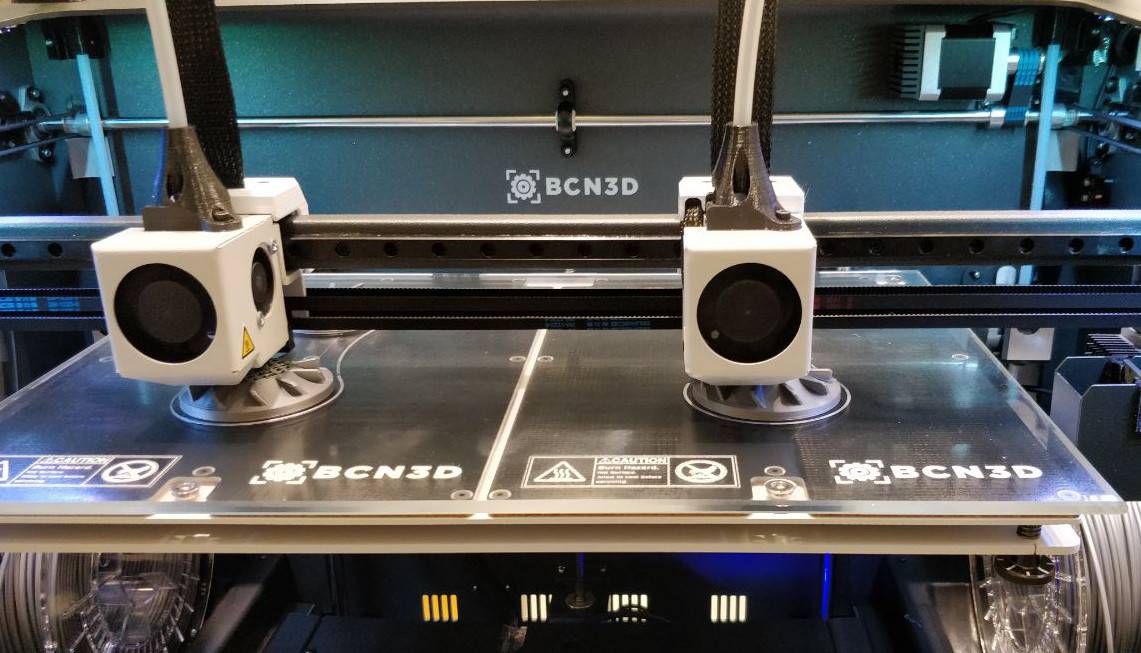

Not in one print, as of October 12, 2026. Each H2D hotend accepts a 0.2, 0.4, 0.6 or 0.8 mm nozzle, but a job that uses both nozzles needs the same size on both sides. For fine walls with fast infill, use wider infill lines or High Flow hotends instead (settings below).
Can the H2D use two different nozzle sizes?
No, not in the same print. Both H2D hotends are identical, and each takes a 0.2, 0.4, 0.6 or 0.8 mm nozzle. Bambu Lab states that its dual-nozzle function supports only nozzles of the same size, and Bambu Studio enforces that rule. No slicer release through the V2.8.4 beta of September 22, 2026 lifts the restriction.
Where that position comes from:
- The hotend listing. Bambu Lab’s “Important Notice” on its H2-series hotends, as Swing Design reproduces it, reads: “Currently, the H2 Dual-Nozzle function only supports nozzles of the same size.”
- Support. A Bambu Lab Customer Support reply, posted to the forum on June 29, 2026, says “we do not support printing with two different-sized nozzles” and that there are no current plans to add it. Support also warned that mixed sizes could cause “serious printing quality issues”.
- The printer. Before each job the H2D’s camera reads both nozzle sizes and checks them against the sliced file, so a mismatch is caught before the job starts.
The feature request on Bambu Studio’s GitHub (issue #8051, opened August 30, 2025) was still open on October 12, 2026. H2D firmware notes up to V01.03.51.00 (public beta, July 21, 2026) don’t mention mixed sizes.
Which nozzle sizes and types does the H2D support?
The H2D ships with a 0.4 mm hardened-steel nozzle and supports 0.2, 0.4, 0.6 and 0.8 mm. The maximum nozzle temperature is 350 °C. Sorted by diameter range:
| Hotend type | Diameters | Nozzle material | Notes |
|---|---|---|---|
| Standard Flow | 0.2 mm | Stainless steel | Not for carbon-fiber, glass-fiber or other filled filaments |
| Standard Flow | 0.4, 0.6, 0.8 mm | Hardened steel | The 0.4 mm comes with the printer |
| Standard Flow, tungsten carbide | 0.4, 0.6, 0.8 mm | Tungsten carbide (HRA 90) | Fits either H2D hotend |
| High Flow | 0.4, 0.6, 0.8 mm | Hardened steel | Bambu lists 40 mm³/s in PLA Basic at 0.4 mm, against 24 mm³/s for Standard Flow |
| E3D High Flow | 0.4, 0.6 mm | Made by E3D | Added as a nozzle type in Bambu Studio V2.8.1 (beta) |
Either hotend takes any of these. Material rules still apply per side: PPA-CF and PPS-CF (carbon-fiber filled polyphthalamide and polyphenylene sulfide) print only from the left nozzle. When the left nozzle prints TPU, the right nozzle sits idle.
Can you mix a High Flow and a Standard Flow nozzle on the H2D?
The size rule is firm; the type rule is murky. Bambu Studio 2.0 lets you set the nozzle type (Standard or High Flow) on dual-nozzle printers, and its filament presets hold separate values for each type. A Bambu support reply posted in March 2026 said mixing the two types isn’t supported, even at one diameter. Owners in the same thread report running one of each, at matching diameters, without trouble.
How to set the nozzle size on each H2D hotend
- Swap the hotend. Power off and let the hotends cool. Push the lifting rod so the flow blocker clears the hotend you are changing, then unlatch it and fit the new one. Bambu’s replace-hotend wiki has the full sequence.
- Update the printer. On the H2D’s screen, set the new nozzle diameter and type for that side. In current Bambu Studio versions, the “Printer Parts” page is display-only.
- Sync Bambu Studio. Click the printer sync button in the Prepare tab. It pulls each side’s nozzle diameter, nozzle type and AMS (Automatic Material System) count from the printer.
- Slice with matching sizes. For any job that uses both nozzles, the left and right diameters must match; Bambu Studio rejects a mixed pair.
How to get fine walls and fast infill with matching nozzles
The usual reason to want mixed sizes is a fine nozzle for walls and a big one for infill. With matching nozzles, line width gets you part of the way. Bambu’s wiki recommends line widths between 0.75× and 1.5× the nozzle diameter. In Bambu Studio, set them per feature under Process > Quality > Line Width.
| Nozzles (both sides) | Usable line width | Example setup |
|---|---|---|
| 0.4 mm | 0.30 to 0.60 mm | Outer wall 0.40 mm, sparse infill 0.60 mm |
| 0.6 mm | 0.45 to 0.90 mm | Outer wall 0.45 mm, sparse infill 0.90 mm |
Wider infill lines on the same nozzle are still limited by the hotend’s maximum volumetric speed. Fitting High Flow hotends on both sides raises that limit without breaking the same-size rule. For fine text on a large part, another option is to print the detail as a separate part with 0.2 mm nozzles on both sides.
Will Bambu add mixed nozzle sizes to the H2D?
There is no date. Bambu support has said it would forward the request to its R&D and software teams. Firmware and slicer updates might follow if enough users ask.
The X2D and H2C have the same limit. One H2C owner ran a 0.4 mm and 0.8 mm print in September 2026 but called it “not a supported Bambu Studio workflow”. OrcaSlicer 2.4 added mixed-nozzle profiles for the Snapmaker U1, not the H2D. Forum users suggest OrcaSlicer betas for mixed sizes on the H2D, but Bambu Lab does not support that route.
Sources
- Bambu Lab Wiki, Replace H2D Hotend (accessed October 12, 2026)
- Bambu Lab EU store, H2D (accessed October 12, 2026)
- Bambu Lab EU store, Bambu Hotend - H2/P2S/X2D (accessed October 12, 2026)
- Swing Design, Bambu Lab Standard Flow 0.6mm Hardened Steel Nozzle Hotend (Bambu Lab Important Notice) (accessed October 12, 2026)
- Swing Design, Bambu Lab Standard Flow 0.8mm Tungsten Carbide Nozzle (accessed October 12, 2026)
- Bambu Lab Wiki, Bambu Studio 2.0 release notes (accessed October 12, 2026)
- Bambu Studio GitHub, V2.8.1 Public Beta release notes (accessed October 12, 2026)
- Bambu Studio GitHub, V2.8.4 Public Beta release notes (accessed October 12, 2026)
- Bambu Studio GitHub, Issue #8051: Support H2D with different nozzle sizes on the left and right (accessed October 12, 2026)
- Bambu Lab Community Forum, Dual nozzle sizes on Bambu Lab X2D (accessed October 12, 2026)
- Bambu Lab Community Forum, Mixing HF and regular nozzles in H2D? (accessed October 12, 2026)
- Bambu Lab Community Forum, H2C experimental mixed nozzle diameters in a single print (accessed October 12, 2026)
- Bambu Lab Community Forum, H2 two nozzles, different size on same print (accessed October 12, 2026)
- Bambu Lab Community Forum, H2D Firmware V01.03.51.00 now in Public Beta (accessed October 12, 2026)
- Bambu Lab Wiki, Line width (accessed October 12, 2026)
- Bambu Lab Wiki, Filament grouping strategy for dual nozzle printers (accessed October 12, 2026)
- OrcaSlicer GitHub, v2.4.0-alpha release notes (accessed October 12, 2026)