Guide
What is a direct drive extruder? Pros, cons and printers
A direct drive extruder sits on the print head, so its motor and drive gears push filament straight into the hotend just below them. The short path feeds flexible TPU and needs under 2 mm of retraction, at the cost of extra weight on the moving print head.
Edited by 3D Printeray EditorsPublished Last verified 7 min read
In this section: Extruders(14)
On this page (6)
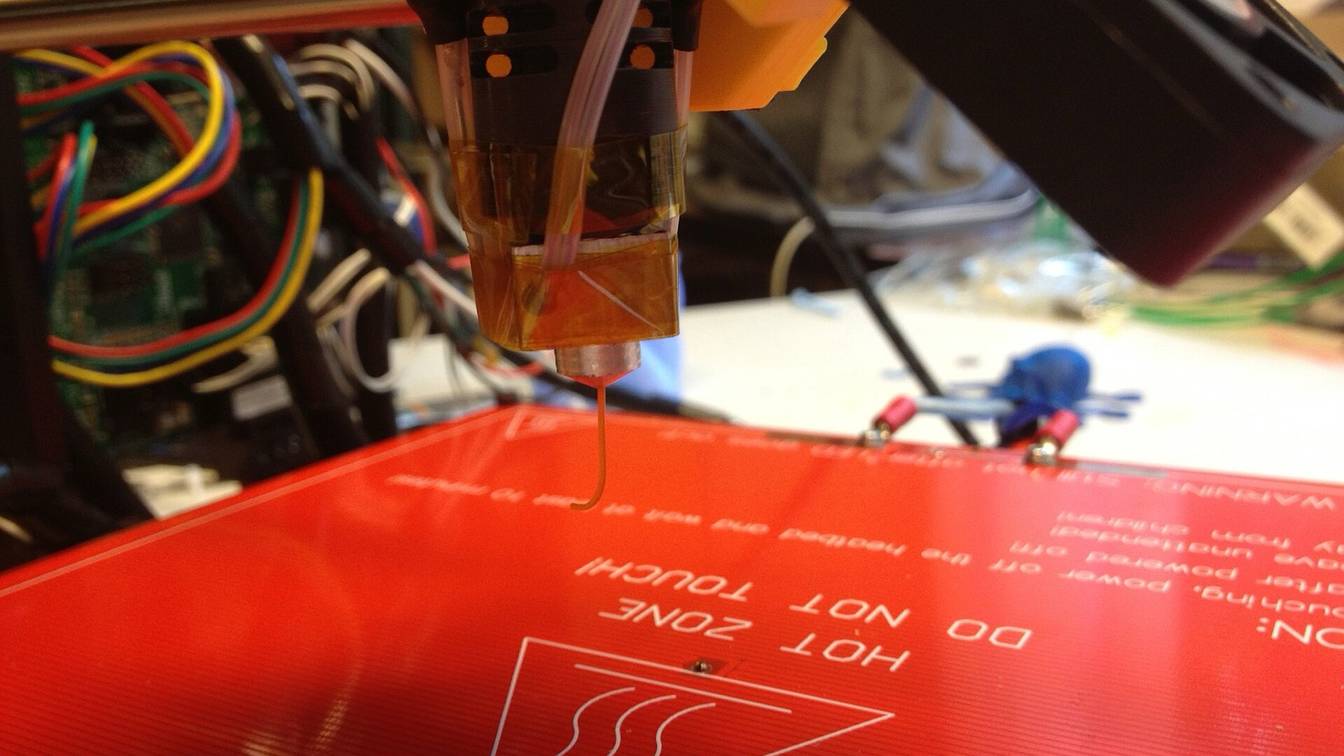

A direct drive extruder sits on the print head: its motor and drive gears push filament straight into the hotend just below them, not through a long PTFE (Teflon) tube. Current printers such as the Bambu Lab A1 and P2S ship with one. It feeds flexible TPU (thermoplastic polyurethane) and needs less than 2 mm of retraction. The cost is extra mass on the moving print head.
What is a direct drive extruder?
A direct drive extruder is a filament extruder mounted on the print head, directly above the hotend. Its motor turns drive gears that grip the filament and push it straight into the hotend, with no long tube in between. The alternative is a Bowden extruder, which sits on the frame and pushes filament through a PTFE tube.
Every extruder does the same job: it pushes exactly the length of filament the slicer asks for and pulls it back on each retraction. Putting the extruder on the print head shortens the path between the gears and the nozzle, so the nozzle follows the motor with less lag.
Bambu Lab’s X2D shows both layouts in one machine. Bambu’s wiki says its left extruder is “installed inside the toolhead, close to the main hotend”, so filament “does not need to go through a long-distance transmission path”: filament sensor, then extruder gear, then hotend. Its right extruder is fixed to the rear panel and feeds its hotend through a PTFE tube.
For a side-by-side Bowden vs direct drive table (gear-to-nozzle distance, retraction, flexible filament, pressure advance, print-head mass), see how to add direct drive to an Ender 3.
“Direct drive” has a second meaning
Strictly, “direct drive” describes an ungeared extruder, with the drive gear mounted on the motor shaft. The 3D Printing Discord wiki calls the term “widely misused” and uses “direct” for an extruder mounted close to the hotend. On spec sheets and in kit listings, “direct drive” now means the print-head-mounted kind, geared or not: Prusa lists the Nextruder on the Original Prusa MK4S as “Direct Drive” with a 10:1 planetary gearbox. For the gearing itself, see the BMG extruder (a geared design) and dual gear extruders (gears on both sides of the filament).
What are the pros and cons of a direct drive extruder?
The pros of a direct drive extruder are reliable feeding of flexible TPU, retractions under 2 mm and a lower pressure advance (the firmware’s correction for nozzle lag), all from the short filament path. The cons are extra mass on the moving print head, which can cause ringing (ripples beside sharp corners), and a bulkier print head.
| What changes with direct drive | Published figures | |
|---|---|---|
| Flexible filament (pro) | The gears grip TPU right above the hotend, so it has no tube to buckle in | Bambu Lab’s direct-drive printers print TPU down to 85A (P2S, H2D, H2S) or 90A (A1 series). Bambu’s X2D TPU guide allows TPU only on the direct-drive nozzle, because the tube-fed extruder has “higher feed resistance”. |
| Retraction (pro) | Short, because the gears pull the filament back right at the hotend | Cura’s direct-drive Ender-3 S1 and Ender-3 V3 SE profiles retract 0.8 mm; its default, used by the Bowden Ender-3 profile, is 6.5 mm. Prusa: at most 2 mm on the direct-drive MK3 series, 3.2 mm by default on the Bowden MINI. |
| Pressure advance (pro) | Lower values, because nozzle pressure follows the motor sooner | Klipper’s tuning tower uses FACTOR=.005 for direct drive and .020 for long Bowden setups; typical results run 0.050 to 1.000, “the high end usually only with bowden extruders”. Bambu says the X2D’s tube-fed extruder needs a “much larger” K value than its direct drive one. |
| Print-head mass (con) | The motor and gears ride on the print head | A lightweight extruder such as the LDO Orbiter v2.0 weighs about 135 g by its designer’s figure. Bambu moved the X2D’s second extruder to the rear panel to cut “the volume and weight of the toolhead”. |
| Ringing (con) | More moving mass changes the resonances the firmware has to cancel | Klipper names heavy moving mass as a cause of ringing and says to measure resonances again after fitting “a new (heavier or lighter) stepper motor for direct extruder”. |
| Print-head size (con) | A bigger print head around the nozzle | Bambu says the X2D’s remote extruder saves toolhead space and keeps its 256 × 256 mm print area without a larger machine. |
A Bowden layout is not automatically faster. Bambu caps the X2D’s tube-fed hotend at 200 mm/s and 1,000 mm/s² to keep feeding stable, while the toolhead itself moves at up to 1,000 mm/s and 20,000 mm/s². On a Klipper printer, input shaping reduces the ringing that the extra mass adds. Re-run the resonance measurement after any change to the print head.
Is a direct drive extruder worth it?
A direct drive extruder is worth it if you want to print flexible TPU or need short retractions. It is not worth converting a working Bowden printer that prints only PLA and PETG. If the printer already has one, as the Bambu Lab A1, Bambu Lab P2S and Creality Ender-3 V3 SE do, there is nothing to convert.
Convert when:
- You print TPU. Flexible filament fails at the feeding stage, and gears right above the hotend are the fix printer makers use: Bambu’s X2D TPU guide says TPU “can only be printed with the main nozzle”, not the tube-fed one.
- You want short retractions and lower pressure advance. Expect retraction to drop from Bowden lengths (6.5 mm is Cura’s default) to under 2 mm, and retune pressure advance (linear advance in Marlin) from a lower starting point.
Skip it when:
- You print PLA and PETG on a Bowden printer that works. Rigid filaments feed fine through a tube: Bambu recommends the X2D’s tube-fed hotend for PLA, ABS, ASA, nylon (PA) and polycarbonate (PC).
- The printer already has direct drive. That covers the printers in the tables below.
- Your printer’s speed depends on a light print head. Direct drive puts the extruder motor on that head. If you convert anyway, compact designs such as the Orbiter and Sherpa Mini are built to minimize that mass.
A conversion comes down to four steps:
- Mount the extruder on the carriage.
- Extend the extruder motor cable to the print head.
- Set the new extruder’s E-steps, the motor steps per millimeter of filament (Klipper:
rotation_distance). - Cut retraction and retune pressure advance.
The Ender 3 walk-through, kit prices and starting values are on how to add direct drive to an Ender 3. Extruder upgrades compares every upgrade type, from a dual gear Bowden swap to a full conversion kit. Common kits have their own pages: the Creality Sprite extruder and the Micro Swiss NG.
Buying a printer that already has one is the other route. Outside Bambu Lab, these current models ship with direct drive:
| Printer | What the maker lists |
|---|---|
| Creality Ender-3 V3 SE | “Extruder: Direct” |
| Original Prusa MK4S | “Nextruder, Direct Drive”, 10:1 planetary gearbox |
| Prusa CORE One+ | “Nextruder, Direct Drive”, 10:1 planetary gearbox |
The Creality Ender-3, Ender-3 Pro and Ender-3 V2 use a Bowden extruder. Which Ender 3 models already have direct drive covers the rest of the range.
Does the Bambu Lab A1 have a direct drive extruder?
Yes. The Bambu Lab A1 has a direct drive extruder. Bambu’s wiki lists the extruder unit (motor and hardened steel gears) as part of the toolhead, where it feeds filament straight into the hotend. The A1 mini uses the same extruder unit. Bambu supports TPU 90A and harder grades on both, but not the softer TPU 85A.
What that means in use:
- Keep the stock extruder. The A1’s spec sheet lists an all-metal hotend rated to 300 °C and rates TPU as “Ideal”. Upgrades worth making on the smaller model are in Bambu Lab A1 mini upgrades.
- Feed TPU from an external spool. The AMS lite (Bambu’s automatic spool changer) feeds only Bambu’s “TPU for AMS”. TPU 90A and TPU 95A HF load from the spool holder.
- Follow Bambu’s A1 TPU settings. Unload TPU by hand after heating the hotend (automatic unloading with the cutter is not supported), keep the profile’s default maximum volumetric speed, and turn off flow dynamics calibration for TPU 90A.
Does the Bambu Lab P2S have a direct drive extruder?
Yes. The Bambu Lab P2S has a direct drive extruder in its toolhead, driven by Bambu’s own permanent magnet synchronous (PMSM) servo motor through hardened steel gears. Bambu rates it at up to 8.5 kg of extrusion force, 70% more than its predecessor, and supports TPU 85A and 90A fed from an external spool.
Bambu’s P2S maintenance guide shows the extruder under the toolhead housing. Its gear assembly is shared with the X2D’s main extruder, and Bambu says the P2S extruder gears do not fit the P1S. The hotend reaches 300 °C, and the extruder motor itself detects filament tangles.
Where Bambu Lab’s current printers put the extruder, sorted by model name:
| Printer | Extruder layout | Softest TPU Bambu supports |
|---|---|---|
| A1, A1 mini | Direct drive: extruder unit in the toolhead | 90A |
| H2D | Direct drive: one extruder motor in the toolhead drives both nozzles, switched by a cam | 85A |
| H2S | Direct drive: servo extruder motor in the toolhead | 85A |
| P2S | Direct drive: PMSM servo extruder in the toolhead | 85A |
| X2D | Left nozzle direct drive in the toolhead; right nozzle fed by an auxiliary extruder on the rear panel through a PTFE tube | 85A, left nozzle only |
None of these needs a conversion. If you modify the extruder on one anyway, check does upgrading void the warranty first.
Sources
- Bambu Lab Wiki, A1 introduction (accessed November 4, 2026)
- Bambu Lab Wiki, A1 FAQ (accessed November 4, 2026)
- Bambu Lab US Store, A1 (specifications) (accessed November 4, 2026)
- Bambu Lab Wiki, TPU Printing Guide (accessed November 4, 2026)
- Bambu Lab Wiki, TPU 90A printing guide for A1 series (accessed November 4, 2026)
- Bambu Lab Wiki, P2S FAQ (accessed November 4, 2026)
- Bambu Lab Wiki, Extruder Components Replacement Guide for the P2S (accessed November 4, 2026)
- Bambu Lab US Store, P2S (accessed November 4, 2026)
- Bambu Lab Wiki, H2D introduction (accessed November 4, 2026)
- Bambu Lab Wiki, H2S FAQ (accessed November 4, 2026)
- Bambu Lab Wiki, Introduction to X2D Auxiliary Extrusion (accessed November 4, 2026)
- Bambu Lab Wiki, X2D FAQ (accessed November 4, 2026)
- Bambu Lab Wiki, TPU Printing Guide for X2D (accessed November 4, 2026)
- Creality, Ender-3 V3 SE support and specifications (accessed November 4, 2026)
- Prusa Research, Original Prusa MK4S 3D Printer (accessed November 4, 2026)
- Prusa Research, Prusa CORE One+ (accessed November 4, 2026)
- Prusa Knowledge Base, Stringing and oozing (accessed November 4, 2026)
- Ultimaker Cura, fdmprinter.def.json (default retraction distance) (accessed November 4, 2026)
- Ultimaker Cura, creality_ender3s1.def.json (accessed November 4, 2026)
- Ultimaker Cura, creality_ender3v3se.def.json (accessed November 4, 2026)
- Klipper documentation, Pressure advance (accessed November 4, 2026)
- Klipper documentation, Resonance compensation (accessed November 4, 2026)
- Orbiter Projects, Orbiter v2.0 (accessed November 4, 2026)
- 3D Printing Discord wiki on GitHub, Extruders (accessed November 4, 2026)