Guide
Which Z probe to use on a StealthChanger
Every StealthChanger tool is its own Tap probe. The one documented alternative is a single eddy-current scanner on the shuttle, and the choice decides which tools can home and how Z offsets between tools are set.
Edited by 3D Printeray EditorsPublished Last verified 6 min read
In this section: Toolchangers(16)
On this page (5)
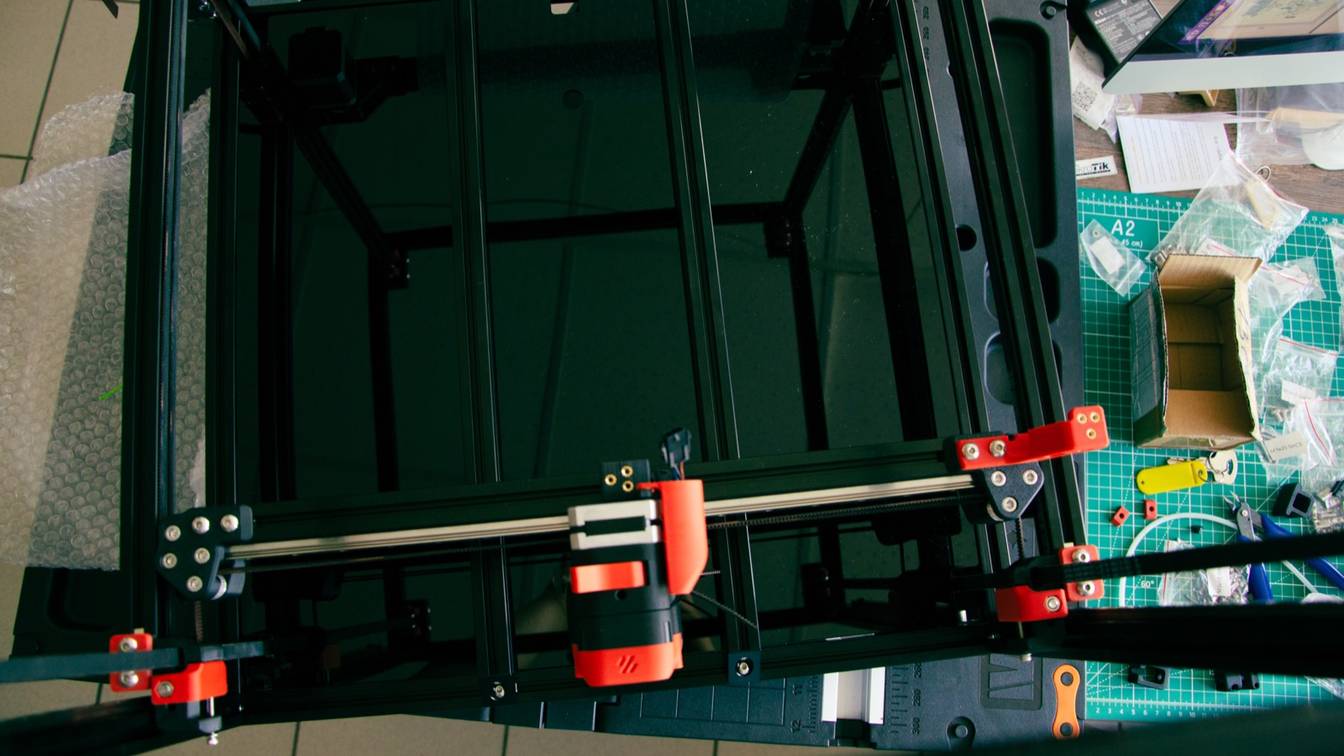

A stock StealthChanger probes Z with the OptoTap sensor fitted to every tool. Each tool works like Voron Tap, so the nozzle itself is the probe. The one documented alternative is a single eddy-current scanner (Beacon, Cartographer or BTT Eddy) on the shuttle, which the StealthChanger docs mark experimental.
Which Z probe works with StealthChanger?
Two setups are documented. The default is Tap-style probing with the OptoTap sensor every tool carries, configured as one [tool_probe] per tool. The other is a single eddy-current scanner (Beacon, Cartographer or BTT Eddy) mounted on the shuttle. StealthChanger’s docs call that route experimental: it needs extra wiring to the shuttle and a gcode_z_offset on every tool.
Every tool needs an OptoTap PCB in both setups, because that is how Klipper knows which tool is on the shuttle. The shuttle and backplate replace the Voron Tap carriage, and only the OptoTap sensor is reused. Voron describes the Tap principle as “the entire toolhead moves to trigger an optical switch”. On a StealthChanger, the tool itself moves against the shuttle.
The older FAQ on the DraftShift GitHub wiki still says “only TAP can be used”. The current docs at stealthchanger.com cover the eddy-current setup alongside Tap. klipper-toolchanger, the Klipper extension StealthChanger runs on, also supports a third layout: a probe on T0 only. The StealthChanger docs do not cover that layout.
The three layouts, sorted by how many Z sensors each uses:
| Approach | Where it is mounted | What it measures | Z sensors | Which tool can home, level and mesh | Extra setup |
|---|---|---|---|---|---|
| Shuttle-mounted eddy scanner (Beacon, Cartographer, BTT Eddy) | On the shuttle, stays on the gantry | Distance from the coil to the bed; Beacon Contact and Cartographer Touch also detect the nozzle touching | 1 | Any tool | Separate wiring to the shuttle, a mount, [tool_probe] disabled, OptoTap moved to detection_pin, gcode_z_offset for every tool. Marked experimental |
| Probe on T0 | On tool 0 only | Depends on the probe fitted | 1 | T0 only. Z homing fails if T0 is not on the shuttle | Not covered by StealthChanger docs; listed in the klipper-toolchanger examples |
| Tap per tool (default) | OptoTap PCB on each tool | Nozzle contact with the bed | One per tool | T0. Other tools home only to pick T0 back up | [tool_probe] and z_offset per tool, gcode_z_offset for T1 and up |
Can you use Beacon or Cartographer on a StealthChanger?
Yes, mounted on the shuttle, and the StealthChanger docs label it experimental. The klipper-toolchanger-easy installer, which writes the StealthChanger Klipper config, offers “a shuttle mounted Beacon/Cartographer/Eddy/etc” as its second Z-probe option. The StealthChanger usermods include a Cartographer mount for the Fysetc and LDO CNC shuttles. Each tool keeps its OptoTap sensor for tool detection.
What changes compared with the Tap setup:
- Installer option 2. Running
./install.shfrom klipper-toolchanger-easy asks how you will Z probe. Option 2 copies the probe-on-shuttle tool examples and an include file that leaves out the Tap-onlytool_detection.cfg. - No
[tool_probe]. The docs say[tool_probe]“should be disabled if using alternative probes, such as Eddy current sensors”. Setdetection_pinin each[tool Tn]to that tool’s OptoTap pin instead, so the printer still knows which tool it holds. - Scanner calibration. StealthChanger’s probe-offset page says only: “Set the probe offsets as per your sensor’s documentation.” Calibrate the scanner the way Beacon, Cartographer or BIGTREETECH describe for a single-toolhead printer.
- Mount and wiring. The klipper-toolchanger examples note that a shuttle probe “requires wiring routed to the shuttle in addition to each tool”. The N3MI-DG usermod mounts a Cartographer to the Fysetc or LDO CNC shuttle with an M3x10 and two M3x16 screws and three heat inserts. The usermods page also lists an Eddy mount. BIGTREETECH sets Eddy mount height so the coil sits 2 to 3 mm above the bed with the nozzle touching.
- Touch modes. Beacon Contact detects the nozzle touching the bed from its induction readings and runs
BEACON_CALIBRATEitself. Cartographer Touch stops when the measured distance stops decreasing, needs the nozzle below 150 °C, and sets Z offset duringCARTOGRAPHER_TOUCH. Neither maker’s docs describe a toolchanger workflow, so the offset between tools still comes fromgcode_z_offset. - Enclosed printers. BIGTREETECH says the Eddy Coil (I2C) version has no temperature compensation and “may be less reliable for homing if you are using it within a sealed chamber”. The Eddy USB version has temperature compensation. Both work with mainline Klipper.
How do you set up StealthChanger with Tap?
- Fit an OptoTap PCB to every tool. Each backplate takes one OptoTap sensor. The StealthChanger shuttle replaces the rest of the Tap hardware.
- Install klipper-toolchanger-easy and choose option 1. Option 1 reads “I will use the TAP sensor as my Z probe on each tool”. It needs Klipper 0.13.0-457 or newer. Klipper changed its probe code on 25 January 2026, and klipper-toolchanger-easy was updated to match on 4 February 2026, so update the two together.
- Give each tool a
[tool_probe Tn]. Setpinto that tool’s OptoTap input andtoolto its number, withz_offset: 0. Addactivate_gcode: _TAP_PROBE_ACTIVATE HEATER=extruder(extruder1for T1 and so on). Before probing, that macro brings the nozzle to 150 °C by default and waits for a hotter nozzle to cool. Voron Tap restricts probing to 150 °C as well. - Point Z homing at the probe. In
[stepper_z], setendstop_pin: probe:z_virtual_endstopand deleteposition_endstop. Remove any[probe],[homing_override]and safe-Z-home section, because klipper-toolchanger-easy brings its own homing. - Break in each tool. The DraftShift wiki says to heat soak the printer and run
PROBE_ACCURACY SAMPLES=100a couple of times per tool before calibrating. - Calibrate
z_offsetfor T0. Withz_offsetat 0, runG28,QUAD_GANTRY_LEVEL,G28 ZandPROBE_CALIBRATE, then type the result into[tool_probe T0]. Do not useSAVE_CONFIG. It writes the value to a[probe]section, which conflicts with[tool_probe]. Repeat for every other tool used for homing.
If QUAD_GANTRY_LEVEL or Z homing keeps retrying, the DraftShift FAQ points to three causes of poor Tap precision: magnets that are not N52, badly supported umbilicals and umbilicals of the wrong length.
If INITIALIZE_TOOLCHANGER reports a tool while the shuttle is empty, the OptoTap pin logic is inverted, so add or remove ! on the pin. Some sensors also need ^ to enable the pin’s pull-up.
How is Z offset handled between StealthChanger tools?
With two values per tool. The [tool_probe Tn] z_offset is the probe-to-nozzle distance, applied only when that tool homes or levels. The [tool Tn] gcode_z_offset is applied on every tool change. On a Tap setup it is measured relative to T0, so T0’s gcode offsets stay at 0. A shuttle scanner needs gcode_z_offset on every tool, T0 included.
The rules differ by probe:
- Tap. Home, level and mesh with T0 only. Homing with another tool is only for switching back to T0. Calibrate
z_offsetfor T0 and every other tool used for homing. The docs warn that tools built from identical parts can still need different values. T1 and up get agcode_z_offsetrelative to T0. - Shuttle scanner. Any tool can home, level and mesh, because the scanner never leaves the gantry. Every tool, T0 included, needs a
gcode_z_offsetrelative to the scanner.gcode_x_offsetandgcode_y_offsetstay 0 on T0.
In both cases, get a clean first layer with T0 before calibrating anything else. Every other offset is measured against T0.
To measure gcode_z_offset by hand: with T0 on the shuttle, run INITIALIZE_TOOLCHANGER, G28, QUAD_GANTRY_LEVEL, G28 Z and G1 Z10 F600. Swap the next tool onto the shuttle by hand, do a paper test, then copy the Z value from M114 into that tool’s gcode_z_offset. Repeat for each tool and finish with FIRMWARE_RESTART.
To measure it automatically, fit a Sexball probe (a modified Sexbolt Z endstop) and run CALIBRATE_ALL_OFFSETS. That heats each tool to 150 °C over the probe and logs X, Y and Z offsets for T1 and up. On a Tap setup, CALIBRATE_NOZZLE_PROBE_OFFSET uses the same probe and the tool’s OptoTap to find the [tool_probe] z_offset. The docs say to confirm it with a test print.
Axiscope, Nudge, kTAMV and NozzleAlign are the other methods the docs list. The full X, Y and Z procedure is in toolchanger tool offsets.
Sources
- StealthChanger docs, Calibration overview (accessed October 14, 2026)
- StealthChanger docs, Probe Offset (accessed October 14, 2026)
- StealthChanger docs, Manual G-code Offsets (accessed October 14, 2026)
- StealthChanger docs, Auto G-code Offsets (accessed October 14, 2026)
- StealthChanger docs, StealthChanger hardware (accessed October 14, 2026)
- StealthChanger docs, KTC-Easy Installation (accessed October 14, 2026)
- StealthChanger docs, KTC-Easy Tool Configuration (accessed October 14, 2026)
- StealthChanger docs, KTC-Easy Existing Configuration (accessed October 14, 2026)
- StealthChanger docs, Software Troubleshooting (accessed October 14, 2026)
- StealthChanger docs, Usermods (accessed October 14, 2026)
- DraftShift StealthChanger GitHub wiki, Calibration (accessed October 14, 2026)
- DraftShift StealthChanger GitHub wiki, Support and FAQs (accessed October 14, 2026)
- DraftShift StealthChanger GitHub, Cartographer Mounts for CNC Shuttles (N3MI-DG usermod) (accessed October 14, 2026)
- klipper-toolchanger (viesturz), examples README (accessed October 14, 2026)
- klipper-toolchanger-easy (jwellman80), toolchanger-macros.cfg (accessed October 14, 2026)
- Voron Design, Voron Tap (accessed October 14, 2026)
- Beacon docs, Contact (accessed October 14, 2026)
- Cartographer docs, Touch (accessed October 14, 2026)
- Cartographer docs, Scan vs Touch Modes (accessed October 14, 2026)
- BIGTREETECH Eddy, GitHub documentation (accessed October 14, 2026)