Comparison
Toolchanger vs AMS: which wastes less filament
A toolchanger switches nozzles, while an AMS-style filament changer feeds every filament through one nozzle. This page sets out what each architecture wastes and how long each change takes, using the makers' own figures, and covers the Klipper options: StealthChanger, ERCF and Box Turtle.
Edited by 3D Printeray EditorsPublished Last verified 7 min read
In this section: Toolchangers(16)
On this page (4)
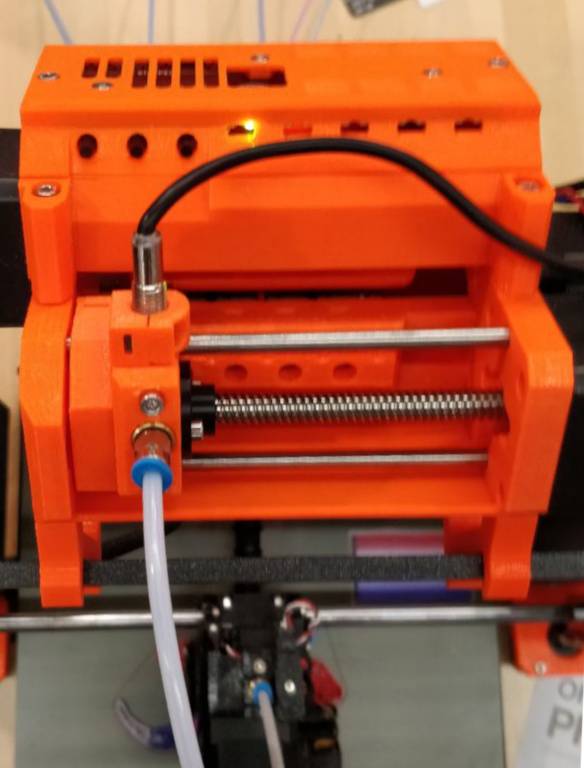

A toolchanger wastes less filament than an AMS (Bambu Lab’s Automatic Material System) or any other single-nozzle filament changer. Each filament stays loaded in its own nozzle, so a color change flushes nothing, while an AMS pushes the old filament out of its one nozzle at every change. Toolchangers still waste a little: idle nozzles ooze, so most print a small prime tower or wipe each tool after pickup.
Does a toolchanger waste less filament than an AMS?
Yes. An AMS, MMU3, ERCF or Box Turtle feeds every filament through one nozzle and flushes the old color out at each change. In Bambu Lab’s example, that is about 0.5 g per change. A toolchanger switches to a nozzle that is already loaded, so it skips the flush and wastes only what it uses to prime the nozzle.
Figures each maker publishes, sorted by system name:
| System | Architecture | Waste per change | Time per change | Max materials | Cost class |
|---|---|---|---|---|---|
| Bambu Lab AMS | Single-nozzle filament changer | Auto-calculated per color pair; about 0.54 g in Bambu Lab’s example (83 g over 153 changes) | Not published | 4 per unit; up to 24 filaments | Add-on unit, AMS 2 Pro €289 (EU store) |
| Box Turtle (Armored Turtle) | Single-nozzle filament changer | Slicer purge volume per color pair; not published | Not published | 4 lanes per unit | DIY kit, $299.99 (LDO kit, printed parts not included) |
| ERCF v2 | Single-nozzle filament changer | Slicer purge volume per color pair; not published | Not published | Any number of gates; kits come in 4, 8 or 12 | DIY, about $150 to $250 in parts (Team FDM estimate) |
| Prusa CORE One+ INDX | Toolchanger | 0.013 g, no prime tower | ~12 s | 4 or 8 | Printer upgrade, $749 (4 tools) or $999 (8 tools) first-batch price |
| Prusa MMU3 | Single-nozzle filament changer | Example volumes: 150 mm³ black to white, 50 mm³ white to black | ~42 s | 5 | Add-on to a Prusa printer |
| Prusa XL | Toolchanger | “Up to 0 g” with zero-waste settings; small wipe tower by default | “In seconds” (no figure) | 5 | Complete printer, $3,290 (2 tools) to $4,190 (5 tools) |
| Snapmaker U1 | Toolchanger | No per-change figure; up to 85% less total waste than shared-nozzle printers in Snapmaker’s tests | 5 s | 4 | Complete printer, $749 |
| StealthChanger (Voron) | Toolchanger | Prime tower per change, “highly recommended” | Not published | 3 to 6 on a Voron 2.4 | DIY kit, $246.70 (1 tool, 300 mm) to $549.20 (6 tools, 350 mm), no hotends or extruders |
Prices are US listings checked October 14, 2026, except the AMS 2 Pro: Bambu Lab’s US store redirected to the EU store. The U1’s crossed-out price was $999.
Where the numbers come from:
- Bambu Lab AMS. The 0.54 g figure is Bambu Lab’s four-color cube at 0.2 mm layers: 153 filament changes and 83 g of waste. Raising the layer height to 0.28 mm cut that to 111 changes and 61 g. Dark-to-light changes need the most flushing. Bambu Lab says the default volumes “tend to be slightly higher than necessary,” and suggests a flushing multiplier of 0.8 to 0.9 if test prints stay clean. The AMS 2 Pro “saves an average of 10 minutes per 100 filament changes” compared with the first AMS. That works out to 6 s saved per change, but Bambu Lab publishes no total change time.
- Prusa MMU3. The 150 and 50 mm³ figures are example values from Prusa’s purging-volume guide: unload and load volumes added together. A 2026 firmware update cut swaps from 52 s to about 42 s. Prusa claims the MMU3 wastes “an average of 73% less material (in default config) than its competitors” with PLA and PETG.
- Snapmaker U1. In Snapmaker’s lab comparisons with a shared-nozzle printer, a castle tower left 87.42 g of total waste against 586.02 g. A four-color dragon left 80.68 g against 309.75 g, and a hexagon vase 241.96 g against 1,452.26 g. The total includes supports and the prime tower.
- Prusa INDX. Prusa says each swap primes with 13 mg, “5× less than the most efficient systems, and 30× less than standard filament rewinding systems”. The ~12 s runs from the last extrusion of one material to the first extrusion of the next on the model.
The gap grows with the number of changes. A print with one color change every few layers saves little. A print that swaps colors on every layer saves the most. Dual nozzle purge waste has measured results for the two-nozzle middle ground.
Hotend changers sit between the two
Bambu Lab’s H2C swaps hotends (its Vortek system), not whole toolheads, and still loads them from an AMS. Bambu Studio calculates 532 g of purge and prime-tower waste for a two-part, six-color raptor on the H2C, against 3,032 g on the dual-nozzle H2D and 3,917 g on the single-nozzle H2S. The H2C holds up to 7 hotends and 24 filaments, so a print with more filaments than hotends goes back to flushing. Bambu Lab’s “no purging” claim leaves out the purge when a new filament is first loaded into a hotend.
Do toolchangers need a purge tower?
Not always, but most use one by default. A parked nozzle stays hot, so filament oozes and degrades while it waits, and a prime tower gets each tool flowing cleanly again. The Prusa XL and StealthChanger can print without one if the filament is dry and the tools are tuned. Prusa’s INDX has no tower at all.
What each maker says:
- Prusa XL. The purge tower is on by default whenever a print mixes materials or colors. Prusa says the XL “can print true multi-material prints without the need for any purge or wipe tower”. The deciding factor is dry filament, because moisture makes a parked nozzle leak. To turn it off, go to Print Settings > Multiple Extruders > Wipe Tower and untick Enable.
- StealthChanger. The docs call a prime tower “highly recommended” and suggest placing it in front of the print so a tool never crosses the part to reach it. Printing without one “requires extensive tuning.” It suits prints that use every tool on every layer, where the filament has no time to degrade between turns.
- Prusa CORE One+ INDX. No prime tower. The nozzle presses into a V-groove in a silicone wiper, which builds back-pressure the way printing does. Each prime leaves a 13 mg pellet in a collector.
- Snapmaker U1. It builds a “prime/wiping tower” during color changes. Snapmaker counts that tower, nozzle clearing before each job and flow-rate calibration as waste, but not as color-change purging. Nozzle clearing, wiping and calibration scrap drop into a waste collector.
To cut ooze without a tower, give idle tools a standby temperature below the filament’s minimum extrusion temperature, then preheat each tool just before pickup. OrcaSlicer’s ooze prevention does both. Slicing for a toolchanger covers those settings.
StealthChanger vs ERCF and Box Turtle
They are different architectures. StealthChanger is a toolchanger: 3 to 6 complete toolheads on a Voron 2.4, each with its own hotend and extruder. ERCF and Box Turtle are single-nozzle filament changers that feed several spools into one toolhead. That means a flush at every change, but each extra filament costs a lane or gate rather than a whole toolhead.
| StealthChanger | ERCF v2 | Box Turtle | |
|---|---|---|---|
| What changes | The whole toolhead | The filament, through one selector | The filament, with one motor per lane |
| Flush per color change | None; prime tower recommended | Yes, slicer purge volume | Yes, slicer purge volume |
| Spools | 3 to 6 tools on a Voron 2.4, 4 on a Micron 180 | Any number of gates; vendors use 4, 8 or 12 | 4 lanes per unit |
| Klipper software | klipper-toolchanger | Happy Hare | AFC-Klipper Add-On or Happy Hare |
| Per-tool hardware | A hotend, extruder and toolhead per tool | One toolhead | One toolhead |
| Kit price, October 14, 2026 | $246.70 to $549.20 (LDO, West3D), no hotends or extruders | About $150 to $250 in DIY parts (Team FDM) | $299.99 (LDO, West3D), no printed parts |
ERCF uses one drive gear on a selector that moves along a row of lanes. To unload cleanly, it either forms a tip on the filament or cuts it. Box Turtle gives every lane its own motor and a motorized respooler, which Team FDM calls “how a Bambu AMS works internally.”
Team FDM’s comparison rates the four-lane Box Turtle the easiest to build and says the ERCF has “by far the biggest community.” Neither saves filament over the other: both flush like any single-nozzle changer.
Running a toolchanger with ERCF or Box Turtle
Yes. Both Klipper filament-changer drivers support toolchangers:
- AFC-Klipper Add-On (Box Turtle). It manages lanes across several toolheads and works with klipper-toolchanger, which handles the tool swaps. Each toolhead takes lanes in one of four modes: direct (one lane feeds one tool), direct load (the same, but AFC loads the toolhead when a spool goes in), hub (several lanes share one tool) and standalone (no lane, loaded by hand). AFC labels its toolchanger support beta.
- Happy Hare (ERCF, Box Turtle and others). Its README lists “multiple toolheads on the same printer” among the setups it controls.
In a combined setup, a toolhead fed by several lanes still flushes when its filament changes. A toolhead with its own spool never flushes. To keep waste low, put the colors that change most often on dedicated tools and share the rarely used ones on a hub.
Multi-color printing compares these with the other routes to multi-color, from manual filament swaps to dual-nozzle printers.
Sources
- Bambu Lab Wiki, Reduce waste during filament change (accessed October 14, 2026)
- Bambu Lab store, AMS 2 Pro (accessed October 14, 2026)
- Bambu Lab store, H2C (accessed October 14, 2026)
- Prusa Knowledge Base, Purging volumes (MMU) (accessed October 14, 2026)
- Prusa blog, Massive MMU3 speed boost: new FW slashes filament change times (accessed October 14, 2026)
- Prusa Knowledge Base, Printing without purge tower on the XL (Multi-Tool) (accessed October 14, 2026)
- Prusa Research, Original Prusa XL for business (accessed October 14, 2026)
- Prusa blog, Prusa CORE One INDX: unmatched toolchanger with 8 nozzles, orders now open (accessed October 14, 2026)
- Prusa blog, Prusa CORE One (Gen 2) INDX shipping has started (accessed October 14, 2026)
- Snapmaker, Snapmaker U1 product page (accessed October 14, 2026)
- Snapmaker US store, Snapmaker U1 3D Printer (accessed October 14, 2026)
- StealthChanger documentation, Slicers (accessed October 14, 2026)
- StealthChanger documentation, Toolheads (max tools per frame size) (accessed October 14, 2026)
- West3D, StealthChanger kit for multiple toolheads by LDO Motors and DraftShift, bundle for Voron V2.4 (accessed October 14, 2026)
- Enraged Rabbit Community, ERCF v2 (GitHub README) (accessed October 14, 2026)
- ArmoredTurtle, BoxTurtle (GitHub README) (accessed October 14, 2026)
- West3D, Box Turtle automated filament changer by Armored Turtle (LDO kit) (accessed October 14, 2026)
- AFC Project documentation, Toolchanger overview (accessed October 14, 2026)
- moggieuk, Happy Hare (GitHub README) (accessed October 14, 2026)
- Team FDM, The Best Voron Multi-Material Upgrade: Box Turtle vs ERCF vs TradRack vs QuattroBox (accessed October 14, 2026)