Guide
Printing PLA with an all-metal hotend without clogs
Yes, PLA prints in an all-metal hotend; the jams come from heat creep, with PLA softening above the melt zone. Full-speed heatsink cooling, short retraction, steady flow and a cool enclosure prevent it.
Edited by 3D Printeray EditorsPublished Last verified 7 min read
In this section: Hotends(16)
On this page (6)
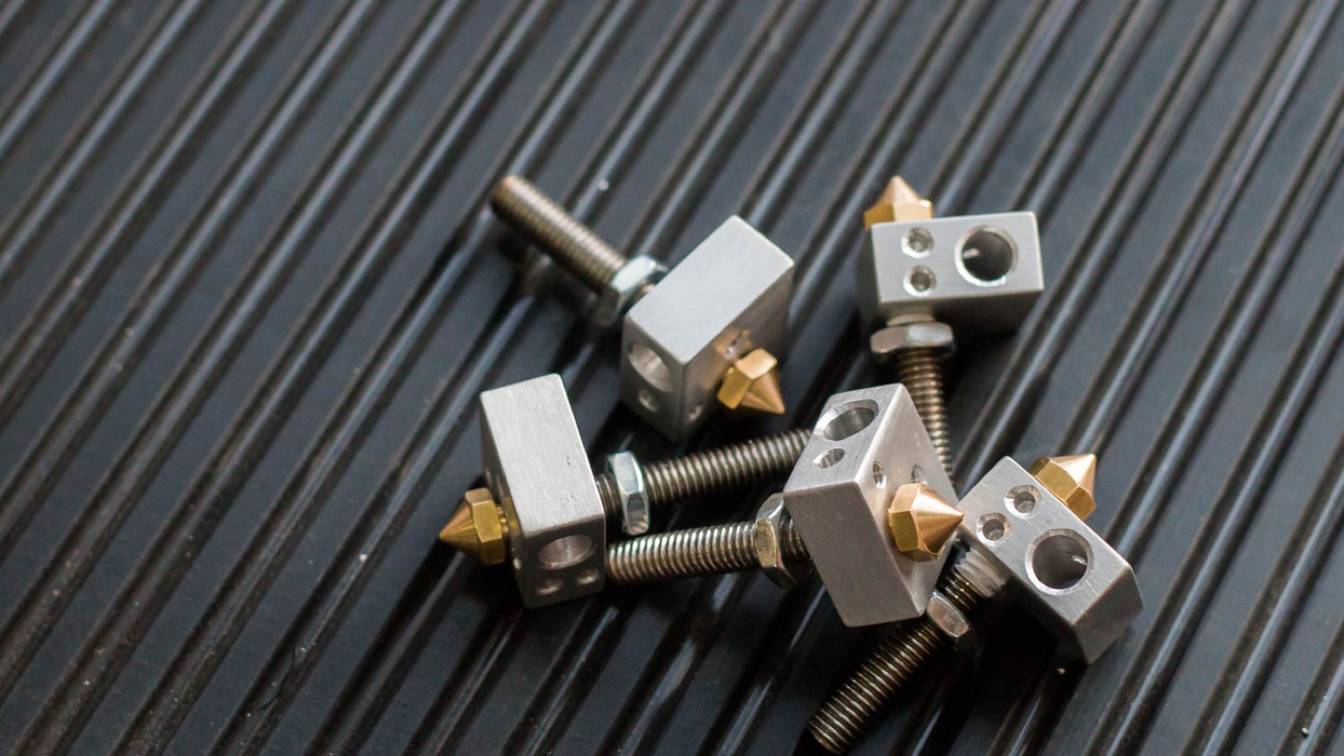

PLA prints in an all-metal hotend, but it jams more easily than in a hotend lined with PTFE (polytetrafluoroethylene) tube. The cause is heat creep: heat climbs the heat break, and PLA softens above the melt zone and sticks to the bare metal. The fixes makers publish are a heatsink fan at full speed, short retraction, steady flow and a cool enclosure.
Can you print PLA with an all-metal hotend?
Yes, PLA prints in an all-metal hotend. Prusa Research ships the Original Prusa MK4S with one and lists PLA among its materials, and Micro Swiss and Slice Engineering publish PLA settings for theirs. The difference is clogging: Slice Engineering says all-metal hotends “can be more prone to clogging with PLA”, and heat creep is the reason.
The PTFE liner in a stock hotend hides the problem. TH3D Studio, which sells all-metal hotends, says jams are “very rare with PTFE hotends that most printers come with since not much sticks to PTFE.” Remove the liner and PLA touches bare metal, so the settings that worked on a stock Creality Ender 3 can jam after the upgrade. The upgrade exists for temperatures a PTFE liner cannot take; the hotend guide covers that side.
Why does an all-metal hotend keep clogging?
An all-metal hotend keeps clogging with PLA because of heat creep. Heat climbs the heat break into the zone where filament should stay solid. PLA softens at about 60 °C, so it swells there and grips the metal wall until the extruder stalls. Long retractions, slow printing, weak heatsink cooling and a warm enclosure make it worse.
Polymaker’s data sheet gives PolyLite PLA a glass transition temperature (where it starts to soften) of 61 °C, and Slice Engineering uses 60 °C for PLA in general. Bambu Lab says a hotend needs “a sharp temperature transition” between its hot and cold sides “to avoid the filament swelling/softening which can cause a clog.” TH3D Studio describes the jam as filament that “cools in the heatbreak and sticks to the inside of the heatbreak.”
How do you know it is heat creep?
Heat creep shows up mid-print. Prusa Research’s sign is a printer that “suddenly stops extruding filament, yet continues the print moves”, often with the extruder clicking. Bambu Lab’s example print started normally and developed a partial clog after some time. Prusa Research also warns that heat creep is often “not the most probable explanation” for a clog, since debris jams look the same. Either way, Prusa Research clears the clog first (steps below), then works through prevention.
How do you stop PLA clogging in an all-metal hotend?
Keep the heat break cool, keep PLA moving through it and keep warm air away from the print head. The makers’ values for each:
- Run the heatsink fan at full speed whenever the hotend is hot. Klipper’s default for a hotend fan (
[heater_fan]) isfan_speed: 1.0(full speed), held until the heater drops below 50 °C. Marlin’s extruder auto fan defaults to full speed (255) above 50 °C. Mount the fan to blow into the fins: E3D says the sticker side faces the heatsink, and Slice Engineering says air must be “pushed” toward the heat break, “NOT pulled through it.” Prusa Research has you blow dust out of the fins with canned air. - Give the heat break a good thermal joint. Prusa Research lists poor heat transfer between nozzle, heat break and heatsink as a cause, and applies thermal paste to the heat break thread that sits in the heatsink. Micro Swiss ships thermal compound with its MK10 kit for the same joint.
- Shorten retraction. Slice Engineering says long retractions pull PLA “too far into the transitional, cooler areas of the hotend”, where it softens. It starts direct drive at the nozzle diameter (0.4 mm for a 0.4 mm nozzle) and Bowden at half the previous hotend’s setting. Micro Swiss sets 1.0 mm on its NG direct drive extruder for the Ender 3, and its earlier direct drive kit gives 1.5 mm at 35 mm/s as the maximum. TH3D Studio uses 2 to 3 mm on Bowden printers with its narrow-bore tubing and 3 to 4 mm with stock tubing. Then tune.
- Print PLA inside its maker’s temperature range. Polymaker lists 190 to 230 °C for PolyLite PLA. Micro Swiss’s Ender 3 extruder instructions say that with an all-metal hotend the nozzle temperature “might need to be increased by 5-10 °C”. Prusa Research lists a hotend set too high as a heat-creep cause, so raise it only if extrusion is weak.
- Keep filament moving. Prusa Research says “the filament itself absorbs heat”, so thin layers and slow printing let heat climb. For prints that jam, it suggests 0.15 or 0.20 mm layers instead of thinner ones and about 10% more speed. Don’t leave PLA sitting in a hot, idle hotend: Prusa Research unloads the filament at the end of each print, before the hotend cools.
- Keep the enclosure cool for PLA. Bambu Lab says to keep the air in an enclosure “at least 10 degrees lower than the glass transition temperature of the filament.” For PLA at about 60 °C, that puts the limit near 50 °C. On a Bambu Lab P1S with the textured PEI (polyetherimide) plate, it says to print PLA with the front door open and/or the top cover removed. Prusa Research flags a room above 35 °C or a fully closed, unventilated enclosure. Heat rising from the bed adds to it, so Prusa Research and Slice Engineering both suggest lowering the bed temperature by 5 to 10 °C. Bambu Lab says its open-frame P1P needs no such changes; an open-frame Ender 3 is in the same position unless you enclose it.
- Check the filament path and the filament. E3D says to cut the PTFE tube square and push it down until it bottoms out on the heat break. Prusa Research says an unsecured tube can cause clogging. Slice Engineering says damp filament raises the risk of clogs.
Should you oil the heat break for PLA?
One maker recommends it; the others do not mention it. TH3D Studio suggests lubrication when PLA jams: canola oil on the filament, or dry PTFE lubricant sprayed into a clean heat break and left to dry for 15 minutes. It says the PTFE coat lasts 2 to 3 months in its tests, and that canola oil has not hurt bed adhesion on its machines.
Slice Engineering’s clogging guide, Micro Swiss’s installation tips, E3D’s V6 troubleshooting list and Prusa Research’s heat creep article say nothing about oil. Dry PTFE lubricant is PTFE: Chemours rates PTFE resin for service up to 260 °C, and an all-metal hotend can run hotter.
How to clear a clogged all-metal hotend
Slice Engineering says “the simplest way to clear a clog in the heat break of any all-metal hotend is to perform a cold pull or atomic pull.” The steps below use Bambu Lab’s temperatures for PLA and Prusa Research’s technique notes. Wear heat-resistant gloves: Bambu Lab warns that pressure behind a clog can spray molten filament.
- Heat and load PLA. Heat the nozzle to 220 °C and push PLA through until it comes out of the tip. On a Bowden printer such as the Creality Ender 3, release the extruder’s tension arm and push by hand.
- Fill the nozzle. Turn the heater off and keep pushing as it cools until PLA stops coming out, about 170 °C. Prusa Research says “the nozzle has to be filled for the cold pull to be successful.” Wipe the purged plastic off the tip.
- Cool to the pull temperature. Bambu Lab pulls at 100 °C, where PLA is “just soft enough to be pulled away from the hotend.” Prusa Research uses 100 °C on the MK4 and 85 °C on the MK3S.
- Pull steadily along the filament path. With the tension arm released, grip the filament with pliers and pull slowly. Prusa Research says to pull straight, not sideways, or the filament can snap off in the hotend.
- Read the tip. A good pull carries a clean cast of the inside of the nozzle in the filament’s own color, with no dark marks or traces of the previous material.
- Repeat until it comes out clean. Both makers repeat the pull several times.
If the filament will not go in at all
For a full blockage, Prusa Research heats the nozzle to 260 °C after PLA and waits 2 minutes. It then pushes the plug down and out with a straight, rigid 1.5 mm metal wire about 100 mm long. On an Ender 3, take the Bowden tube out of the hotend’s coupler to reach the top of the heat break. Then load fresh PLA to push out what remains.
When to take the hotend apart
If neither clears it, Slice Engineering’s next step is to disassemble the hotend following the maker’s instructions. Micro Swiss removes the nozzle hot while holding the heater block with a wrench. On reassembly, E3D warns that a nozzle not sealed against the heat break leaks molten plastic, so follow your maker’s hot-tightening procedure.
Will a bimetallic heat break stop PLA heat creep?
A bimetallic heat break cuts heat creep at its source, but it does not make the PLA settings optional. It joins a thin, low-conductivity section to a conductive cold end, so less heat climbs the filament path. The hotend guide explains the design and the makers’ figures.
Slice Engineering’s Mako hotend for Bambu Lab printers has a bimetallic heat break, yet some users reported PLA clogs after launch. Slice traced them to printing with the door or lid closed and to slicer settings. Its fixes were an aluminum fan acting as a second heat sink, 0.6 mm retraction and an open enclosure for PLA.
The Micro Swiss all-metal kit for the Ender 3 uses a Grade 5 titanium heat break, which Micro Swiss says has “almost 3x lower thermal conductivity than stainless steel”. If the fixes above have not stopped the jams on that kit, a bimetallic heat break is the hardware change that targets heat creep.
Sources
- Slice Engineering Knowledge Base, How to prevent clogging in 3D printers (How to avoid clogging?) (accessed October 30, 2026)
- Slice Engineering Blog, Understanding clogs in 3D printing: why they happen and how to prevent them (November 14, 2024) (accessed October 30, 2026)
- Slice Engineering, Mako for Bambu Lab (accessed October 30, 2026)
- Micro Swiss, All Metal Hotend Kit for Creality CR-10 / CR10S / CR20 / Ender 2, 3, 5 Printers (accessed October 30, 2026)
- Micro Swiss, Direct Drive Extruder for Creality CR-10 / Ender 3 printers: installation instructions (PDF) (accessed October 30, 2026)
- Micro Swiss, NG Direct Drive Extruder for Creality CR-10 / Ender 3 printers (M3201): installation instructions (PDF) (accessed October 30, 2026)
- Micro Swiss, MK10 All Metal Hotend Kit installation instructions (PDF) (accessed October 30, 2026)
- E3D, E3D Classics support: V6 HotEnd (troubleshooting and assembly) (accessed October 30, 2026)
- Prusa Knowledge Base, Extrusion stopped mid-print (Heat creep) (accessed October 30, 2026)
- Prusa Knowledge Base, Cold pull (MK3/S/+, MK2.5/S, MK3.5/S) (accessed October 30, 2026)
- Prusa Knowledge Base, Cold pull (MK4S, MK4, MK3.9S, MK3.9, XL) (accessed October 30, 2026)
- Prusa Knowledge Base, Clogged nozzle/hotend (MK3.5/S, MK3S+, MK2.5S) (accessed October 30, 2026)
- Prusa Research, Original Prusa MK4S 3D Printer (accessed October 30, 2026)
- Bambu Lab Wiki, What is heat creep? (accessed October 30, 2026)
- Bambu Lab Wiki, Nozzle/Hotend unclogging procedure for X1/P1 (accessed October 30, 2026)
- Polymaker Wiki, PolyLite PLA technical data sheet (accessed October 30, 2026)
- TH3D Studio, Using your All Metal Hotend (February 18, 2025) (accessed October 30, 2026)
- Chemours, Teflon PTFE 62 X product information (accessed October 30, 2026)
- Klipper documentation, Configuration reference: [heater_fan] (accessed October 30, 2026)
- Marlin firmware on GitHub, Configuration_adv.h (extruder auto fan) (accessed October 30, 2026)