How-to
Bambu Lab hotend on an Ender 3 or Voron: wiring and config
Yes. The Bambu Lab X1 and P1 hotend fits an Ender 3, a Voron or a Sovol SV08 with a printed mount, extended wiring to a 24 V heater output, a thermistor setting in firmware and a new PID tune. Bambu Lab rates the heater at 48 W and the heater and thermistor to 300 °C, but publishes no thermistor curve, so check the one you choose against a thermocouple.
Edited by 3D Printeray EditorsPublished Last verified 10 min read
In this section: Hotends(16)
On this page (9)
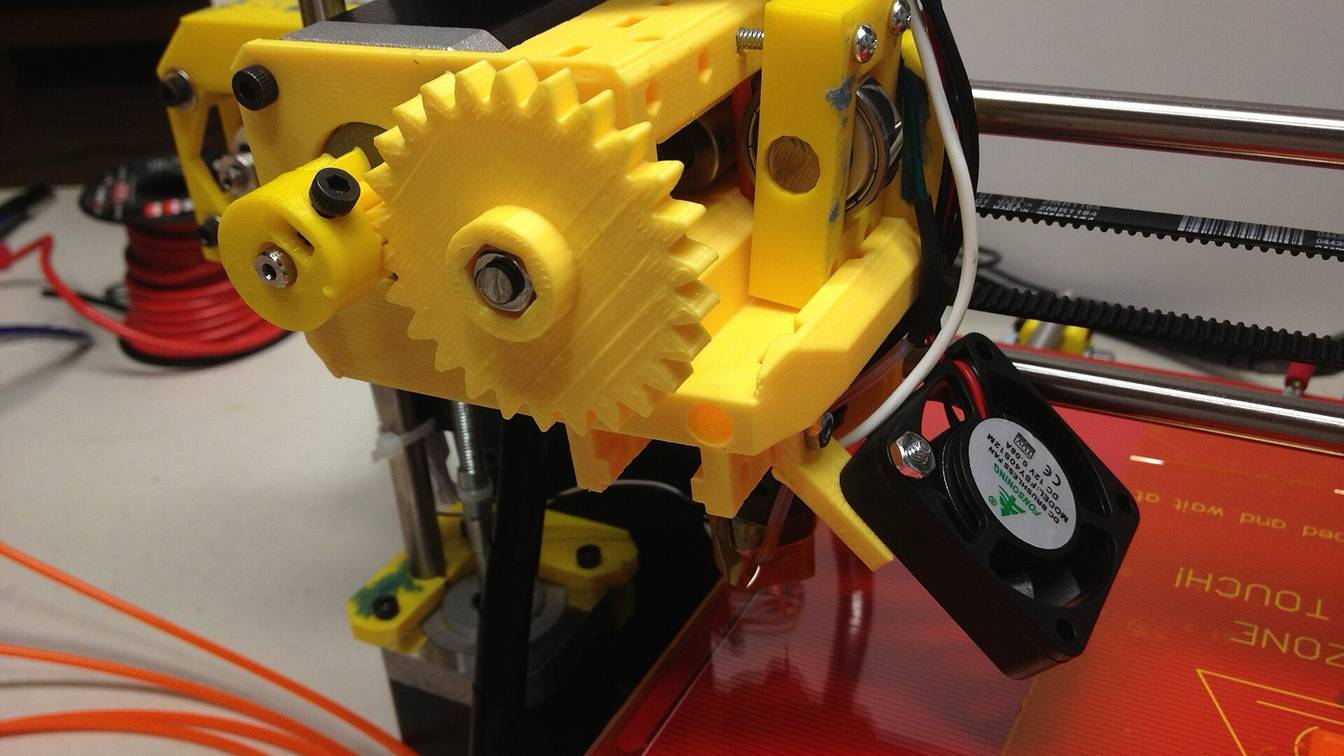

Yes. The Bambu Lab X1 and P1 hotend runs on any 24 V printer. It needs a mount, airflow over its heatsink, its 48 W heater and thermistor wired to the board and firmware set for that thermistor. Bambu Lab publishes no thermistor curve, so check the community setting you use against a thermocouple before printing hot.
Can you put a Bambu Lab hotend on an Ender 3?
Yes. A Bambu Lab X1 or P1 hotend fits a Creality Ender 3, Ender 3 Pro or Ender 3 V2 with a printed adapter for the stock MK8-style carriage. The Ender 3 runs on 24 V, so the 48 W heater suits it. The leads need extending, the firmware a thermistor setting and the heater a PID (proportional-integral-derivative) tune.
Three community mounts target the Ender 3, sorted by name. All are free files on Printables.
| Mount (designer) | Fits | Extruder layout | Designer’s notes |
|---|---|---|---|
| Bambulab hotend mount Creality ender 3 v2/CR10 (karel bitter) | Bambu Lab X1 or P1P hotend on MK8-style Creality carriages | Bowden (threaded for a PC4-M10 fitting) or direct drive | Two M3x20 screws into the hotend, two into the carriage. Nozzle sits 1 to 2 mm lower than stock. Stock fan shroud may not fit. Marked “still in progress”. |
| Ender 3 Bambu hotend mount with Sherpa Mini pattern (michal00ss) | Ender 3; drawn for Bambu Lab clone hotends that take V6 nozzles | Direct drive, Sherpa Mini extruder pattern | 5015 part-cooling blower, optional 4020 hotend fan, four M3 heat-set inserts |
| Siforo V2 Ender 3 Bambu Hotend Mount (WindingMotor) | Bambu Lab X1C, P1P and P1S hotends on the Ender 3 and Ender 3 Pro | Not stated | Fit checked, but not yet tested while printing |
Two things change on the Ender 3 itself. The nozzle height moves, so raise the Z endstop or probe offset before the first home. And the heater gets stronger: TH3D’s replacement hotend kit for the Ender 3, Ender 3 Pro and Ender 3 V2 (all 24 V printers) has a 40 W heater, so the Bambu Lab heater adds 8 W and draws 2 A. To move the extruder onto the carriage as well, see direct drive on an Ender 3.
What voltage and wattage is the Bambu Lab hotend heater?
The Bambu Lab X1 and P1 hotend heater is a 48 W ceramic heater that runs on 24 V. Bambu Lab lists 48 W for its X1C and P1 Series heaters, and its X1C and P1 power supply outputs 24 V to everything except the heated bed. Bambu Lab rates the heater to 300 °C at the nozzle.
Bambu Lab’s parts, sorted by price at the Bambu Lab US store on October 30, 2026:
| Part | Fits | Bambu Lab’s specs | Price |
|---|---|---|---|
| Ceramic Heater 3 pcs - X1C | X1 and X1C (not X1E) | 48 W; heats the nozzle up to 300 °C | $13.99 |
| Thermistor 3 pcs - X1C | X1 and X1C (not X1E) | Operating temperature -10 to 300 °C | $13.99 |
| Bambu Hotend - X1C or - P1 Series | X1C or P1 series | Max. printing temperature 320 °C; length 47.3 mm | From $14.99 |
| Ceramic Heater & Thermistor 3 pcs - P1 Series | P1 series only | 48 W; -10 to 300 °C; heater and thermistor in one module with one connector | $24.99 |
Each heater and thermistor pack includes thermal grease and retaining clips. The Hotend version is the bare hotend; the Complete Hotend comes with heater and thermistor fitted, as Bambu Lab’s P1 hotend guide shows. The X1C heater and thermistor have a lead each, which is simpler to rewire for another board than the P1 module’s shared connector.
Bambu Lab prints no voltage on the heater listings. An owner on Bambu Lab’s forum measured several heaters at 10.4 to 12.5 Ω cold, about 12 Ω, and worked that out as 48 W at a nominal 24 V. Fit the heater only to a 24 V printer.
The hotend body is listed to 320 °C, but the heater and thermistor are rated to 300 °C, so 300 °C is the ceiling with these parts. The temperature limits explainer covers why the weakest part sets the limit.
What thermistor does the Bambu Lab hotend use?
Bambu Lab does not name the thermistor in its X1 and P1 hotends. Its listing gives only an operating range of -10 to 300 °C and lists glass among the materials, with no part number, resistance curve or beta value. The Klipper and Marlin settings people use come from community configs, which disagree, so check yours against a thermocouple.
Public Klipper configs that run a Bambu Lab hotend use these curves, sorted by sensor_type. All are community choices, not Bambu Lab specs. Points for the built-in types are Klipper’s own definitions from each maker’s datasheet. The custom Bambulab NTC points are as written in that config, which does not say how they were measured.
sensor_type |
Public config using it with a Bambu Lab hotend | Curve points |
|---|---|---|
ATC Semitec 104GT-2 |
Voron forum post by Neil_I (December 2022) | 126,800 Ω at 20 °C; 1,360 Ω at 150 °C; 80.65 Ω at 300 °C |
ATC Semitec 104NT-4-R025H42G |
ChazLayyd’s Bambu Lab P1 Klipper conversion (marked beta) | 100,000 Ω at 25 °C; 1,074 Ω at 160 °C; 82.78 Ω at 300 °C |
Bambulab NTC (custom [thermistor]) |
Roguyt’s black-lotus-2.4 Voron config | 127,800 Ω at 19.3 °C; 1,710 Ω at 153 °C; 116.95 Ω at 299.5 °C |
EPCOS 100K B57560G104F |
Qballjos’s Voron 2.4 config (backup file) | 100,000 Ω at 25 °C; 1,641.9 Ω at 150 °C; 226.15 Ω at 250 °C |
Generic 3950 |
jboiselle’s Voron Trident config | 100,000 Ω at 25 °C; 1,770 Ω at 150 °C; 230 Ω at 250 °C |
The curves agree near room temperature and spread apart as the hotend heats. At about 300 °C the custom definition has 116.95 Ω where the ATC Semitec curves have 80.65 and 82.78 Ω. A curve that does not match the part misreads the temperature most near the 300 °C rating.
How to check the thermistor setting
- Check it cold. After the printer has sat off, the nozzle should read room temperature, as Klipper’s configuration checks describe.
- Add a reference. Tape a K-type thermocouple bead (a multimeter probe works) to the nozzle or heater block with Kapton tape, under the silicone sock.
- Compare at three temperatures. Heat to 150, 200 and 250 °C, let each settle and note both readings. A taped probe reads the surface, so it sits a little low; a gap that widens as the temperature climbs means the curve is wrong.
- Change the curve if needed. Try another curve from the table and repeat. Klipper also accepts a custom
[thermistor]section with three temperature and resistance pairs, or one pair and abetavalue.
How do you configure a Bambu Lab hotend in Klipper?
To configure a Bambu Lab hotend in Klipper, edit the [extruder] section. Set heater_pin and sensor_pin to the outputs you wired and max_temp to 300 or lower. Bambu Lab publishes no sensor_type, so use a community curve and verify it. Then run PID_CALIBRATE HEATER=extruder and SAVE_CONFIG.
[extruder]
# ...keep your stepper, rotation_distance and nozzle lines...
heater_pin: <heater output you wired>
sensor_pin: <thermistor input you wired>
sensor_type: Generic 3950   # community-derived: verify it (see above)
min_temp: 0
max_temp: 300               # Bambu Lab's heater and thermistor rating
min_extrude_temp: 170
control: pid
# keep the old pid_Kp, pid_Ki and pid_Kd until PID_CALIBRATE replaces them

[heater_fan hotend_fan]
pin: <heatsink fan output>
heater: extruder
heater_temp: 50.0 # fan stays on until the hotend is below 50 °C- Custom curve: for the
Bambulab NTCpoints, add a[thermistor Bambulab NTC]section withtemperature1toresistance3and setsensor_type: Bambulab NTC. Klipper needs the[thermistor]section above the heater that uses it. pullup_resistor: describes your board, not the thermistor. Keep Klipper’s 4,700 Ω default unless your board’s config already sets another value.max_temp: Klipper rejects any target above it (“Requested temperature out of range”) and shuts down if a reading passes it, so print a few degrees below 300. Klipper’s Ender 3 example sets 250; raise it no higher than 300.- PID tune: at your usual print temperature, run
PID_CALIBRATE HEATER=extruder TARGET=250, thenSAVE_CONFIG. - Thermal protection: leave Klipper’s heater checks on. Fan air across the heater block can slow heating enough to trip them; see Klipper heater verification before changing a setting.
Marlin settings for an Ender 3
Marlin compiles the thermistor in, so changing it means rebuilding the firmware.
TEMP_SENSOR_0: Marlin’s Ender-3 example uses1, the EPCOS 100k table and one of the curves above.5is the ATC Semitec 104GT-2/104NT-4 table.11is the Keenovo beta 3950 table, the same source as Klipper’sGeneric 3950.1000is a custom thermistor set byHOTEND0_RESISTANCE_25C_OHMSandHOTEND0_BETAinConfiguration_adv.h.HEATER_0_MAXTEMP: the Ender-3 example sets 275, andHOTEND_OVERSHOOTof 15 caps targets at 260 °C. Keep it at or below 300 for these parts, which allows targets up to 285 °C. See raising firmware temperature limits.THERMAL_PROTECTION_HOTENDS: enabled in Marlin’s Ender-3 example. Confirm it is on in the build you flash.- PID tune:
M303 E0 C8 S250 U1tunes at 250 °C and applies the result;M500saves the values.
Bambu Lab hotend on a Voron: which mounts fit?
Voron Design’s own Voron 0.2 files include a Mini Stealthburner mount for the Bambu Lab X1C hotend, in standard and Fan Saver versions. The full-size Stealthburner on a Voron 2.4 or Voron Trident does not list the Bambu Lab hotend among its supported printheads, so community parts fill the gap:
- MrTeliP’s printhead remixes Sam Schmidt’s original adapter with a hexagonal interface that prints without supports.
- Rincewind76’s printhead adds M3 heat-set inserts (5 mm diameter, 3.5 to 4 mm long) and holds the hotend with M3x14 screws.
On the Voron forum, Neil_I reports that the original design leaves an open area below the heatsink, so the hotend fan blows across the heater block and nozzle; he closed the gap. Plan for short leads too. fbeauKmi, who drew a Voron 0.2 version, calls the Bambu Lab cables “pretty short”. A toolhead board on the printhead keeps the extension small. Other Stealthburner hotends are on the Voron hub.
Bambu Lab hotend on a Sovol SV08
Two community designs fit a Bambu Lab hotend in the SV08’s stock toolhead, wired two ways:
- Andrew Frahn’s adaptor, tested with official Bambu Lab hotends. Frahn says the SV08’s own heater and thermistor swap into the Bambu Lab hotend, so Sovol’s stock
[extruder]section still matches the parts. He calls for a PID tune and a new Z height. - Nadir’s SV08 Bambulab Hotend Support, a remix of Stephi Dupont’s design. It uses the Bambu Lab heater and thermistor. Nadir lengthened both leads, lists a 2-pin JST 1.25 connector for the thermistor and a 2-pin JST PH2.0 for the heater, and cut the PTFE (Teflon) tube to under 12 mm.
Sovol’s stock config uses its own thermistor table (my_thermistor_e) with pullup_resistor: 11500 and max_temp: 305. With Bambu Lab’s thermistor, change sensor_type, keep the 11,500 Ω pullup (it belongs to the SV08’s toolhead board) and set max_temp to 300. On an SV08 still under warranty, the swap is at your own risk: see does upgrading void the warranty.
Is there a V6 adapter for the Bambu Lab hotend?
Yes. These community designs adapt it to V6 mounts:
- J Hook Adapter for Bambu Hot Ends (Matt Kay), a printed V6-style mount for M3 heat-set inserts, or longer M3 screws with nuts.
- Bambu Lab’s Hotend adapter to V6 SIZE (Printing Perspective), which brings the hotend to a V6’s 62.3 mm length. It must be CNC machined from metal, not printed.
- Bambu Lab Clone V6 Adapter with M3 Nut Inserts (ObsessiveRug), a tighter remix made because the original was loose on its designer’s v2.0 clone hotend.
Clone hotends are not always the same size as Bambu Lab’s, so check which hotend each mount targets.
How to fit a Bambu Lab hotend to an Ender 3 or Voron
- Check the supply. Confirm the printer runs on 24 V. The Ender 3, Ender 3 Pro and Ender 3 V2 do.
- Get the parts. Buy a Bambu Lab hotend with an X1C heater and thermistor, or a Complete Hotend with both fitted. Add the mount’s screws and inserts, and extension wire rated for at least 2 A on the heater pair.
- Print the mount. karel bitter suggests PETG or ABS for the Ender 3 adapter.
- Assemble the hot side. Follow Bambu Lab’s order. Spread thermal grease and fit the thermistor with its cable routed. Then fit the heater so its cable holds the thermistor cable in place, and add the clip and the sock.
- Mount the hotend and fan. Fix the hotend with M3 screws. A fan must cool the heatsink fins without blowing across the heater block.
- Wire it with the power off. Extend both leads with crimped connectors that match your board, add strain relief where the wires flex, and connect the heater to a heater output and the thermistor to a thermistor input.
- Set the firmware. Enter the sensor type,
max_tempand heatsink fan as in the Klipper or Marlin settings above, with thermal runaway protection left on. - Check readings. Power on and confirm room temperature, then set 50 °C and watch it rise. If it does not, or climbs with the heater off, cut power and recheck the wiring.
- Verify the thermistor. Compare against a thermocouple at 150, 200 and 250 °C before printing hotter.
- PID tune. Run
PID_CALIBRATE HEATER=extruder TARGET=250andSAVE_CONFIGin Klipper, orM303 E0 C8 S250 U1andM500in Marlin. - Reset Z and the filament path. Set the Z offset again, since the nozzle height changes, and trim any PTFE tube to the new length. Z offset at temperature covers the hot check.
Sources
- Bambu Lab US store, Bambu Hotend - X1C (accessed October 30, 2026)
- Bambu Lab US store, Bambu Hotend - P1 Series (accessed October 30, 2026)
- Bambu Lab US store, Ceramic Heater 3 pcs - X1C (accessed October 30, 2026)
- Bambu Lab US store, Thermistor 3 pcs - X1C (accessed October 30, 2026)
- Bambu Lab US store, Ceramic Heater & Thermistor 3 pcs - P1 Series (accessed October 30, 2026)
- Bambu Lab US store, Internal Power Supply (X1C and P1 Series) (accessed October 30, 2026)
- Bambu Lab Wiki, Complete Hotend Assembly and Related Components Replacement Guide for P1 Series (accessed October 30, 2026)
- Bambu Lab Community Forum, How many watts is the X1 heater? (accessed October 30, 2026)
- TH3D Studio, Creality 24V Full Hotend Replacement Kit (accessed October 30, 2026)
- Printables, Bambulab hotend mount Creality ender 3 v2/CR10 and more (karel bitter) (accessed October 30, 2026)
- Printables, Ender 3 Bambu hotend mount with Sherpa Mini pattern (michal00ss) (accessed October 30, 2026)
- Printables, Siforo V2 Ender 3 Bambu Hotend Mount (WindingMotor) (accessed October 30, 2026)
- Voron Design (GitHub), Voron-0 hotend mounts including Hotend_Mount_Bambu_X1C (accessed October 30, 2026)
- Voron Design (GitHub), Stealthburner printhead compatibility (accessed October 30, 2026)
- Printables, Voron Stealthburner for Bambu Lab X1C/X1 Hotend (MrTeliP) (accessed October 30, 2026)
- Printables, Voron Stealthburner Printhead for Bambu X1C/X1 Hotend (Rincewind76) (accessed October 30, 2026)
- Voron Design Forum, Voron Stealthburner printhead for Bambu X1C/X1 hotend (accessed October 30, 2026)
- Printables, Bambulab Toolhead for Voron 0.2 mini Stealthburner (fbeauKmi) (accessed October 30, 2026)
- Printables, Bambu Hotend adaptor for Sovol SV08, opimised for SLS (Andrew Frahn) (accessed October 30, 2026)
- Printables, Sovol SV08 Bambulab Hotend Support (Nadir @ CN3D) (accessed October 30, 2026)
- Sovol (GitHub), SV08 stock Klipper printer.cfg (accessed October 30, 2026)
- Printables, J Hook Adapter for Bambu Hot Ends (Matt Kay) (accessed October 30, 2026)
- PCBWay, Bambu Lab's Hotend adapter to V6 SIZE (Printing Perspective) (accessed October 30, 2026)
- Printables, Bambu Lab Clone V6 Adapter with M3 Nut Inserts (ObsessiveRug) (accessed October 30, 2026)
- Klipper documentation, Configuration reference (accessed October 30, 2026)
- Klipper documentation, G-Codes (PID_CALIBRATE) (accessed October 30, 2026)
- Klipper documentation, Configuration checks (accessed October 30, 2026)
- Klipper (GitHub), klippy/extras/temperature_sensors.cfg (built-in thermistor curves) (accessed October 30, 2026)
- Klipper (GitHub), klippy/extras/heaters.py (max_temp target check) (accessed October 30, 2026)
- Klipper, example config printer-creality-ender3-2018.cfg (accessed October 30, 2026)
- GitHub, jboiselle/klipper_voron-trident printer.cfg (Generic 3950 with a Bambu X1/P1 hotend) (accessed October 30, 2026)
- GitHub, Roguyt/black-lotus-2.4 hw/ebb36/extruder.cfg (custom Bambulab NTC thermistor) (accessed October 30, 2026)
- GitHub, Qballjos/Voron-2.4-Otopus-pro-SB2209-U2C-CAN backup/printer.cfg (EPCOS with a Bambu hotend) (accessed October 30, 2026)
- GitHub, ChazLayyd/Bambu-Lab-Klipper-Conversion Firmware/printer.cfg (beta) (accessed October 30, 2026)
- Marlin Firmware, example Configuration.h for the Creality Ender-3 (CrealityV422) (accessed October 30, 2026)
- Marlin Firmware, example Configuration_adv.h for the Creality Ender-3 (CrealityV422) (accessed October 30, 2026)
- Marlin documentation, M303: PID autotune (accessed October 30, 2026)