Guide
All-metal hotend retraction settings
Start at 0.5 to 1 mm of retraction at 30 to 35 mm/s on a direct-drive printer, or 2 to 3.5 mm at 35 mm/s on a Bowden printer, then fine-tune with a retraction tower. Keep Bowden retraction at 4 mm or less: pulling soft filament far up an all-metal heat break can jam it.
Edited by 3D Printeray EditorsPublished Last verified 9 min read
In this section: Hotends(16)
On this page (8)
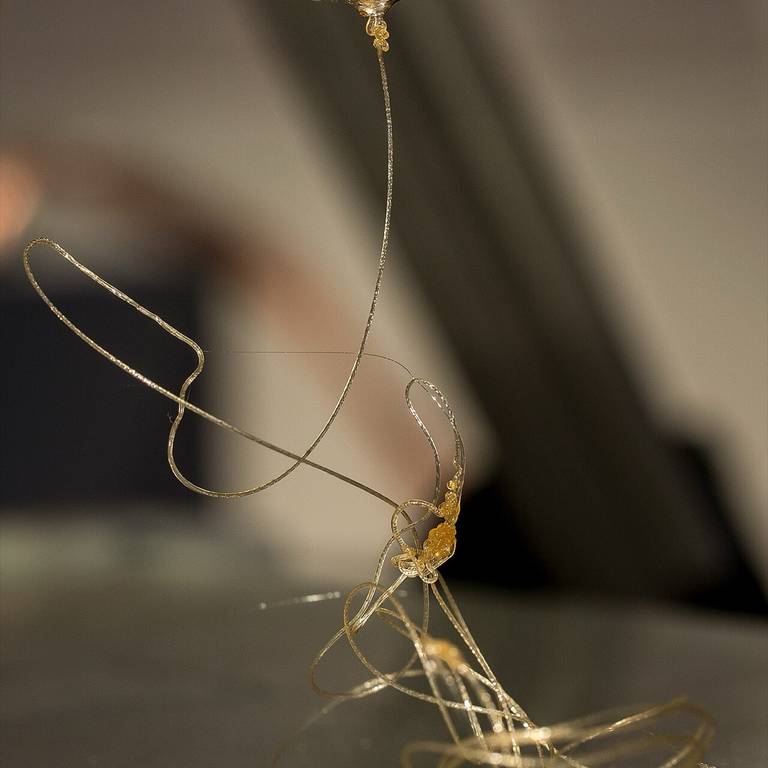

Set 0.5 to 1 mm of retraction at 30 to 35 mm/s on a direct-drive printer and 2 to 3.5 mm at 35 mm/s on a Bowden printer, then tune with a retraction tower. That is well under the 4 to 6.5 mm in stock profiles for a plastic-lined Bowden hotend such as the Creality Ender 3’s. E3D warns that retractions of 5 mm or more “pull hot filament up into the cold areas of the hotend where they can freeze, adhere and jam.”
What retraction settings should you use with an all-metal hotend?
For an all-metal hotend, start at 0.5 to 1 mm of retraction on a direct-drive extruder and 2 to 3.5 mm on a Bowden setup, at 30 to 35 mm/s. E3D, Micro Swiss and Slice Engineering publish figures in or near those ranges, and Prusa Research and Bambu Lab ship 0.7 to 0.8 mm in their slicer profiles.
Why an all-metal hotend needs less retraction
A PTFE-lined hotend runs a slippery PTFE (polytetrafluoroethylene) liner down into the hot zone. In an all-metal hotend, the filament touches bare metal through the heat break, as the hotend guide for engineering filaments explains. Slice Engineering says aggressive retraction can pull filament “too far into the transitional, cooler areas of the hotend,” where heat creep softens the plastic early. That raises the risk of clogs.
Maker-published starting values
| Maker and product | Extruder | Distance | Speed |
|---|---|---|---|
| E3D V6 (direct) | Direct drive | 0.5 to 2 mm; PLA no more than 0.8 mm; about 0.6 mm for ABS; 2 mm for very soft flexibles | Not published |
| E3D V6 (Bowden) | Bowden | Start around 2 mm and raise if needed; 5 mm or more “troublesome” | Not published |
| Micro Swiss Direct Drive Extruder, with an all-metal hotend | Direct drive | 1.5 mm maximum | 35 mm/s maximum |
| Micro Swiss hotend for Creality CR-6 SE | Bowden | 3.5 mm, 4 mm maximum | 35 mm/s |
| Micro Swiss MK10 All Metal Hotend Kit | Direct drive | As little as 0.5 mm for PLA; 1.0 mm for PETG | Not published |
| Micro Swiss NG Direct Drive Extruder | Direct drive | 1.0 mm | Not published |
| Slice Engineering Mako for Bambu Lab | Direct drive (Bambu Lab printers) | 0.6 mm, with “Long Retraction When Cut” turned off | Not published |
| Slice Engineering Mosquito | Direct drive | Equal to the nozzle diameter (0.4 mm for a 0.4 mm nozzle) | Not published |
| Slice Engineering Mosquito | Bowden | Half the setting you used with your previous hotend | Not published |
E3D’s figures come from its former V6 wiki, archived in 2023. Its current V6 support page lists misconfigured retraction as a common issue but gives no number, and its Revo support pages publish none.
Slicer defaults on printers with all-metal hotends
Bambu Lab lists the hotend on the Bambu Lab A1 and P1S as all-metal. Prusa Research says the Nextruder on its MK4-generation printers has an all-metal filament path with “no PTFE tubes anywhere.” Their stock profiles, sorted by distance:
| Slicer profile | Extruder | Distance | Speed |
|---|---|---|---|
| PrusaSlicer, Original Prusa MK4 Input Shaper and MK4S, 0.4 mm | Direct drive | 0.7 mm | 35 mm/s retract, 25 mm/s deretract |
| Bambu Studio, Bambu Lab A1 and P1S, 0.4 mm | Direct drive | 0.8 mm | 30 mm/s |
| PrusaSlicer, Original Prusa i3 MK3S & MK3S+ | Direct drive | 0.8 mm | 35 mm/s |
| PrusaSlicer, Creality CR-5 Pro H | Bowden | 3 mm | 60 mm/s |
Prusa’s knowledge base caps retraction on the Original Prusa i3 MK3S and MK3S+ at 2 mm. PrusaSlicer’s Creality bundle keeps a separate Bowden all-metal hotend template at 3 mm, used by the Creality CR-5 Pro H, against 5 mm for a standard Bowden printer.
How much retraction does an all-metal hotend need on a Bowden printer?
An all-metal hotend on a Bowden printer typically needs 2 to 3.5 mm of retraction, against 4 to 6.5 mm in stock PTFE-lined Bowden profiles. Micro Swiss sets 3.5 mm at 35 mm/s with a 4 mm maximum, E3D suggests starting near 2 mm, and Slice Engineering advises halving your previous setting as a starting point.
Halving gives about 3.3 mm from Cura’s 6.5 mm default, or 2.5 mm from PrusaSlicer’s 5 mm Ender 3 profile. The tube decides where in that range you land. Slice says “the length of the Bowden tube heavily influences necessary retraction lengths,” and E3D adds that slack in the tube couplings has to be taken up by extra retraction.
- Capricorn or other tight-bore tubing. E3D’s Capricorn tube has a 1.9 mm bore against 2 mm for standard tube, so the filament has less room to flex. E3D says that gives “reduced oozing during travel, all achieved with lower retraction distances.” PrusaSlicer’s Creality profiles use 4 mm instead of 5 mm on printers they class as Capricorn-equipped (Creality Ender-5 Pro and CR-20 Pro).
- Locked couplings. E3D says to push the tube fully in while pulling up on the collet, at both ends, so it cannot move during retraction. Its collet clips hold that preload.
- Tube length. PrusaSlicer’s Creality profiles use 6 mm for long-tube printers such as the Creality Ender-3 Max, against 4 mm for short ones.
Ender 3 all-metal hotend retraction settings
On a stock Bowden Creality Ender 3, Ender 3 Pro or Ender 3 V2, drop retraction from the stock profile’s 4 to 6.5 mm to about 3.5 mm at 35 mm/s after an all-metal swap. Keep it at 4 mm or less. Those are Micro Swiss’s figures for its Bowden all-metal setups. Stock slicer profiles for the original PTFE-lined hotend:
| Stock profile | Distance | Speed |
|---|---|---|
| OrcaSlicer, Creality Ender-3 and Ender-3 Pro | 4 mm | 60 mm/s |
| Micro Swiss, Bowden Dual Gear Extruder with the stock PTFE-lined hotend | About 5 mm | Not published |
| OrcaSlicer, Creality Ender-3 V2 | 5 mm | 60 mm/s |
| PrusaSlicer, Creality Ender-3, Ender-3 Pro and Ender-3 V2 | 5 mm | 60 mm/s |
| Cura, Creality Ender-3 / Ender-3 v2 (sets none, so Cura’s default applies) | 6.5 mm | 25 mm/s |
Micro Swiss all-metal hotend retraction settings
Micro Swiss’s All Metal Hotend Kit for the Creality CR-10 and Ender 2, 3 and 5 links only an installation video, with no written retraction figure. Its other instructions fill the gap:
- Bowden Dual Gear Extruder for the Ender 3, 5 and 6 and CR-10: about 3.5 mm with an all-metal hotend (4.0 mm maximum) against about 5.0 mm with a stock PTFE-lined hotend. The extruder ships with a Capricorn liner.
- All-metal hotend for the Creality CR-6 SE, a Bowden printer: 3.5 mm at 35 mm/s, 4 mm maximum.
- Temperature: Micro Swiss says the nozzle temperature might need to rise 5 to 10 °C with an all-metal hotend.
After a direct drive conversion
Retraction drops again once the extruder sits on the print head. Micro Swiss gives 1.0 mm for its NG Direct Drive Extruder and at most 1.5 mm at 35 mm/s for its original Direct Drive Extruder. The Ender 3 direct drive guide covers the conversion, and the Ender 3 upgrade comparison shows where a hotend fits among the other upgrades.
How to tune retraction after an all-metal swap
- Calibrate the rest first. Finish the hotend install, then run temperature, flow and pressure advance calibration. OrcaSlicer’s calibration guide puts retraction after pressure advance and flow ratio, “as both change the pressure in the nozzle.”
- Enter a starting value. Use the figures above for your extruder type. In PrusaSlicer, retraction sits under Printer Settings > Extruder 1.
- Print a retraction tower. OrcaSlicer’s built-in retraction test prints a tower whose sections each use a different length. Its defaults of 0 to 2 mm in 0.1 mm steps suit direct drive. For Bowden, the wiki suggests 1 to 6 mm in 0.2 mm steps; an end value of 4 mm stays within Micro Swiss’s maximum. In Cura, the Calibration Shapes plugin by 5axes adds a Retract Tower that steps 0.25 to 1 mm for direct drive and 1 to 5 mm for Bowden.
- Pick the shortest clean section. OrcaSlicer says “the optimal retraction length is the shortest one that produces the cleanest tower.” Measure that section’s height and find its value from the
Calib_Retraction_towercomment in the G-code preview. - Change distance before speed. Makers publish distances, and OrcaSlicer’s test varies only length. Hold speed at Micro Swiss’s 35 mm/s, or the 30 to 35 mm/s of the stock direct-drive profiles, while you tune. If strings remain at the shortest clean length, raise speed in small steps. Prusa says a higher speed reduces stringing, but too high “may skip steps in the motor.” The Cura plugin tests speed first, so change one variable at a time.
- Save it per filament. OrcaSlicer lets you override the printer’s retraction for each filament, since PETG and TPU (flexible thermoplastic polyurethane) may need more than PLA.
Too much or too little retraction: the signs
| Sign | Likely cause | Source |
|---|---|---|
| Fine strings or blobs between parts | Too little retraction, wet filament, or a nozzle temperature that is too high | OrcaSlicer, Prusa Research |
| Under-extrusion | Too much retraction | OrcaSlicer |
| A clog or jam | Too much retraction pulling soft filament into the heat break | E3D, Slice Engineering, OrcaSlicer |
| Flattened or ground filament at the extruder gear | Many retractions over the same stretch of filament | UltiMaker Cura |
| Skipped extruder motor steps | Retraction speed too high | Prusa Research |
If a tower still strings at its top, OrcaSlicer suggests drying the filament and checking the nozzle for leaks before adding retraction.
Settings that reduce stringing without more retraction
- Temperature. Prusa suggests lowering the nozzle temperature by 5 to 10 °C to cut stringing. Micro Swiss says an all-metal hotend may need 5 to 10 °C more, or 10 to 15 °C more for PLA in its MK10 kit. Settle it with a temperature tower before you tune retraction.
- Combing and avoid crossing walls. Cura’s Combing Mode keeps travel moves inside printed areas, which Cura says “reduces the need for retractions.” Its Creality base profile retracts only on combing moves longer than 30 mm. PrusaSlicer’s Avoid crossing perimeters (Print Settings > Layers and perimeters > Quality) and OrcaSlicer’s Avoid crossing walls route travel around walls instead of across them.
- Wipe. Prusa recommends leaving Wipe while retracting on, and OrcaSlicer says the wipe “can minimize blobs.” Bambu Studio’s stock profiles wipe 2 mm.
- Minimum travel before retracting. PrusaSlicer’s preset is 1 mm; Prusa notes a higher value saves time but adds stringing. Cura’s Creality base profile uses 1.5 mm.
- Retraction count limit. Cura’s Maximum Retraction Count caps repeat retractions on one stretch of filament, which “can flatten the filament and cause grinding issues.” Its Creality base profile allows 100 within a 10 mm window.
- Long retraction on filament cut. Slice Engineering says to turn off “Long Retraction When Cut” for PLA on its Mako hotend for Bambu Lab printers. The OrcaSlicer wiki says this experimental setting “may also raise the risk of nozzle clogs.”
Retraction for PLA, PETG and TPU in an all-metal hotend
| Material | Published direct-drive figures | Notes |
|---|---|---|
| PLA | E3D: no more than 0.8 mm. Micro Swiss (MK10): as little as 0.5 mm. Slice Engineering (Mako): 0.6 mm | OrcaSlicer: if the tower is clean from the start, 0.2 to 0.4 mm may be enough. Slice Engineering: all-metal hotends “can be more prone to clogging with PLA” |
| PETG | Micro Swiss (MK10): 1.0 mm. PrusaSlicer Generic PETG: 1 mm on the MK3S, 0.8 mm on the MK4 Input Shaper and MK4S | OrcaSlicer: PETG strings more than PLA and may need a longer length |
| TPU | Bambu Studio: 0.4 mm. E3D: 2 mm for very soft flexibles. PrusaSlicer Generic FLEX: 0 mm on the MK3S, 2.5 mm at 60 mm/s on the MK4 and MK4S | Prusa: flexible filaments “usually need longer retractions, because the material stretches” |
Sources
- Micro Swiss, MK10 All Metal Hotend Kit installation instructions (PDF) (accessed October 30, 2026)
- Micro Swiss, Hotend for Creality CR-6 SE installation instructions (PDF) (accessed October 30, 2026)
- Micro Swiss, Bowden Extruder installation instructions (PDF) (accessed October 30, 2026)
- Micro Swiss, Bowden Dual Gear Extruder (accessed October 30, 2026)
- Micro Swiss, Direct Drive Extruder installation instructions (PDF) (accessed October 30, 2026)
- Micro Swiss, NG Direct Drive Extruder installation instructions (M3201, PDF) (accessed October 30, 2026)
- Micro Swiss, All Metal Hotend Kit for Creality CR-10 / Ender 2, 3, 5 printers (accessed October 30, 2026)
- Micro Swiss, Installation instructions (accessed October 30, 2026)
- E3D, E3D Classics support: V6 HotEnd (accessed October 30, 2026)
- E3D, Revo support (accessed October 30, 2026)
- E3D Wiki, E3D-v6 Troubleshooting (archived March 24, 2023) (accessed October 30, 2026)
- E3D Blog, Battling Bowden tube physics (October 27, 2017) (accessed October 30, 2026)
- Slice Engineering Knowledge Base, How to avoid clogging? (accessed October 30, 2026)
- Slice Engineering Blog, Understanding clogs in 3D printing: why they happen and how to prevent them (accessed October 30, 2026)
- Prusa Knowledge Base, Stringing and oozing (accessed October 30, 2026)
- Prusa Research, Prusa Nozzle brass 0.4 mm (accessed October 30, 2026)
- PrusaSlicer profiles, PrusaResearch bundle 2.5.13 (GitHub) (accessed October 30, 2026)
- PrusaSlicer profiles, Creality bundle 1.1.0 (GitHub) (accessed October 30, 2026)
- Bambu Studio, fdm_bbl_3dp_001_common.json (GitHub) (accessed October 30, 2026)
- Bambu Studio, Bambu Lab P1S 0.4 nozzle.json (GitHub) (accessed October 30, 2026)
- Bambu Studio, Bambu Lab A1 0.4 nozzle.json (GitHub) (accessed October 30, 2026)
- Bambu Studio, fdm_filament_tpu.json (GitHub) (accessed October 30, 2026)
- Bambu Lab US store, P1S 3D Printer (accessed October 30, 2026)
- Bambu Lab US store, A1 3D Printer (accessed October 30, 2026)
- UltiMaker Cura, fdmprinter.def.json (GitHub) (accessed October 30, 2026)
- UltiMaker Cura, creality_base.def.json (GitHub) (accessed October 30, 2026)
- OrcaSlicer, Creality Ender-3 0.4 nozzle.json (GitHub) (accessed October 30, 2026)
- OrcaSlicer, Creality Ender-3 V2 0.4 nozzle.json (GitHub) (accessed October 30, 2026)
- OrcaSlicer, fdm_creality_common.json (GitHub) (accessed October 30, 2026)
- OrcaSlicer Wiki, Retraction test (accessed October 30, 2026)
- OrcaSlicer Wiki, Retraction (printer settings) (accessed October 30, 2026)
- OrcaSlicer Wiki, Calibration guide (accessed October 30, 2026)
- OrcaSlicer Wiki, Temperature calibration (accessed October 30, 2026)
- OrcaSlicer Wiki, Wall and surfaces (Avoid crossing walls) (accessed October 30, 2026)
- 5axes, Calibration Shapes plugin for Cura: Retract Tower (accessed October 30, 2026)