How to choose a hotend for engineering filaments
Signs of nozzle wear, and how to test a nozzle
A worn nozzle has a shorter tip with its flat face rounded off, and often a larger or oval hole. In prints it shows as more stringing, holes in outer walls, softer detail and overhangs, and a thicker first layer than before.
Published · Last verified
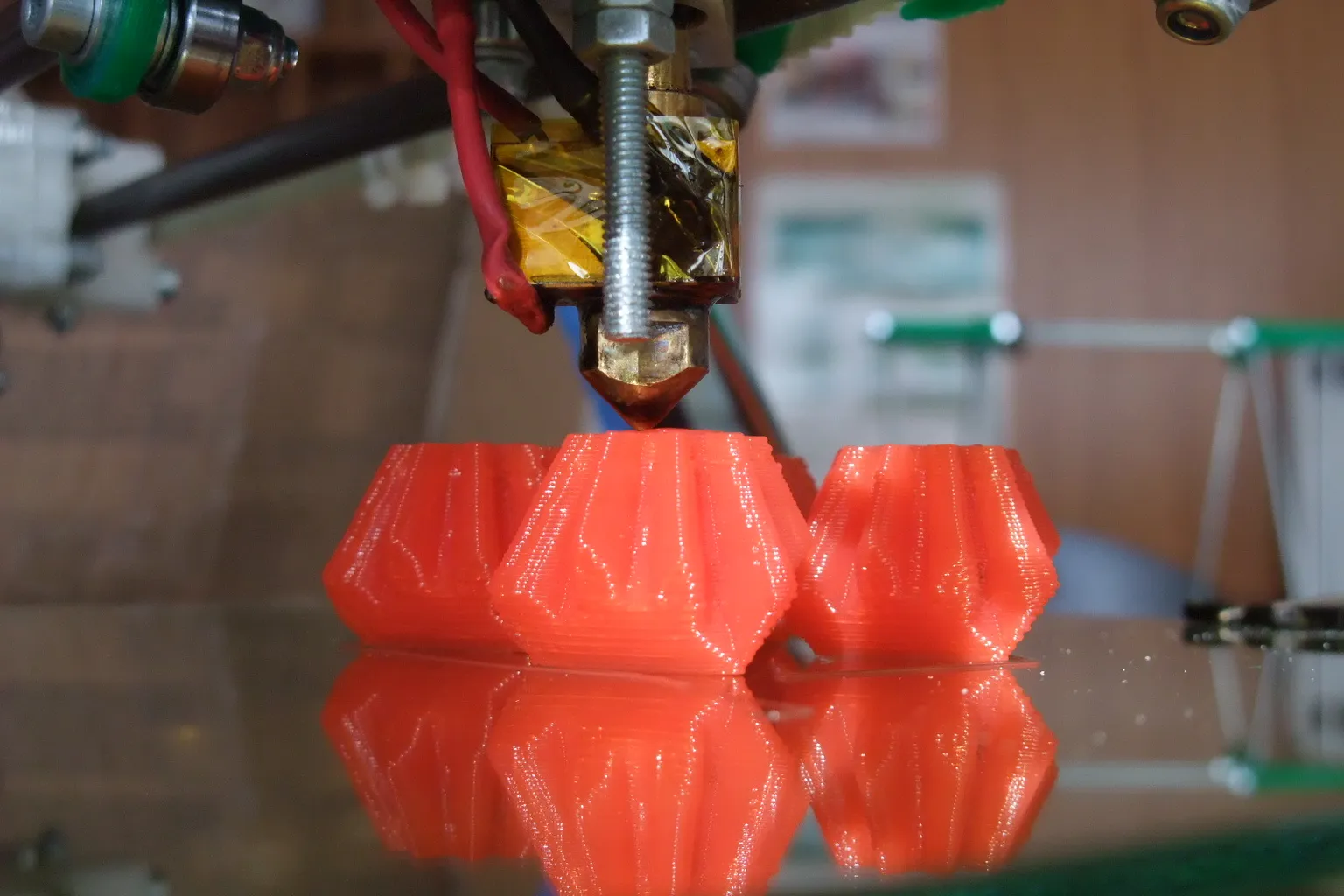

A worn nozzle has a shorter tip whose flat face has rounded off, and often a hole that is larger or no longer round. Prints show more stringing, small holes in outer walls, softer detail and a thicker first layer. To confirm it, compare the nozzle with a new one of the same model and print the same file with each.
What are the signs of a worn 3D printer nozzle?
The signs of a worn 3D printer nozzle are a shorter tip whose flat face has rounded into a dome, and an exit hole that looks larger or oval. Prints get worse at unchanged settings: more stringing, holes in outer walls, weaker overhangs, lost fine detail and a first layer that grows thicker over time.
On the nozzle
E3D cut open a new 0.40 mm brass nozzle after 250 g of colorFabb XT-CF20 carbon-fiber filament and found three kinds of damage:
- Shorter. The tip was “worn down making the nozzle shorter in overall length.”
- Domed. The tip flat was “completely erased, worn into a rough dome on the end of the nozzle.”
- A larger, uneven hole. The orifice was “larger, and no longer round or even”, worn widest in the middle into an oval cavity.
Bambu Lab shows the same enlarged orifice on a stainless steel nozzle after 10 hours of PETG-CF. Wear does not always open up the hole. In CNC Kitchen’s test, a cheap brass nozzle’s hole “barely grew” over 360 g of the same XT-CF20 while the tip wore away and its edges rounded off. So CNC Kitchen says to check the tip first for missing material and rounded edges.
In the print
| Symptom | What wear does | Other causes to rule out |
|---|---|---|
| First layer thicker, or less squished, than it used to be | A shorter nozzle sits higher above the bed. CNC Kitchen saw the first layer grow over 360 g of carbon-fiber PETG | A changed Z offset or a different build plate, which Prusa Research says needs recalibrating |
| More stringing and oozing | CNC Kitchen printed one 0.4 mm file through larger nozzles to imitate wear, and stringing rose with every size up | Print temperature too high: Prusa Research says higher temperatures “can also lead to increased stringing” |
| Holes in outer walls, worse overhangs, lost fine detail | Holes showed at 0.6 mm in that simulation, and all three showed on the really worn nozzle | A partial clog, or extruder gears slipping |
| Uneven flow and weak layer bonding | Bambu Lab says worn nozzles “develop irregular or enlarged orifices, causing uneven filament flow, poor layer adhesion, and reduced print quality” | A partial clog, or worn extruder gears |
The first-layer sign does not show on printers that find the bed with the nozzle itself. On the Prusa MK4/S, MK3.9/S and XL, a loadcell in the hotend heatsink detects when the nozzle reaches the steel sheet. Prusa Research says first-layer calibration then happens automatically during mesh bed leveling, so a shorter tip does not lift the first layer.
Steady under-extrusion that you keep fixing by raising flow points to a clog or the extruder rather than wear: a bigger hole lets plastic out more easily, not less. Bambu Lab says worn extruder gears cause “filament slippage, leading to under-extrusion or skipped layers.”
How do you test a nozzle for wear?
Test a nozzle for wear by comparing it with a new nozzle of the same model. Clear any clog first. Then check both tips under magnification for a missing flat face, rounded edges and lost length, and print the same file with each. A cold-pull imprint shows the hole’s size. A pin gauge can miss tip wear.
How to test a nozzle for wear, step by step
- Rule out a clog. Do a cold pull first: Prusa Research says one “will often resolve a clog”, and a part-blocked nozzle shows several of the same symptoms. Prusa Research advises against cold pulls on ObXidian nozzles because they can tear off the coating.
- Get a new nozzle for comparison. Use the same model and size. On a Bambu Lab printer you compare whole hotends, and the heatsink fins show the nozzle material: Bambu Lab’s hardened steel hotends have black fins and its stainless steel ones gray fins.
- Compare the tips under magnification. Wipe both clean while hot with a cotton cloth or paper towel, as 3D Verkstan advises for its Olsson Ruby. Then look at them side by side through a loupe, a phone macro lens or a microscope. On the worn one, look for a missing flat face, rounded edges and a larger or oval hole.
- Compare the length. Stand the two nozzles side by side on a flat surface, or measure each with calipers. The difference can be small: in CNC Kitchen’s 2023 test, 100 g of one glow-in-the-dark filament took 0.18 mm off a brass tip, and 100 g of another almost 0.5 mm.
- Check the hole from a cold-pull imprint. The end of a clean cold pull is a cast of the inside of the nozzle; measure its diameter with calipers. CNC Kitchen sizes the hole this way and warns against measuring the chamfered part, which reads too large.
- Print the same file with both nozzles. Slice one small model with overhangs and fine detail, such as a 3DBenchy, and print the same G-code with the old nozzle and the new one. More strings, holes in the walls or softer detail from the old nozzle confirm the wear. CNC Kitchen judged its worn nozzles the same way, against a control 3DBenchy.
- If the new nozzle prints the same, look elsewhere. Work through the extruder gears, hotend cooling and filament on Prusa Research’s under-extrusion list.
Weighing a length of extruded filament, or an e-steps check, should not reveal nozzle wear: the gear pushes the same length of filament whatever the size of the hole, so both checks measure the extruder. Use them to rule out slipping gears.
Can you check a nozzle with a drill bit or pin gauge?
Only roughly. If a pin of the nozzle’s stated size slides through loosely, or a larger one fits, the hole has opened up. The limits:
- It only finds the narrowest round part of the hole. A tip worn short or a hole worn oval can pass. CNC Kitchen’s worn carbon-fiber nozzle would have passed.
- It finds wear late. CNC Kitchen says the hole opens up fast once wear reaches the internal taper.
- It can cause damage. E3D lists a needle among the cleaning methods it does not recommend for its brass nozzles, Prusa Research says one can damage a coated nozzle, and 3D Verkstan warns that bending a needle in an Olsson Ruby can destroy the ruby. Never turn a twist drill in the hole: it is a cutting tool.
Why do 3D printer nozzles wear out?
3D printer nozzles wear out because hard particles in filled filaments grind them down like sandpaper, mostly at the tip and the exit hole. Those particles include carbon fiber, glass fiber, glow-in-the-dark pigment and metal powder. Rubbing or knocking against prints and the bed, overtightening and cleaning with needles or wire brushes also damage nozzles.
Abrasive filler
Bambu Lab says abrasive particles “act like sandpaper, eroding the inner surfaces of the nozzle”. Brass is soft enough that even pigment counts: CNC Kitchen names titanium dioxide in white filament and the strontium aluminate in glow filament as sources of wear.
The filler does the damage, not the base plastic, and brands differ. In CNC Kitchen’s 2019 test, 330 g of one glow PLA left “more or less no wear”, while 360 g of carbon-fiber PETG wore the tip away.
The tip also wears from rubbing across the print. For its 2023 glow test, CNC Kitchen printed blocks at 90% infill so that the nozzle “regularly moves over the already printed infill, slowly shaving down the tip”, and called that the worst case.
Damage that is not abrasion
- Hitting the bed or a print. The 2022 study names “friction with the print bed” as a possible cause of the material its worn brass nozzle lost. 3D Verkstan says the Olsson Ruby’s tip “can chip if it gets hit sharply” and warns against letting the nozzle hit the bed’s glass retaining clips.
- Overtightening. E3D says to hot-tighten its brass V6 nozzles at 285 °C to 2 Nm and warns that more force risks “shearing either the nozzle or HeatBreak.” Prusa Research says a nozzle must be tightened while heated, with a gap left between the nozzle and the heater block.
- Cleaning tools. E3D does not recommend needles, steel wire brushes or a blow torch on its brass nozzles. For coated nozzles, Prusa Research warns that an acupuncture needle or a brass brush can damage the coating. 3D Verkstan says a wire brush strand can lodge in an Olsson Ruby’s hole and crack the ruby.
How long does a brass nozzle last?
A brass nozzle lasts many kilograms on unfilled PLA, PETG and ABS: E3D found no observable wear on one that had printed many kilos over a few months. On abrasive filament it can be ruined within one spool: E3D found a new 0.40 mm brass nozzle “significantly degraded” after 250 g of carbon-fiber XT-CF20.
Neither E3D nor Prusa Research gives brass a rating in hours or kilograms. Prusa Research says brass is “tough enough to print most common filaments” and that abrasive filaments “can cause rapid wear.” Published tests give these figures, each with its condition:
- Unfilled filament. CNC Kitchen says PLA, PETG and ABS “are not really abrasive by themselves and you can print many hundred hours and probably a dozen kilos and don’t see anything at all.” It still found “severe marks of wear” on a nozzle that had printed only standard materials, “probably for more than 1000 hours.”
- A year of use. In a 2022 study in Engineering Manufacturing Letters, PLA bars printed flat with a 0.4 mm brass nozzle that had “a one-year printing history” were about 19% weaker in bending than bars from a Vanadium steel nozzle, and cubes from it were 8.26% porous against 5.59% for a new brass nozzle. The study does not say how much the old nozzle had printed.
- Carbon fiber. CNC Kitchen wore out a cheap brass nozzle with 360 g of the same XT-CF20 that E3D used. 3D Verkstan’s carbon-fiber comparison shows a worn brass nozzle after 0.3 kg.
Wear figures for glow-in-the-dark, carbon-fiber nylon and steel-filled filament are on the when to use a hardened steel nozzle page.
Replace a brass nozzle when the tests above show wear, not on a schedule. For unfilled filament, another brass nozzle does the job. For anything abrasive, fit a harder nozzle first: the wear-resistant nozzle comparison covers the materials, and hardened steel vs stainless steel applies if your printer shipped with stainless, as the Bambu Lab P1S does.
Sources
- CNC Kitchen, How much abrasive filaments damage your nozzle (September 28, 2019) (accessed October 22, 2026)
- CNC Kitchen, Which glow in the dark filament is the best? (March 19, 2023) (accessed October 22, 2026)
- E3D Blog, Are abrasives killing your nozzle? (September 9, 2015) (accessed October 22, 2026)
- E3D, E3D Classics support: V6 nozzle (hot tightening and cleaning guide) (accessed October 22, 2026)
- Bambu Lab Wiki, P1S abrasive filament extruder upgrade guide (accessed October 22, 2026)
- Bambu Lab Wiki, Introduction to Bambu nozzles (accessed October 22, 2026)
- Prusa Knowledge Base, Prusa Nozzle types for Nextruder printers (accessed October 22, 2026)
- Prusa Knowledge Base, Under-extrusion (accessed October 22, 2026)
- Prusa Knowledge Base, Loadcell (MK4/S, MK3.9/S, XL) (accessed October 22, 2026)
- 3D Verkstan, Olsson Ruby FAQ (accessed October 22, 2026)
- 3D Verkstan, Olsson Ruby instructions (accessed October 22, 2026)
- Melo, Santana, Idogava, Pais and Lino Alves, Effects of nozzle material and its lifespan on the quality of PLA parts manufactured by FFF 3D printing (Engineering Manufacturing Letters, 2022) (accessed October 22, 2026)