3D printer warranties by brand: length, coverage and claims
How to make a Bambu Lab warranty claim
You make a Bambu Lab warranty claim by opening a support ticket at bambulab.com/support or in Bambu Handy, with your receipt, the printer's serial number and evidence of the fault. There is no registration step. This page follows the warranty statement last updated September 22, 2026.
Published · Last verified
.jpg)
To make a Bambu Lab warranty claim, open a support ticket at bambulab.com/support or in the Bambu Handy app. Bambu Lab’s warranty statement says “any warranty case must be submitted via our official support page.” You do not need to register the printer first.
Ticket forms and menu names below follow Bambu Lab’s support wiki as of October 2026. This summarizes the published policy and is not legal advice.
How do you claim the Bambu Lab warranty?
You claim the Bambu Lab warranty by submitting a support ticket at bambulab.com/support or in the Bambu Handy app. Give the printer’s serial number and describe the fault. Attach photos, video or printer logs. Keep a receipt from Bambu Lab or an authorized distributor ready. Support then sends a free part or arranges a return.
The ticket is the claim. Bambu Lab’s US support page promises a reply “within 24 hours,” with exceptions such as non-business days and high ticket volume. Live Chat runs 24/7 for product, order and policy questions, but faults go in a ticket.
How to file a Bambu Lab warranty claim, step by step
- Make the printer safe. If it smokes, makes abnormal noises or a part comes off, power it off and contact support. Bambu Lab says failing to do so “will void warranty coverage for resultant damages or losses.” Do not start a repair yourself: the policy says to “open a ticket first” and repair only on support’s instructions.
- Find the receipt. Bambu Lab accepts only “purchase receipts issued by Bambu Lab or distributors authorized by Bambu Lab.” Keep the delivery confirmation too: it shows the day your warranty started.
- Note the serial number. It is 15 or 18 characters long. Find it on the printer screen (Settings, Device page), in Bambu Handy (Settings, Firmware Version) or in Bambu Studio (Device, Update). If the screen is dead, scan the QR code sticker on the printer with your phone.
- Gather evidence. Photograph any HMS (Health Management System) error message on the screen, and film the fault with your phone. For a heatbed fault, Bambu Lab’s wiki asks for a video of homing and bed leveling; for an AMS (Automatic Material System) fault, a full load and unload cycle. Export the printer logs: H2, P2S and X2D printers save them to a USB drive from Settings, Export Log; the X1 saves them to a FAT32 microSD card the same way. On P1 and A series printers, eject the microSD card and copy its Logger and Recorder folders. Bambu Handy can attach logs to a ticket without an export.
- Open the ticket. Sign in at bambulab.com/support and choose Support Ticket, or in Bambu Handy tap Me, Support Center, Add a ticket. Choose a Technical ticket for a fault; transit damage, missing items, a wrong product and a lost package go in a General ticket. Select your region, serial number and printer model. Describe the problem, pick the issue type and attach the photos, video and logs. Handy fills in the serial number of a printer bound to your account. If the form demands logs you cannot export, the wiki says to choose “Visible Structural Damage to Printer/AMS Components.”
- Follow support’s fix. Support may ask for more logs or video, or send a free replacement part. The policy counts fitting a free part yourself, once Bambu Lab confirms it, as part of the warranty.
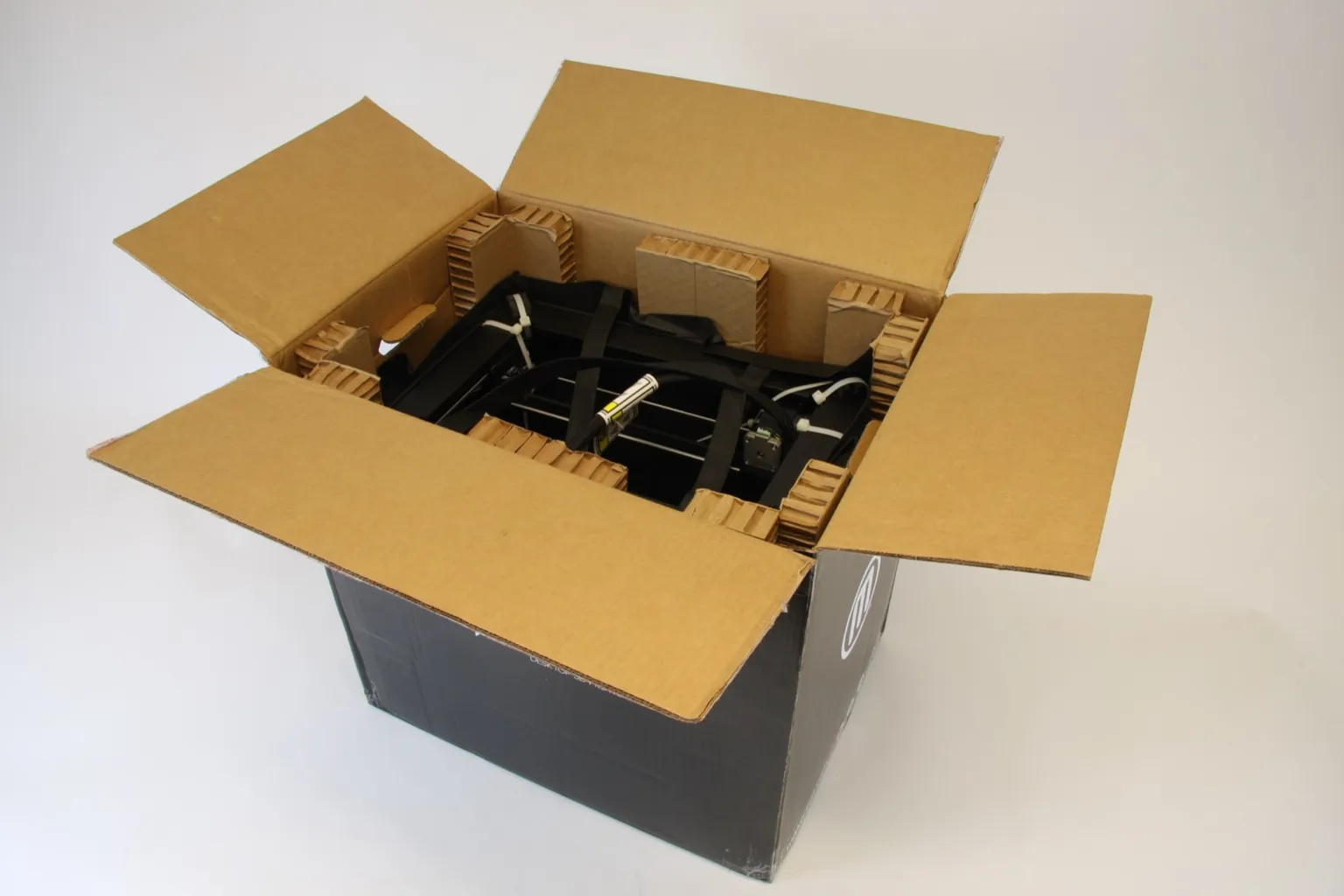
- Pack it as Bambu Lab requires. If support approves a return, use the original box and packing, or packaging Bambu Lab approves. Improper packaging can bring repair charges or a refusal for the damage it causes.
- Ship it within 14 days. You have 14 calendar days from Bambu Lab agreeing to the return or replacement; miss that and you waive the request. Send it only to the address Bambu Lab designates: “Otherwise, you would be liable for the loss of the returned items.” For quality claims, Bambu Lab supplies a prepaid label “where available,” valid only from the address or ZIP code in your return merchandise authorization (RMA) instructions. Service starts when the warehouse receives and inspects the printer. A tracking number alone does not count as proof of delivery.
Making a Bambu Lab A1 warranty claim
An A1 or A1 mini claim follows the same steps. The serial number QR code sits near the power switch at the back of the printer, and A1 serial numbers start with “039” (A1 mini: “030”). Bambu Lab’s A1 Series table covers the extruder unit (minus its gear assembly and filament sensor) and the microSD card for 3 months. The complete hotend, build plates, nozzle wiper and PTFE tube get no warranty; the Bambu Lab hotend warranty page has the part-by-part detail.
Can you get a Bambu Lab warranty replacement or return?
Yes, within 30 calendar days of receiving the printer, for a critical failure or manufacturing defect. After day 30, a fault within the warranty period gets a repair or a free replacement part instead.
| Situation | Ticket | Deadline | What the policy offers |
|---|---|---|---|
| Damaged in transit | General | Report within 7 calendar days of delivery, with the carrier’s proof of damage | Return or replacement within 30 days of receipt |
| Wrong product delivered | General | 30 calendar days from receipt | Replacement |
| Critical failure or manufacturing defect | Technical | 30 calendar days from receipt | Return (refund) or replacement |
| Fault after day 30 | Technical | End of the warranty period for that part | Repair or a free replacement part |
Report a package that never arrived within 30 calendar days of the shipping date. Miss a deadline and Bambu Lab treats the return or replacement request as waived unless you can prove extraordinary circumstances kept you from filing in time.
- Bought from a reseller. For a printer from a third-party website or retailer, Bambu Lab says to follow that seller’s return and replacement policy.
- Replacement unit. Its warranty “starts from the date of receipt of the replacement product.”
- Replacement part. “The warranty does not reset, and the original warranty period still applies.”
- Advanced Replacement. Bambu Lab ships a replacement before you return the original, against a deposit equal to the selling price on its online store. The replacement ships within 0 to 48 hours of confirming payment. The deposit is typically refunded in full when the original arrives. It becomes non-refundable if the original is not back within 30 calendar days of you receiving the replacement.
- No fault found. Bambu Lab deducts the shipping fee for each returned item from the refund. If you return a non-defective item “such as a clogged hotend/extruder,” you pay all the shipping.
Do you need to register a Bambu Lab printer for warranty?
You do not need to register a Bambu Lab printer for warranty. Bambu Lab’s warranty statement has no registration step: coverage starts on the day you received the printer, and the proof is a receipt from Bambu Lab or an authorized distributor. Nor does the statement make binding the printer to a Bambu account a condition of cover.
The “Register New Serial Number” service in Bambu Lab’s support center is not a warranty registration. Bambu Lab’s wiki says it is for a replaced AP board or mainboard: once the new serial number is registered, the previous one is invalidated and the old board can no longer be bound.
How do you check Bambu Lab warranty status?
Bambu Lab publishes no warranty lookup by serial number. Its support center offers spare parts, serial number registration, order tracking and a service portal that lists your tickets, but no warranty checker. You work out your status from four things:
- Start date. The day you received the printer.
- Period. The statement gives 2 years to consumers in the United States, Canada, the EU, Switzerland, Norway and Iceland, and 1 year elsewhere. The Bambu Lab warranty page explains which US and Canadian purchases get the 2 years.
- Part. Some parts have 3 months and consumables have none; see the Bambu Lab parts warranty page.
- Repair time. The warranty is “paused” while the printer travels to Bambu Lab, sits in repair and comes back, so add those days.
A paid extension is a separate product with its own terms: see Bambu Lab extended warranty.
What to do if Bambu Lab refuses the claim
Check the refusal against the exclusions in Bambu Lab’s warranty statement, listed on the Bambu Lab warranty page: accidents, misuse, skipped maintenance, major modifications made without Bambu Lab’s written permission, missing proof of purchase, and damage from third-party accessories or unofficial firmware. Whether a given upgrade voids cover is answered in does upgrading void the warranty.
If the refusal does not match an exclusion:
- Add evidence to the ticket. Reply to it (Reply, then Reply to Ticket) and upload logs, video or the .3mf project file that shows the problem.
- Use your legal rights. The statement “will not affect any other rights you are entitled to under the applicable laws of your state or jurisdiction.” In the US, the Federal Trade Commission (FTC) advises contacting the seller first, then writing to the manufacturer by certified mail with a return receipt. If that fails, report the company to your state attorney general and to the FTC at ReportFraud.ftc.gov.
Sources
- Bambu Lab, Warranty (last updated September 22, 2026) (accessed October 23, 2026)
- Bambu Lab, Warranty Period of Products and Main Parts: A1 Series (accessed October 23, 2026)
- Bambu Lab, Support Center (US) (accessed October 23, 2026)
- Bambu Lab Wiki, Introduction to Ticket Types and Common Issues (updated April 30, 2026) (accessed October 23, 2026)
- Bambu Lab Wiki, Issue type classification tips and tricks (accessed October 23, 2026)
- Bambu Lab Wiki, How to Upload the Log Files (updated October 15, 2026) (accessed October 23, 2026)
- Bambu Lab Wiki, How to update log files to an existing ticket (updated October 15, 2026) (accessed October 23, 2026)
- Bambu Lab Wiki, How to Find and Register the Serial Number (updated October 16, 2026) (accessed October 23, 2026)
- Federal Trade Commission, Warranties (consumer advice) (accessed October 23, 2026)