Comparison
PrusaLink vs OctoPrint for Prusa printers
PrusaLink is Prusa's own local web interface, built into the MK4, MK3.9, MK3.5, Core One and XL and run on a Raspberry Pi for the MK3S and MK2.5S. OctoPrint is open-source software on a Raspberry Pi that drives the printer over USB: it adds plugins and timelapses, and Prusa gives it only limited support.
Edited by 3D Printeray EditorsPublished Last verified 8 min read
In this section: Offline & LAN(18)
On this page (6)
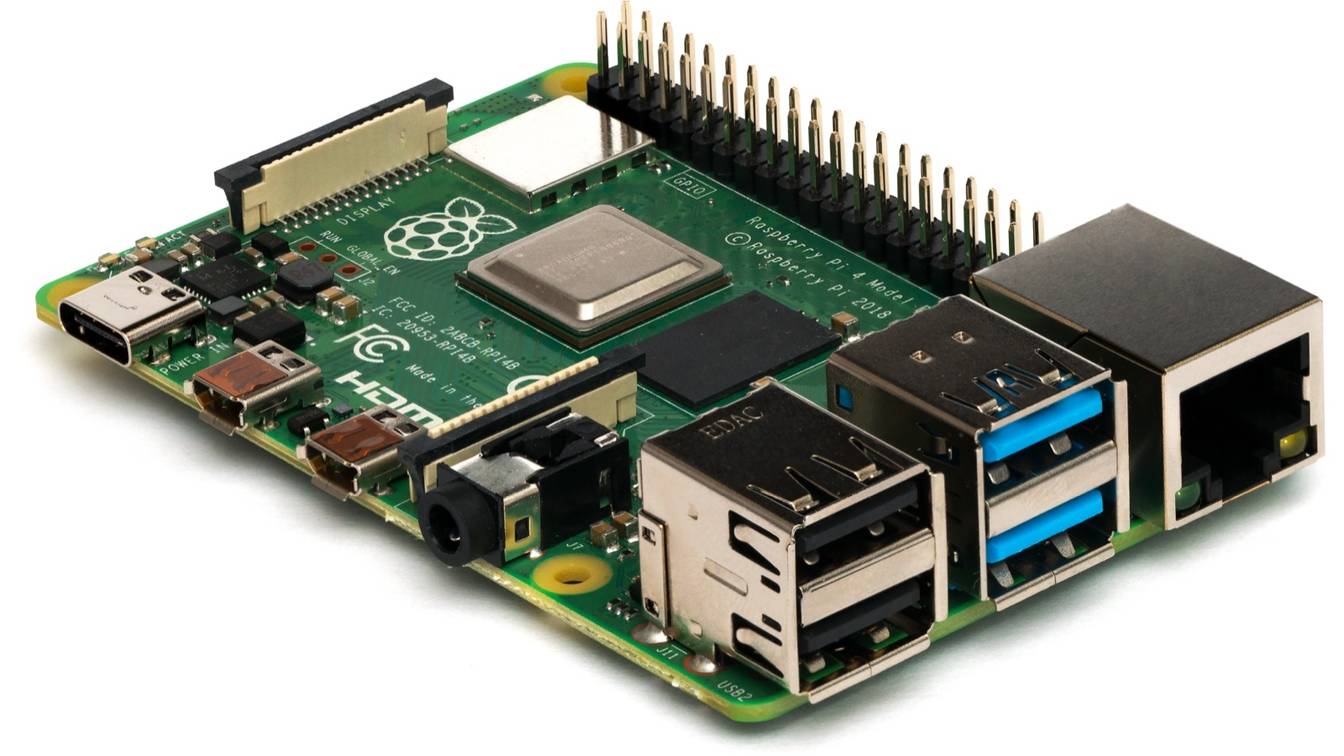

PrusaLink is built into the firmware of the Prusa Core One, MK4/S, MK3.9/S, MK3.5/S and XL. It needs no extra hardware and links to Prusa Connect. OctoPrint needs a Raspberry Pi on the printer’s USB port and plain G-code, and gives you plugins and timelapses in return.
On the MK3S and MK2.5S, both need a Raspberry Pi, so the choice there comes down to features. On the newer printers, Prusa lists crash detection, power panic, XL multi-tool printing and binary G-code among the functions that may not work under OctoPrint.
What is the difference between PrusaLink and OctoPrint?
PrusaLink is Prusa’s own local web interface: it runs inside the printer’s firmware on the MK4, Core One and XL, or on a Raspberry Pi for the MK3S. OctoPrint is open-source software on a separate computer that streams G-code over USB. It adds plugins and timelapses but loses some printer features and gets limited Prusa support.
| PrusaLink | OctoPrint | |
|---|---|---|
| Made by | Prusa Research | The OctoPrint project; free and open source under the AGPL |
| Extra hardware | None on the Core One, MK4/S, MK3.9/S, MK3.5/S and XL; the Wi-Fi module on the MINI/+; a Raspberry Pi on the MK3/S/+ and MK2.5/S | A Raspberry Pi (Prusa’s guide: Pi 3, 3+ or 4) with power supply, a microSD card of 8 GB or more, a case and a USB cable |
| Link to the printer | Runs in the firmware. MK3/S/+: a Pi Zero W or Zero 2 W on the Einsy board’s GPIO pins, or a Pi 3, 3+, 4 or 5 over USB | USB serial at 115200 baud: USB-A to USB-C on the MK4, XL and Core One; USB-B on the MK3S |
| Where uploads go | The printer’s USB drive, which must stay inserted | The Pi, which streams the file to the printer |
| File formats | G-code and binary G-code (.bgcode, firmware 5.1.0 and later on the MINI, MK4 and XL) | Plain G-code; .bgcode only with the BGCode plugin |
| Plugins | No plugin system | The official plugin repository, including Prusa-specific plugins (below) |
| Cameras | Pi version only: a Raspberry Pi camera or USB webcam on its Cameras tab, which can be linked to Prusa Connect. Built-in PrusaLink has none; cameras attach to Prusa Connect (a phone, the Buddy3D camera or an ESP32 camera) | Webcam stream and timelapse recording; the OctoPi image includes the webcam streamer |
| Remote access | Local network only; Prusa Connect gives access from anywhere | Local network only. OctoPrint’s own guide calls putting it on the public internet “a terrible idea”; use a VPN or a remote-access plugin such as OctoEverywhere or Obico |
| Prusa Connect | Built in: Settings > Network > Prusa Connect, or the PrusaLink wizard on a Pi. xBuddy printers need firmware 6.4.0 or newer to connect | None built in; community plugins only |
| Printer features | All of them | Prusa: crash detection, power panic, XL multi-tool printing, XL heat-absorption info and .bgcode may not work |
| Setup | Join the network, open the printer’s IP address (Settings > Network > IPv4 Address) and log in with the credentials under Settings > Network > PrusaLink. On a GPIO-connected MK3S, also print a frame and possibly solder a header | Flash OctoPi with Raspberry Pi Imager, run the wizard, enter the printer profile and three G-code scripts. Prusa rates its guide “Very difficult” |
| Cost | Included in the firmware; Prusa Connect is free for Prusa printer owners, with 1 GB of cloud storage | Free software; you buy the Pi, power supply, card, case and cable |
| Support | Prusa | Prusa offers “limited support”; the rest comes from the OctoPrint community |
| Current version (November 7, 2026) | Part of Buddy firmware 8.0.0 (November 3, 2026); Pi image 0.8.1 (July 2, 2024) | 1.11.8 stable (June 23, 2026); 2.0.0 in release candidates (rc7, October 20, 2026) |
Both run without internet access: each serves its web page on your local network. For PrusaLink against Prusa’s cloud service, see PrusaLink vs Prusa Connect.
Can you use OctoPrint with a Prusa MK4?
Yes. Prusa publishes its own guide for OctoPrint on the MK4/S, MK3.9/S, MK3.5/S, XL and Core One. The guide’s setup puts OctoPi on a Raspberry Pi 3, 3+ or 4, wired USB-A to USB-C into the back of the electronics box. Prusa calls OctoPrint a third-party alternative to PrusaLink and offers only limited support.
Prusa’s OctoPrint settings for the MK4
From Prusa’s guide (PDF generated May 13, 2026):
- Flash OctoPi. In Raspberry Pi Imager, choose Other specific-purpose OS > 3D Printing > OctoPi. Set a hostname, Wi-Fi and SSH (remote login) under the OS customisation settings. OctoPrint recommends a Pi 3B, 3B+, 4B or Zero 2 and advises against the Pi Zero and Zero W.
- Cable it. Plug the USB-A end into the Pi and the USB-C end into the back of the MK4’s electronics box. On the XL, the port sits in the middle of the box. Turn on the printer, then power the Pi.
- Set the printer profile. Build volume 250 × 210 × 220 mm for the MK4 (360 × 360 × 360 mm for the XL). Select Custom Bounding Box and set the Y minimum to -5 (XL: -8).
- Add the G-code scripts. Under Settings > GCODE Scripts, set “After print job is cancelled” to
M604, “After print job is paused” toM601and “Before print job is resumed” toM602. The MK3 usedM603for cancel; Marlin has since givenM603another job. - Connect. Pick the serial port the printer appears on, set the baud rate to 115200 and click Connect. The printer’s screen shows SERIAL PRINTING during the job.
- Slice plain G-code. PrusaSlicer has exported binary G-code by default since version 2.7.0. Untick “Support binary G-code” under General in the printer settings tab, or turn it off for every profile in Configuration > Preferences > Other > “Use binary G-code when the printer supports it”.
What stops working under OctoPrint
Prusa lists these functions as ones that may not work while OctoPrint drives the printer:
- Crash detection
- Power panic
- The XL’s heat-absorption info, which is not shown and cannot be skipped
- Multi-tool printing
- Binary G-code (.bgcode) files
OctoPrint also stays on your local network unless you add remote access.
Plugins for Prusa printers
These community plugins in the official repository cover some of the gaps:
- BGCode (jneilliii, 0.2.3 of August 23, 2025) converts uploaded .bgcode files to plain G-code. Prusa’s guide names it as the plugin users recommend; its author suggests turning binary output off in the slicer instead.
- Prusa Filament Runout (jneilliii, 1.1.1 of November 3, 2025) pauses OctoPrint when Buddy firmware reports a filament runout over serial. Its listing names the MK4, MINI, XL and MK3.9.
- Prusa Buddy Toolhead Fix (OctoPrint 1.11.0 or newer) is for the XL and XL+. From firmware 6.10, these printers want a valid tool number on
M106,M107,M201,M203andM221; the plugin adds the current tool. - Prusa MMU (jukebox42) supports Prusa’s Multi Material Unit (MMU) on MMU firmware 1.x and 3.x. It shows the active filament and asks which one to use in MMU single mode.
Is there an OctoPrint plugin for PrusaLink or Prusa Connect?
No plugin from Prusa or the OctoPrint project connects the two. PrusaLink and OctoPrint do the same job, and each talks to the printer directly. The closest are community plugins: the first three work with Prusa Connect, Prusa’s cloud service, and the last handles printer messages meant for PrusaLink.
- Prusa Connect Uploader (rizz360, v1.2.0 of October 27, 2026, MIT license) sends OctoPrint’s webcam snapshots to a Prusa Connect camera every 10 seconds by default. It needs OctoPrint 1.9 or newer and a token from Prusa Connect (Cameras > + Add new other camera). Install it from its GitHub URL in Plugin Manager; it is not in the official plugin repository.
- PrusaConnect-Bridge (VisualBoy, 0.1.4c of June 9, 2025) calls itself unofficial. Its README lists printer status, print control, webcam and files through Prusa Connect. It is not in the official repository, and its code has not changed since June 2025.
- Prusa Chamber Light (Aryeh95, 0.4.2 of October 6, 2026) is in the official repository. It switches the Core One’s chamber light from OctoPrint, with optional brightness control through Prusa Connect.
- Activate Prusa HostTimer (sarusani, 1.2.0 of September 3, 2024) sends
M79 S"OP"at a set interval to switch on the printer’s host features. It also catches action commands meant for PrusaLink and runs the matching OctoPrint feature. Its listing names the MK3S/+ on firmware 3.14.0 or newer.
PrusaLink or OctoPrint on an MK3S or MK2.5S
Both need a Raspberry Pi on these printers.
PrusaLink runs on a Pi Zero W or Zero 2 W on the Einsy board’s GPIO (general-purpose input/output) pins, on the MK3/S/+ only. Either printer can instead use a Pi 3, 3+, 4 or 5 over USB; Prusa does not support the original Pi Zero, the Pi 2 or older boards. Image 0.8.1 needs printer firmware 3.14.0 or newer. It adds power panic recovery, Pi 5 support over USB and the LCD items Set Ready and Reprint.
The GPIO route needs the printed RPi Zero frame, which Prusa calls mandatory, and Settings > RPi port set to On. Unless you buy Prusa’s ready Pi Zero W, you also solder on 18 mm header pins. A Raspberry Pi camera or USB webcam can feed Prusa Connect. Setup steps: PrusaLink on a Raspberry Pi.
OctoPrint connects by USB-B, with the printer’s RPi port set to Off. Prusa’s MK3S profile is 250 × 210 × 210 mm with a custom bounding box of Y -4 to 210. The cancel, pause and resume scripts are M603, M601 and M602.
Connecting OctoPrint restarts an MK3S, which kills a running print. The community Prusa Reset Mode plugin (0.1.3 of May 5, 2026) turns that reset off. Switch reset mode back on before flashing firmware, or the update fails.
Prusa’s older PrusaPrint, an OctoPrint image for the Pi Zero W, is discontinued and replaced by PrusaLink.
Should you use PrusaLink or OctoPrint?
- Your printer has PrusaLink built in and local control is enough: PrusaLink needs nothing extra. Setup steps are on PrusaLink setup.
- You rely on power panic, crash detection or XL multi-tool printing: PrusaLink, because Prusa lists these as functions that may not work under OctoPrint.
- You want to reach the printer from outside your network without a virtual private network (VPN): PrusaLink with Prusa Connect, free for Prusa printer owners.
- You want plugins, OctoPrint timelapses or the same interface as printers that already run OctoPrint: OctoPrint on a Pi, with plain G-code from the slicer.
- You have an MK3S or MK2.5S: both need a Pi. PrusaLink adds Prusa Connect and the Set Ready and Reprint menu items; OctoPrint adds plugins.
Sources
- Prusa Knowledge Base, Prusa Connect and PrusaLink explained (accessed November 7, 2026)
- Prusa Knowledge Base, Octoprint setup on MK4/S, MK3.9/S, MK3.5/S, XL, CORE (guide PDF generated May 13, 2026) (accessed November 7, 2026)
- Prusa Knowledge Base, Octoprint: Configuration and install (MK2.5/S, MK3/S/+, MINI) (accessed November 7, 2026)
- Prusa Knowledge Base, Wi-Fi and Prusa Connect/Link setup (CORE One, MK4/S, MK3.9, MK3.5, XL, MINI/+) (accessed November 7, 2026)
- Prusa Knowledge Base, Adding the printer to Prusa Connect (CORE One, MK4/S, MK3.9/S, MK3.5/S, XL, MINI/+) (accessed November 7, 2026)
- Prusa Knowledge Base, PrusaLink and Prusa Connect setup (MK3/S/+) (accessed November 7, 2026)
- Prusa Knowledge Base, Camera setup for PrusaLink / Prusa Connect (accessed November 7, 2026)
- Prusa Knowledge Base, Buddy3D Camera (accessed November 7, 2026)
- Prusa Knowledge Base, Binary G-code (accessed November 7, 2026)
- Prusa Research on GitHub, PrusaLink README (accessed November 7, 2026)
- Prusa Research on GitHub, PrusaLink 0.8.1 release notes (July 2, 2024) (accessed November 7, 2026)
- Prusa Research on GitHub, PrusaLink ChangeLog (camera support from 0.7.0rc2) (accessed November 7, 2026)
- Prusa Research on GitHub, Buddy firmware 8.0.0 release notes (November 3, 2026) (accessed November 7, 2026)
- OctoPrint, home page (features and AGPL license) (accessed November 7, 2026)
- OctoPrint, Download and setup OctoPrint (OctoPi 1.1.0, recommended hardware) (accessed November 7, 2026)
- OctoPrint on GitHub, release 1.11.8 (June 23, 2026) (accessed November 7, 2026)
- OctoPrint on GitHub, release 2.0.0rc7 (October 20, 2026) (accessed November 7, 2026)
- OctoPrint Blog, A guide to safe remote access of OctoPrint (September 3, 2018) (accessed November 7, 2026)
- OctoPrint Plugin Repository, OctoEverywhere (accessed November 7, 2026)
- OctoPrint Plugin Repository, Obico for OctoPrint (accessed November 7, 2026)
- OctoPrint Plugin Repository, BGCode (jneilliii, 0.2.3) (accessed November 7, 2026)
- OctoPrint Plugin Repository, Prusa Filament Runout (jneilliii, 1.1.1) (accessed November 7, 2026)
- OctoPrint Plugin Repository, Prusa Buddy Toolhead Fix (accessed November 7, 2026)
- OctoPrint Plugin Repository, Prusa MMU (jukebox42) (accessed November 7, 2026)
- OctoPrint Plugin Repository, Prusa Reset Mode (Jacopo Tediosi, 0.1.3) (accessed November 7, 2026)
- OctoPrint Plugin Repository, Activate Prusa HostTimer (sarusani, 1.2.0) (accessed November 7, 2026)
- OctoPrint Plugin Repository, Prusa Chamber Light (Aryeh95, 0.4.2) (accessed November 7, 2026)
- OctoPrint Plugin Repository, plugin index (plugins.json) (accessed November 7, 2026)
- rizz360 on GitHub, Prusa Connect Uploader (community OctoPrint plugin, v1.2.0) (accessed November 7, 2026)
- VisualBoy on GitHub, PrusaConnect-Bridge (unofficial OctoPrint plugin, 0.1.4c) (accessed November 7, 2026)