How-to
Drying nylon and PC for Bambu Lab: temperatures and times
Bambu Lab dries its PA6-CF, PA6-GF and PAHT-CF nylons at 80 °C for 8 to 12 hours and PC at 80 °C for 8 hours in a forced-air oven, or at 90 to 100 °C for 12 hours on the heatbed of an enclosed Bambu Lab printer. The AMS HT dries nylon at 85 °C and PC at 80 °C; the AMS 2 Pro has no setting for either.
Published Last verified 8 min read
In this section: Bambu Lab(24)
On this page (6)
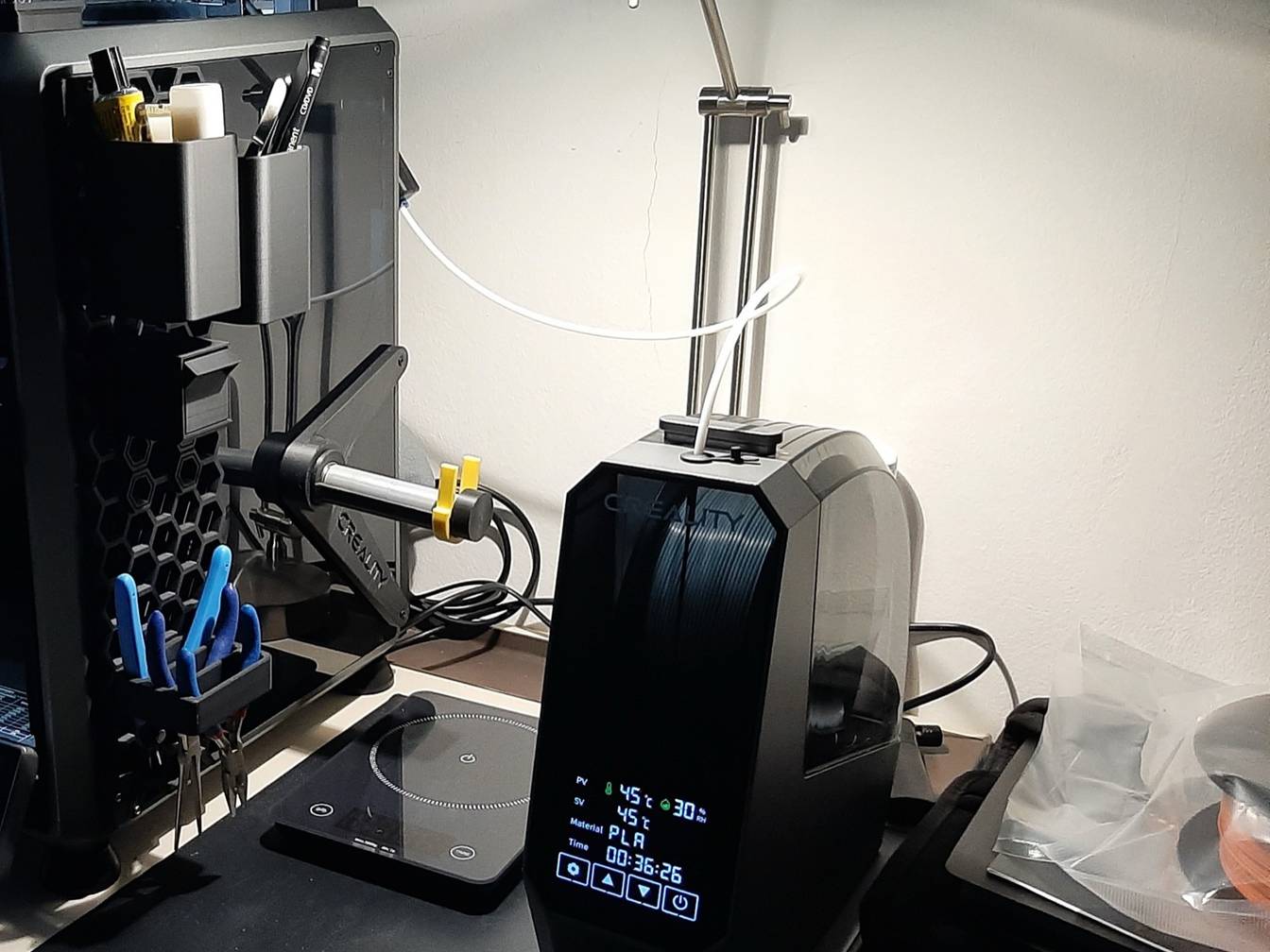

Bambu Lab dries nylon (PA6-CF, PA6-GF, PAHT-CF) at 80 °C for 8 to 12 hours and polycarbonate (PC) at 80 °C for 8 hours in a forced-air oven. On the heatbed of an enclosed Bambu Lab printer, both take 90 to 100 °C for 12 hours. The AMS HT dries nylon at 85 °C and PC at 80 °C; the AMS 2 Pro, capped at 65 °C, has no setting for either.
Bambu Lab marks drying as required for PC and every nylon, and says to keep them sealed with desiccant while they print. Its own spool is rated to 90 °C, below the 100 °C top of the heatbed range. To stay within that rating, set the bed to 90 °C or dry in an oven or AMS HT. Print settings for the nylons are on Bambu nylon settings.
What drying settings do nylon and PC need for a Bambu Lab printer?
Bambu Lab says to dry PA6-CF, PA6-GF and PAHT-CF at 80 °C for 8 to 12 hours in a forced-air oven, and PC at 80 °C for 8 hours. On an enclosed printer’s heatbed, both take 90 to 100 °C for 12 hours; in an AMS HT, nylon takes 85 °C and PC 80 °C.
Bambu Lab’s settings for each method, with ABS and ASA for comparison. The heatbed column is the bed temperature you set.
| Material | Drying before use | Forced-air oven | Heatbed of an enclosed printer | AMS HT |
|---|---|---|---|---|
| ABS | Recommended | 80 °C, 8 h | 90 to 100 °C, 12 h | 80 °C, 8 h |
| ASA | Recommended | 80 °C, 8 h | 90 to 100 °C, 12 h | 80 °C, 8 h |
| PA6-CF | Required | 80 °C, 8 to 12 h | 90 to 100 °C, 12 h | 85 °C, 12 h |
| PA6-GF | Required | 80 °C, 8 to 12 h | 90 to 100 °C, 12 h | 85 °C, 12 h |
| PAHT-CF | Required | 80 °C, 8 to 12 h | 90 to 100 °C, 12 h | 85 °C, 12 h |
| PC | Required | 80 °C, 8 h | 90 to 100 °C, 12 h | 80 °C, 8 h |
| Support for PA/PET | Required | 75 to 85 °C, 8 to 12 h | 90 to 100 °C, 12 h | 80 °C, 12 h |
Bambu Lab’s sources agree on the times. For the oven, the filament guide (updated October 14, 2026) and the data sheets give 80 °C; the drying recommendations page (updated July 31, 2026) gives 75 to 85 °C. The 2023 and 2024 data sheets list heatbed drying for the X1 series only. The newer drying page extends the same 90 to 100 °C for 12 hours to the H2 series, X2D, P2S and P1S.
Nylon (polyamide, PA) is the strict one. At 25 °C and 55% relative humidity, the data sheets list saturated water absorption of 2.56% for PA6-GF, 2.35% for PA6-CF and 0.88% for PAHT-CF, against 0.25% for PC. Two cautions from the drying page:
- Nylon left out for months may not dry. Bambu Lab says PA filaments absorb a large amount of moisture after about 3 months in open air. After that, they are very hard to dry in a convection oven at 80 to 90 °C, a range it calls within the spool’s heat limit. Store nylon you are not using sealed with desiccant.
- PC gets brittle with repeated drying. Each heating and cooling cycle adds thermal stress. Bambu Lab says parts printed from it are unaffected, but the filament is more likely to snap mid-print. Keep dried PC sealed so the next print needs a short drying cycle or none.
For oven drying, Bambu Lab recommends a forced-air (convection) oven at least 250 by 250 mm and 90 mm high inside for one spool. Keep the spool away from the heating elements. It rules out microwaves and kitchen ovens, which heat unevenly enough to damage the spool or filament. Before drying a spool-less refill, mount it on a reusable spool.
Can the AMS 2 Pro or AMS HT dry nylon and PC?
Only the AMS HT. It dries at up to 85 °C and, with its 170 W heater, holds that in a room at 10 to 25 °C. The AMS 2 Pro tops out at 65 °C, and only in a room at 25 °C or warmer. Bambu Lab’s drying table lists the AMS 2 Pro as “Not compatible” for ABS, ASA, PC and nylon, and the filament guide says “Not recommended”.
Before drying ABS, ASA, PC or nylon in an AMS HT, take out any PLA or TPU: Bambu Lab says they soften and deform at those temperatures. The AMS HT needs its own power cord to dry on every printer. Drying while printing from the same unit is not yet supported on the P1S, P1P, X1C, A1 or A1 mini.
Which AMS can feed each of these filaments is a separate question, covered on AMS-compatible filaments.
Can you dry filament on a Bambu Lab printer’s heatbed?
Yes, on enclosed Bambu Lab printers: the H2 series, X1 series, X2D, P2S and P1S. Cover the spool on the build plate with its cardboard box or a printed PC or PA-CF lid, close the printer and run the bed at 90 to 100 °C for 12 hours for nylon, PC, ABS or ASA.
Bambu Lab says the open-frame P1P, A1, A1 mini and A2L cannot dry filament, because the method needs the closed chamber to hold the bed’s heat around the spool. Its notes for the X1 and X1C require the front door and top cover shut for the whole cycle, with the spool covered.
On the H2 series, X1 series, X2D and P2S, a built-in drying routine runs the bed and timer. On the H2 series it sits under Toolbox > Dry Filament: pick the filament type, tap Prepare to move the toolhead and bed into position, set the temperature and time, and tap Start. The P1S has none, so you set it by hand (steps below). The cover, door and flip steps apply to every model.
Is 100 °C on the heatbed too hot for the spool?
It is 10 °C above the spool’s stated rating. Bambu Lab’s data sheets rate the spool its filaments ship on, made of PC and ABS, to 90 °C. Yet the same sheets give 90 to 100 °C on the heatbed for drying that filament, and the drying page’s P1S example for ABS is 100 °C. Bambu Lab does not say how hot the spool itself gets under the cover.
Bambu Lab has already cut one drying temperature over deformation. In June 2023, X1 firmware 01.05.02.00 lowered the PETG drying temperature from 90 to 80 °C “to avoid deformation of the tray during drying”. To stay within the rating:
- Set the bed to 90 °C. That is the bottom of Bambu Lab’s range for ABS, ASA, PC and the nylons, and equal to the spool’s rating.
- Use the oven or an AMS HT. Bambu Lab’s oven settings (75 to 85 °C) and AMS HT settings (80 to 85 °C) sit under 90 °C. It warns that nylon left out for months is very hard to dry in an 80 to 90 °C oven.
- Check a third-party spool’s rating. Bambu Lab warns that some third-party spools are not heat-resistant enough and may deform. Look up the spool maker’s temperature rating and keep the bed at or under that figure.
How to dry ABS, ASA, PC or nylon on a Bambu Lab P1S
- Unload and clear. Unload the filament from the toolhead, and remove anything above or below the build plate so the bed cannot hit it.
- Home and lower the bed. On the P1S screen, run Home and wait for it to finish. Then select the bed (Z) control and lower the bed to the bottom.
- Cover the spool. Stand the spool on the build plate and cover it with its cardboard box or a cover printed in PC or PA-CF.
- Close the printer. Shut the front door and the top glass cover, and open them only to flip the spool.
- Set the bed temperature and note the time. Bambu Lab’s example for ABS is 100 °C, the P1S’s maximum. ASA, PC and the nylons take 90 to 100 °C. Set 90 °C instead to stay within the spool’s rating. Write down the start time: the P1S has no drying timer, and the cycle is 12 hours.
- Flip the spool at 6 hours. Put on gloves, lift off the box or lid and turn the spool over. Cover it again and close the printer.
- Cool and seal. At 12 hours, set the bed to 0 °C. When the spool is no longer hot to the touch, put it straight into a sealed container with desiccant or into the AMS.
What temperature does Bambu ASA dry at?
Bambu Lab says to dry ASA at 80 °C for 8 hours in a forced-air oven or an AMS HT, or at 90 to 100 °C for 12 hours on an enclosed printer’s heatbed. The AMS 2 Pro has no ASA setting. Bambu Lab lists drying ASA as recommended rather than required.
The ASA data sheet gives saturated water absorption of 0.45%, against 0.65% for ABS. Bambu ASA-CF, ABS-GF and ASA Aero use the same temperatures and times. Bambu Lab recommends desiccant while printing for ASA-CF and ABS-GF; for plain ASA it is not required. Plate and glue for ASA are on the Bambu plate for ASA.
How do you tell nylon or PC is wet, and how do you keep it dry?
Bambu Lab lists the signs of wet filament: crackling or popping while it prints, rough, bubbly or stringy surfaces, and weak parts. It warns that nylon and PC pick up moisture within hours in humid air, so do not leave them on the spool holder overnight.
The data sheets specify storage below 20% relative humidity (RH), sealed with desiccant in a box or an AMS. Bambu Lab says most filaments stay dry for 2 to 7 days at 20% RH. In a typical room at about 55% RH, freshly dried filament takes up enough moisture to hurt print quality within 2 to 12 hours. Bambu Lab suggests a hygrometer to check the humidity inside the container.
Sources
- Bambu Lab Wiki, Filament Drying Recommendations (updated July 31, 2026) (accessed October 24, 2026)
- Bambu Lab Wiki, Filament guide: printer, nozzle, AMS, build plate, glue compatibility and required parameters (updated October 14, 2026) (accessed October 24, 2026)
- Bambu Lab Wiki, Filament drying guide for AMS 2 Pro and AMS HT (accessed October 24, 2026)
- Bambu Lab Wiki, Model Warping, Falling Off, or Collapsing (accessed October 24, 2026)
- Bambu Lab Wiki, X1/X1C Firmware Release History (accessed October 24, 2026)
- Bambu Lab Wiki, P1P/P1S and AMS Firmware Release History (accessed October 24, 2026)
- Bambu Lab, Bambu PAHT-CF Technical Data Sheet V3.0 (PDF) (accessed October 24, 2026)
- Bambu Lab, Bambu PA6-CF Technical Data Sheet V3.0 (PDF) (accessed October 24, 2026)
- Bambu Lab, Bambu PA6-GF Technical Data Sheet V1.0 (PDF) (accessed October 24, 2026)
- Bambu Lab, Bambu PC Technical Data Sheet V2.0 (PDF) (accessed October 24, 2026)
- Bambu Lab, Bambu ABS Technical Data Sheet V3.0 (PDF) (accessed October 24, 2026)
- Bambu Lab, Bambu ASA Technical Data Sheet V3.0 (PDF) (accessed October 24, 2026)
- Bambu Lab, P1S tech specs (PDF) (accessed October 24, 2026)