Guide
Which Bambu Lab plate to use for ASA and ABS
Bambu Lab lists the Textured PEI Plate, the Engineering Plate and the Smooth PEI or High Temperature Plate for ASA and ABS, each at a 90 to 100 °C bed, with glue required on the two smooth plates. The Cool Plate and Cool Plate SuperTack take neither filament.
Published Last verified 8 min read
In this section: Bambu Lab(24)
On this page (5)
.jpg)
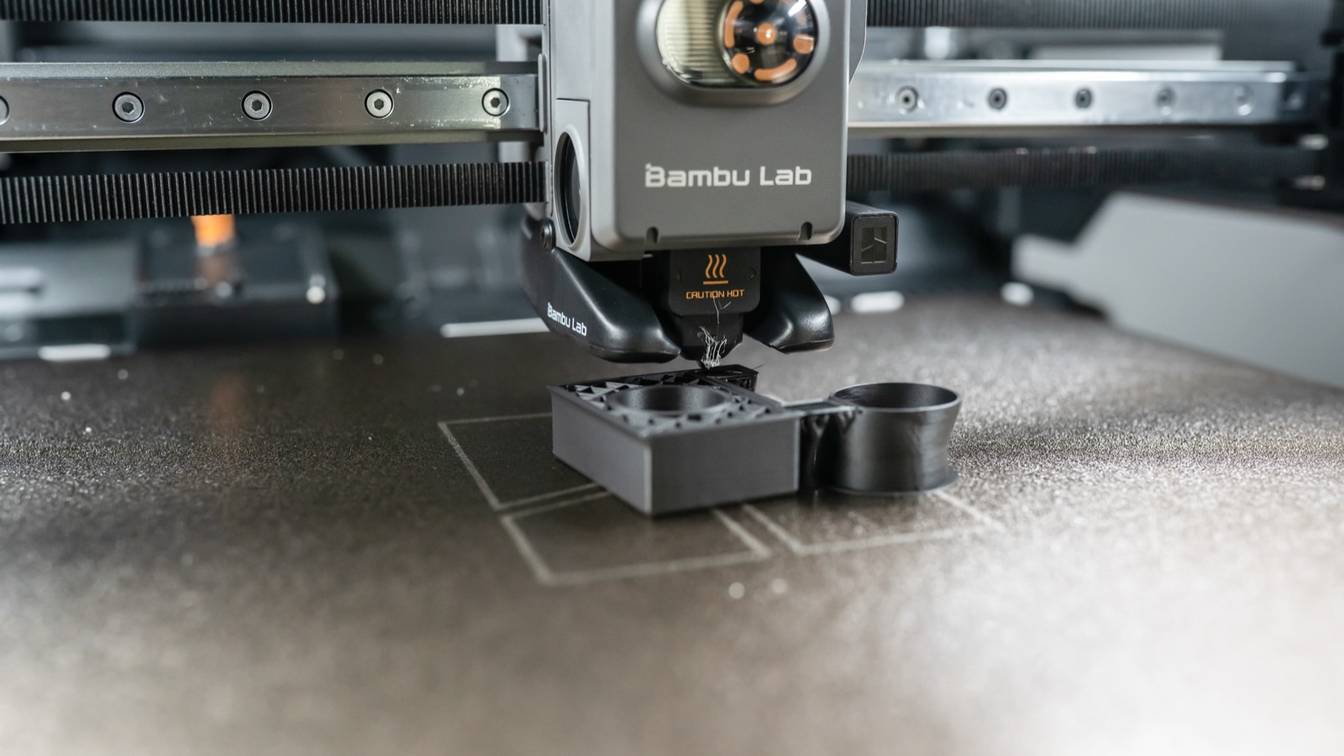
Print ASA on the Bambu Textured PEI Plate. Select “Textured PEI Plate” in Bambu Studio, keep the Bambu ASA preset’s 100 °C bed and add glue stick, as the plate’s store listing asks. The Engineering Plate and Smooth PEI (High Temperature) Plate also take ASA and ABS with glue; the Cool Plate and Cool Plate SuperTack take neither.
Which Bambu Lab plate should you use for ASA?
Bambu Lab’s filament guide lists three plates for ASA and ABS, all at a 90 to 100 °C bed: the Textured PEI Plate, the Engineering Plate and the Smooth PEI / High Temperature Plate. It marks the Cool Plate “Not recommended”, and Bambu Lab’s ASA and ABS product pages rule out the Cool Plate SuperTack.
The table draws on the filament guide and each plate’s store listing. Rows are in alphabetical order.
| Plate | ASA and ABS | Bed temperature | Glue for ASA and ABS | Plate type to pick in Bambu Studio | Store status, October 24, 2026 |
|---|---|---|---|---|---|
| Cool Plate | Not recommended | None listed | None listed | Cool Plate | Discontinued |
| Cool Plate SuperTack | Not compatible; made for PLA and PETG only | None listed | None listed | Bambu Cool Plate SuperTack | Sold |
| Dual-Texture PEI Plate, smooth side | Compatible | 90 to 100 °C | Glue stick or liquid glue | Smooth PEI Plate / High Temp Plate | Sold |
| Dual-Texture PEI Plate, textured side | Compatible | 90 to 100 °C | Not required, per its listing | Textured PEI Plate | Sold |
| Engineering Plate | Compatible | 90 to 100 °C | Required for every filament | Engineering Plate | Sold |
| Smooth PEI Plate, High Temperature Plate | Compatible | 90 to 100 °C | Needed for every filament except PLA | Smooth PEI Plate / High Temp Plate | High Temperature Plate discontinued; Smooth PEI Plate sold in the A1 mini size only |
| Textured PEI Plate | Compatible | 90 to 100 °C | Glue stick, per its listing; the wiki says glue “may be necessary” | Textured PEI Plate | Sold; included with the P1S |
The filament guide marks ASA and ABS “Not Recommended” on the open-frame A1 and P1P, and the plate listings mark both “not for A1 mini”. Where the Smooth PEI Plate is no longer sold, Bambu Lab names the Engineering Plate as its replacement.
Textured PEI Plate or Engineering Plate for ASA?
Both take ASA at the same bed temperature and differ in surface and upkeep:
- Textured PEI Plate. PEI (polyetherimide) powder-coated on stainless steel, rated to 180 °C. It leaves a textured bottom face, and Bambu Lab says prints release once the plate cools to 35 °C or lower.
- Engineering Plate. A polyester powder coating on 0.5 mm manganese steel, rated to 120 °C. Bambu Lab built it for ABS, ASA, polycarbonate (PC) and nylon (PA) and says it gives a smooth, nearly glossy bottom face. Glue goes on before every print.
- Both. No acetone, which Bambu Lab says damages either surface. Bambu Lab treats both plates as consumables.
What bed temperature does Bambu Studio set for ASA and ABS?
Bambu Studio sets 100 °C for Bambu ASA on every plate that takes it, and 90 or 100 °C for Bambu ABS depending on the printer and plate. Each filament preset stores one bed temperature per plate type; the table gives Bambu Lab’s own presets for the 0.4 mm nozzle, ABS first.
| Preset | Printers | Textured PEI Plate | Engineering Plate | Smooth PEI Plate / High Temp Plate | Cool Plate, Cool Plate SuperTack |
|---|---|---|---|---|---|
| Bambu ABS | A1, P1P | 100 °C | 90 °C | 100 °C | 0 °C (not supported) |
| Bambu ABS | P1S, P2S, X1 Carbon, X1E, X2D, H2S, H2D, H2C | 90 °C | 90 °C | 90 °C | 0 °C (not supported) |
| Bambu ASA | A1, P1P, P1S, P2S, X1 Carbon, X1E, X2D, H2S, H2D, H2C | 100 °C | 100 °C | 100 °C | 0 °C (not supported) |
First-layer temperatures match these in every row, and so do the Generic ABS and Generic ASA presets for the P1S and X1 Carbon. Bambu Studio flags a 0 °C plate as incompatible until you type in a temperature, but Bambu Lab warns that anything but PLA and PETG may damage the SuperTack coating.
Which plate should you use for ABS on the Bambu Lab P1S?
Use the Textured PEI Plate the P1S ships with, selected as “Textured PEI Plate” in Bambu Studio; the Bambu ABS preset sets a 90 °C bed for it. Any 256 × 256 mm Bambu Lab plate fits, and the Engineering Plate also takes ABS, with glue. Bambu Lab does not recommend the Cool Plate for ABS, though the P1S spec sheet lists it as an option.
Corners that lift partway through a print mean warping rather than poor adhesion; see ABS warping on the P1S. Bambu Lab warns that ABS and ASA may release harmful gases, including styrene, at printing temperatures. It recommends an enclosed printer in a well-ventilated area; venting the P1S for ABS covers the options.
Do you need glue for ASA on a Bambu Lab plate?
Yes on the Engineering Plate and the Smooth PEI Plate, where Bambu Lab requires glue for ASA and ABS. On the Textured PEI Plate, use a glue stick too: its store listing requires one, though Bambu Lab’s wiki says glue “may be necessary” and the Dual-Texture plate’s listing says its textured side needs none.
Glue also makes prints easier to remove and protects the plate surface, Bambu Lab’s filament guide says, most of all on the Engineering Plate. On smooth PEI, it stops the sheet tearing when a part comes off.
Which glue does Bambu Lab recommend for ASA and ABS?
Bambu Lab’s filament guide lists either of its two glues for ASA and ABS:
- Liquid Glue for Build Plate. Its listing names ASA and ABS and says it applies more evenly and leaves less residue than a glue stick.
- Glue Stick for Build Plate. Its listing names ABS but not ASA among its uses (PLA, ABS, PETG, PC, PA and TPU). The filament guide calls for the glue stick on fiber-filled grades such as ASA-CF, and for liquid glue on ABS-GF.
On the Engineering Plate, Bambu Lab says a glue stick makes parts easier to remove but gives a less even first layer than liquid glue, which prints steadier but can make removal harder. The plate listings add that Bambu Lab is not responsible for plate damage caused by third-party glue.
How to apply and remove Bambu Lab glue
- Clean the plate first. Glue goes on a clean, dry, grease-free surface.
- Apply glue stick evenly. Cover the whole print area.
- Or spread liquid glue. Press the applicator head to open its valve and spread an even, moderately thick layer over the print area. No need to wait: Bambu Lab says it dries in about 45 seconds on a 90 °C bed (about an hour at room temperature), so the bed’s preheat finishes the job.
- Let the plate cool, then flex it. On the Engineering Plate, if a part still holds, wet the joint between part and plate with alcohol before using a scraper.
- Wash the glue off. Glue stick comes off with soap and water; soak dried glue for about 30 seconds first. Rinse liquid glue off with water and scrub with a non-woven cloth. White marks on the bottom of the part are glue residue and wipe off with alcohol.
Why is ASA not sticking to the Bambu Lab plate?
A dirty plate is the usual cause: Bambu Lab names skin oil from fingerprints as the number one reason prints come loose. After washing, check the glue and the plate type in Bambu Studio, then the bed temperature and the closed door and glass, then the first layer, plate wear and filament moisture.
- Wash the plate. Scrub it with dish soap and warm water, using a sponge, scouring pad or plastic brush on textured PEI. Rinse it, dry it and hold it by the edges. Bambu Lab prefers detergent to alcohol on the textured plate, because alcohol “might just spread the oils”. Pick a detergent without oils or moisturizers, and never use acetone. On a clean plate, water spreads into a thin film; if it beads into droplets, wash it again.
- Add glue. Rub glue stick over the Textured PEI Plate, as its store listing asks for ASA. The Engineering and Smooth PEI plates need glue for every ASA print.
- Match the plate type in Bambu Studio. Bambu Studio’s start G-code lowers the nozzle 0.04 mm after leveling, but only when “Textured PEI Plate” is selected. Slice for any other plate while printing on textured PEI and the first layer runs 0.04 mm too high.
- Check the bed temperature. Bambu Lab’s quick fix for lifting is 5 to 10 °C more, but the Bambu ASA preset already sits at 100 °C, where the filament guide’s range ends. On the P1S, whose bed stops at 100 °C, only ABS has room to rise from its 90 °C preset.
- Close the door and keep the top glass on. Bambu Lab’s filament guide answers “NO” to removing the top glass for ASA and ABS. Its troubleshooting guide says to close the front door and top cover and block drafts from windows, vents and fans.
- Fix the first layer. Re-run automatic bed leveling and check that the nozzle clips are fastened. If the first layer still floats, Bambu Lab suggests a 0.5 mm first-layer line width and a 0.25 mm first-layer height. Keep “No cooling for the first X layers” at 3, the default in Bambu Lab’s ABS and ASA presets, and add a brim on small parts.
- Restore or replace a worn plate. Bambu Lab says careful sanding with fine-grit sandpaper (600 grit recommended) brings textured PEI adhesion back. Wash off the sanding dust afterward. Bubbles under a smooth PEI sheet can clear after several hours on the bed at 80 °C or more, Bambu Lab says. A scratched or peeling sheet means a new plate, because Bambu Lab no longer sells spare sheets.
- Dry the filament. Crackling or popping during printing or a rough, bubbly surface means the ASA has absorbed moisture. Bambu Lab’s guide gives 80 °C for 8 hours in a forced-air drying oven or the AMS HT; drying filament for Bambu printers covers the methods.
Sources
- Bambu Lab Wiki, Filament guide: printer, nozzle, AMS, build plate, glue compatibility and required parameters (accessed October 24, 2026)
- Bambu Lab Wiki, Introduction to Bambu Lab Build Plates (accessed October 24, 2026)
- Bambu Lab Wiki, How to use Bambu Lab glue (accessed October 24, 2026)
- Bambu Lab Wiki, Bambu Lab Textured PEI Plate Cleaning Guide (accessed October 24, 2026)
- Bambu Lab Wiki, High Temperature/Smooth PEI Plate troubleshooting guides (accessed October 24, 2026)
- Bambu Lab Wiki, Printed model warping: causes and solutions (accessed October 24, 2026)
- Bambu Lab Wiki, Model warping, falling off, or collapsing (accessed October 24, 2026)
- Bambu Lab, P1S tech specs (PDF) (accessed October 24, 2026)
- Bambu Lab store (EU), Bambu Textured PEI Plate (accessed October 24, 2026)
- Bambu Lab store (EU), Bambu Engineering Plate (accessed October 24, 2026)
- Bambu Lab store (EU), Bambu Smooth PEI Plate (accessed October 24, 2026)
- Bambu Lab store (EU), Bambu Dual-Texture PEI Plate (accessed October 24, 2026)
- Bambu Lab store (EU), Bambu Cool Plate SuperTack (accessed October 24, 2026)
- Bambu Lab store (EU), ASA (accessed October 24, 2026)
- Bambu Lab store (EU), ABS (accessed October 24, 2026)
- Bambu Lab store (EU), Liquid Glue for Build Plate (accessed October 24, 2026)
- Bambu Lab store (EU), Glue Stick for Build Plate (accessed October 24, 2026)
- Bambu Studio on GitHub, BBL filament profiles (directory) (accessed October 24, 2026)
- Bambu Studio on GitHub, fdm_filament_abs.json (accessed October 24, 2026)
- Bambu Studio on GitHub, fdm_filament_asa.json (accessed October 24, 2026)
- Bambu Studio on GitHub, Bambu ABS @BBL P1S 0.4 nozzle.json (accessed October 24, 2026)
- Bambu Studio on GitHub, Bambu ABS @BBL A1.json (accessed October 24, 2026)
- Bambu Studio on GitHub, Bambu ABS @BBL P1P.json (accessed October 24, 2026)
- Bambu Studio on GitHub, Bambu ASA @base.json (accessed October 24, 2026)
- Bambu Studio on GitHub, Bambu ASA @BBL X1C 0.4 nozzle.json (also covers P1S and P1P) (accessed October 24, 2026)
- Bambu Studio on GitHub, Generic ASA @base.json (accessed October 24, 2026)
- Bambu Studio on GitHub, Generic ABS.json (accessed October 24, 2026)
- Bambu Studio on GitHub, Bambu Lab P1S 0.4 nozzle start G-code template (accessed October 24, 2026)
- Bambu Studio on GitHub, PrintConfig.cpp (bed type and plate temperature options) (accessed October 24, 2026)